¶ How To Check for Differences in our Agreements / Compare Contracts
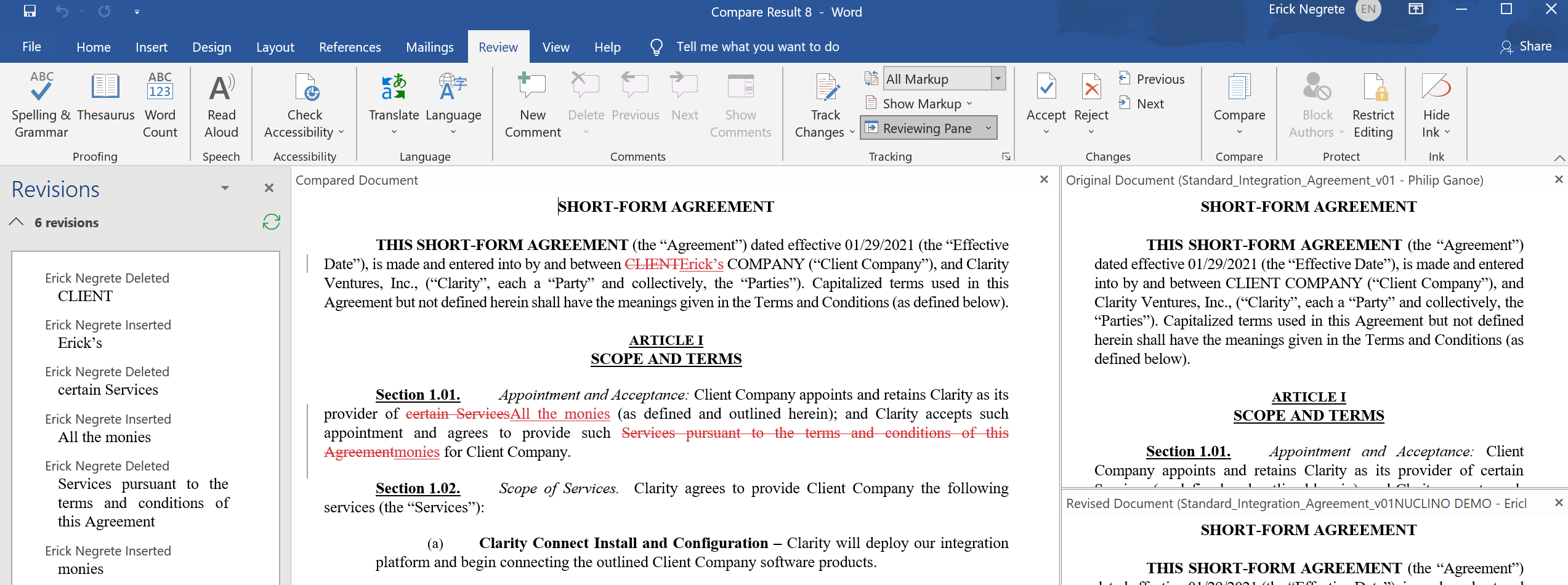
As a Project Manager, you will have to read and skim through our agreements with the client. To save time, and to make the process more thorough, you may want to check the standard document with the specific client's version.
While this may seem more time-consuming at first, after doing this once or twice this process can really help ensure you only read what is unique to your client and never miss key details.
Here are some things to check for:
- Check for key details that may help you understand the project.
- Check for unusual or potentially dangerous wording that may place Clarity in a bad position. (This has been done by a client before)
- Check for hours, project cost, and other details.
¶ How to Check for Changes
-
Select the standard agreement from the documents provided below to compare to the new client agreement.
-
Enable Editing (save as a copy for yourself)
-
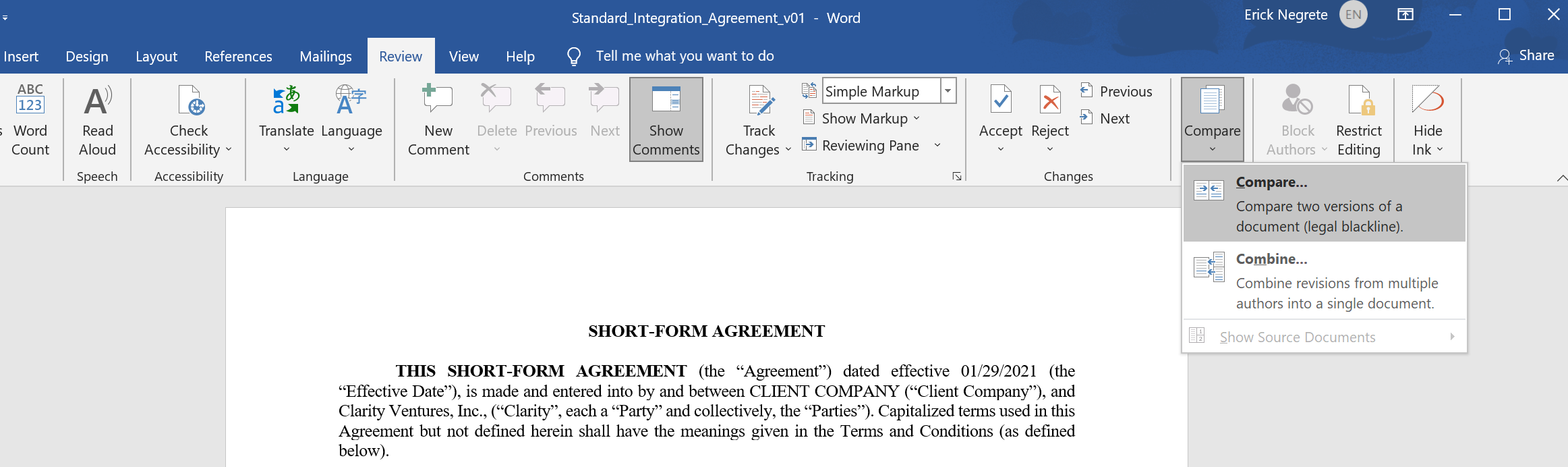
Go to the "Review" tab and click on "Compare".
-
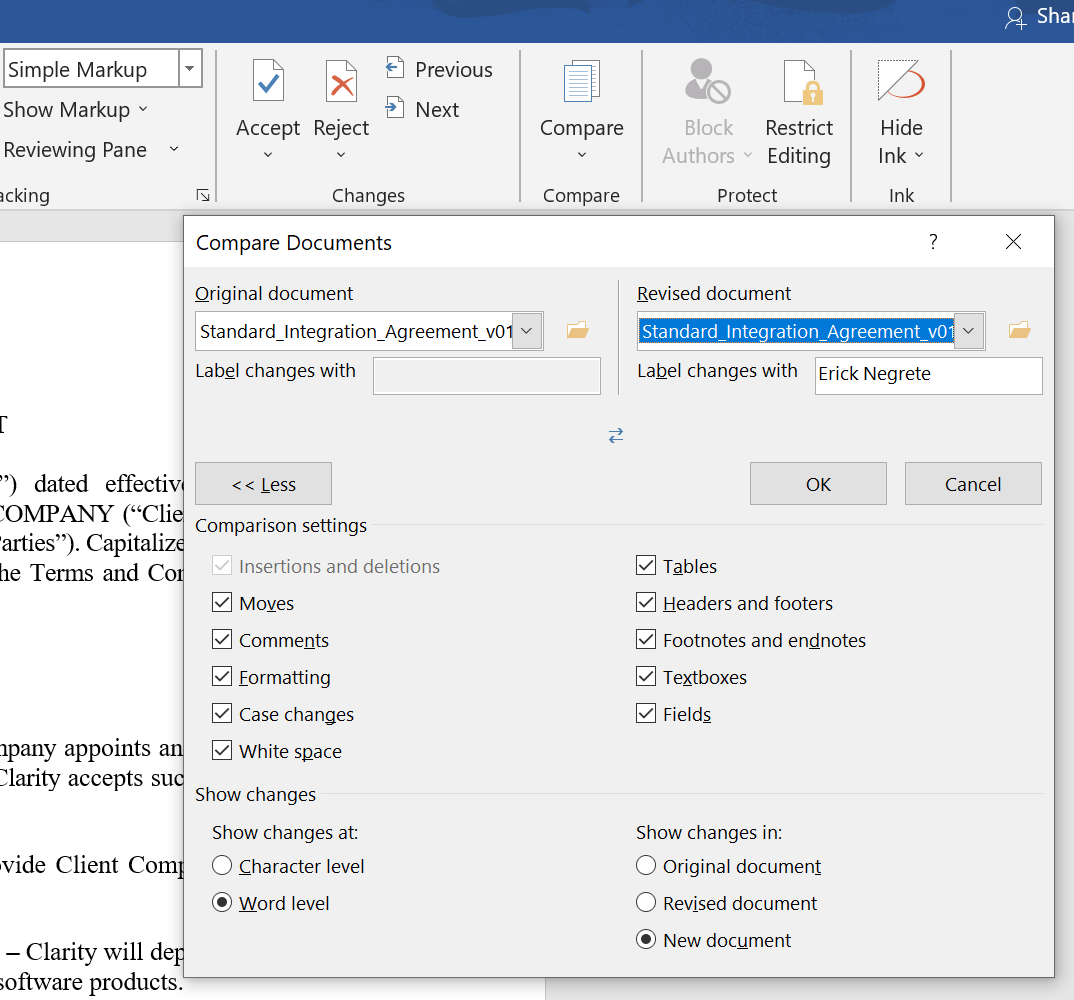
You will find this "Compare Documents" Window appear afterward.
-
You can then select the Original Document from the list below, and the Agreement provided during the project handoff(as the revised document).
¶ Standard Agreements Below:
Corporate_Project_Agreement_R3_v09.docx
Non-Standard_Integration_Agreement_v01.docx
Standard_Integrated_eCommerce_Agreement_v01.docx