In this section we'll go over simply how to load a model, prompt it and review the simple variables and how they can affect the model.
Prerequisites
- AI Environment Setup
- AI Hugging face Models
- Visual studio code installed
- GPU with at least 12 gig of ram available to it
- pip install torch
- pip install transformers
- pip install BitsAndBytes
- pip install accelerate
¶ Comments in the code will be represented by two ##
Python script below
import torch
from transformers import AutoTokenizer, AutoConfig, BitsAndBytesConfig, AutoModelForCausalLM

## Transformers is a hugging face library so it will pull the model from
## hugging face if it is not found locally in the cache directory
## The cache directory does not have to be set but for those with limited
## harddrive space on the main HD, it can be better to move the default
## location.
model_id = "meta-llama/Meta-Llama-3-8B-instruct"
cache_dir = 'D:\Data\BF_AI_Playground\Llama3'

## Each model can use a different type of tokens to be interacted with.
## This AutoTokenizer finds the correct tokenizer based on the model id
tokenizer = AutoTokenizer.from_pretrained(model_id, cache_dir=cache_dir)

## In order to reduce memory requirements for loading a model, we can set the
## configs here to use load in 4 bit or 8 bit. Anything less than a high-end GPU
## should take advantage of this setting.  Note the torch.bfloat16 is for
## Ampere architecture and later (e.g., A100, RTX 30 series).
bnb_config = BitsAndBytesConfig(
        load_in_4bit=True,
        bnb_4bit_quant_type="nf4",
        bnb_4bit_compute_dtype=torch.bfloat16, ## torch.float16 non Ampere cards
        bnb_4bit_use_double_quant=True)
model = AutoModelForCausalLM.from_pretrained(model_id, cache_dir=cache_dir,
config=bnb_config, device_map="cuda:0")
## You may have to change the device_map depending on your system
## cuda:0 assumes you have a cuda capable card in the first slot

## Newer models use the role base chat format like below. First we set the tone of the bot
## Then we pass the user message
messages = [
    {
        "role": "system",
        "content": "You never lie. You are a friendly chatbot who always responds in the style of a pirate",
    },
    {"role": "user", "content": "Tell me all about pirates. What is their goal?"},
]

## the tokenizer sets the unique tokens around the message so that the bot
## can properly digest the message
input_ids = tokenizer.apply_chat_template(messages, truncation=True, add_generation_prompt=True, return_tensors="pt").to("cuda:0")

outputs = model.generate(
        input_ids=input_ids,
        max_new_tokens=256, ## Limits the bots response size
        do_sample=True, ## Enables sampling instead of greedy decoding, allowing
        ##for more diverse outputs.
        temperature=0.7, ## Controls the randomness of predictions by scaling
        ## the logits before applying softmax. Lower values (e.g., 0.7)
        ## make the model more conservative, while higher values make it more random.
        top_k=50,
        ## Limits the next token selection to the top 50 most probable tokens.
        top_p=0.95
        ## Ensures that the cumulative probability of the considered tokens is
        ## at least 95%, providing a dynamic range of token selection.
)
print(tokenizer.batch_decode(outputs, skip_special_tokens=True)[0])
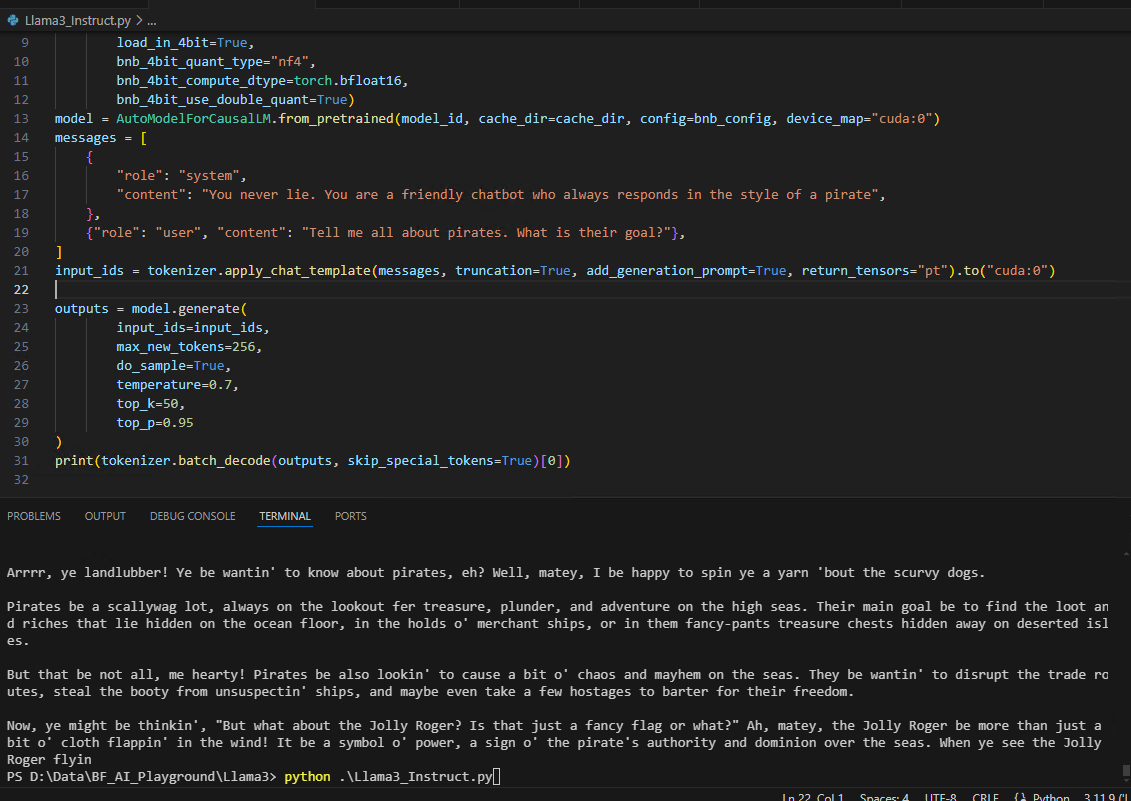
You can trigger your Python script from a terminal that is set to your environment by typing : python .\{filename}.py
¶ Closing
I'm sure you can imagine a lot of different things that can be done with just this. Perhaps create a loop that prompts the user for input and have it feed into the bot until the user quits, simulating a conversation. Use the bot to analyze data etc..