The following article reviews best practices for project managers to follow with upkeep of their project's teams channel to ensure that projects remain uniform and all information is available to those who might require it.
- Technology: Teams
- Sphere: Operations
- SDLC: N/A
- Cadence: Ongoing / As needed
¶ File Structure
When a new project starts at Clarity, the Operations team sets up the Teams channel with the following file structure:
Proposal
WorksheetsSentCollateralLegal
ContractNDAService AgreementRecordings
Pre-SalesDiscoveryProject RecordingsEscalationsInstructional VideosDesign
WireframesMockupsClient ImagesMarkupDiscovery
Project DocumentationMapping IntegrationReEstimatesTimelineFinancial
InvoicesChange Request DocumentationProject Status ReportsProjectManagement
Meeting NotesDocumentation Sent To ClientTime Log AuditsFilesFromClient
ImagesDocumentsMisc
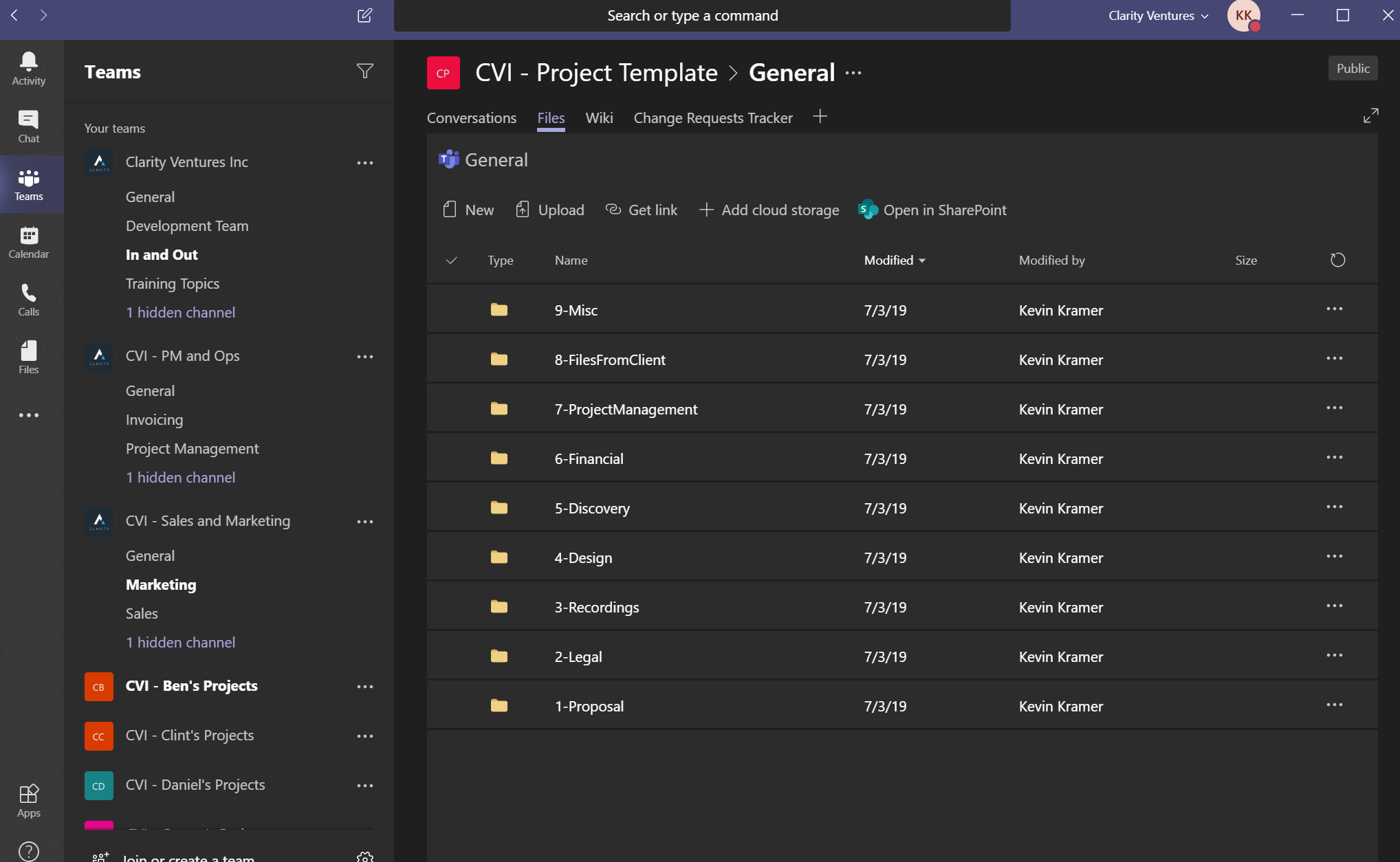
As these files are accessible to the team, Project Managers are expected to keep the files organized within the file structure. Maintaining a uniform structure between projects will allow for team members to quickly locate files that they might require. Most common files that will need to be updated are recordings and call notes from project status meetings and PSRs.
¶ Syncing to OneDrive
Microsoft OneDrive allows you to sync files and folders in your Teams channel. Once synced, users can navigate and update the files on their Teams channel the same way they would using Windows Explorer or MacOS File Manager.
For more information regarding how the sync works and getting syncs set up, please view this article: OneDrive Folder Sync Instructions
¶ Team Wiki / Notes
Each project's Teams channel should have a Note tab added at the top where the team can store information that relates to the project such as links, product versions, and server details. This information will allow team members to answer common questions at a glance. The link below houses templates based on project type, but at a minimum the notes should typically include:
- Environment details for QA, stage, and production
- Database details
- Any VPN details
- Created testing credentials
- Any additional testing info such as mock credit card numbers
Reference: Wiki Templates