Zoho is the CRM we use to track leads throughout the sales cycle. All sales team members have access to Zoho and should be following the blueprint provided within the platform for how and when to follow up with leads. Furthermore, each team member should be accurately documenting their progress or lack thereof with leads so that another team member may look at their notes and have a clear understanding of what may be needed to close the sale.
As leads are handed off to different team members throughout the cycle, it is important that we consistently update the lead status so that it may enter the correct hands.
¶ Figure 1: Where to View Leads List
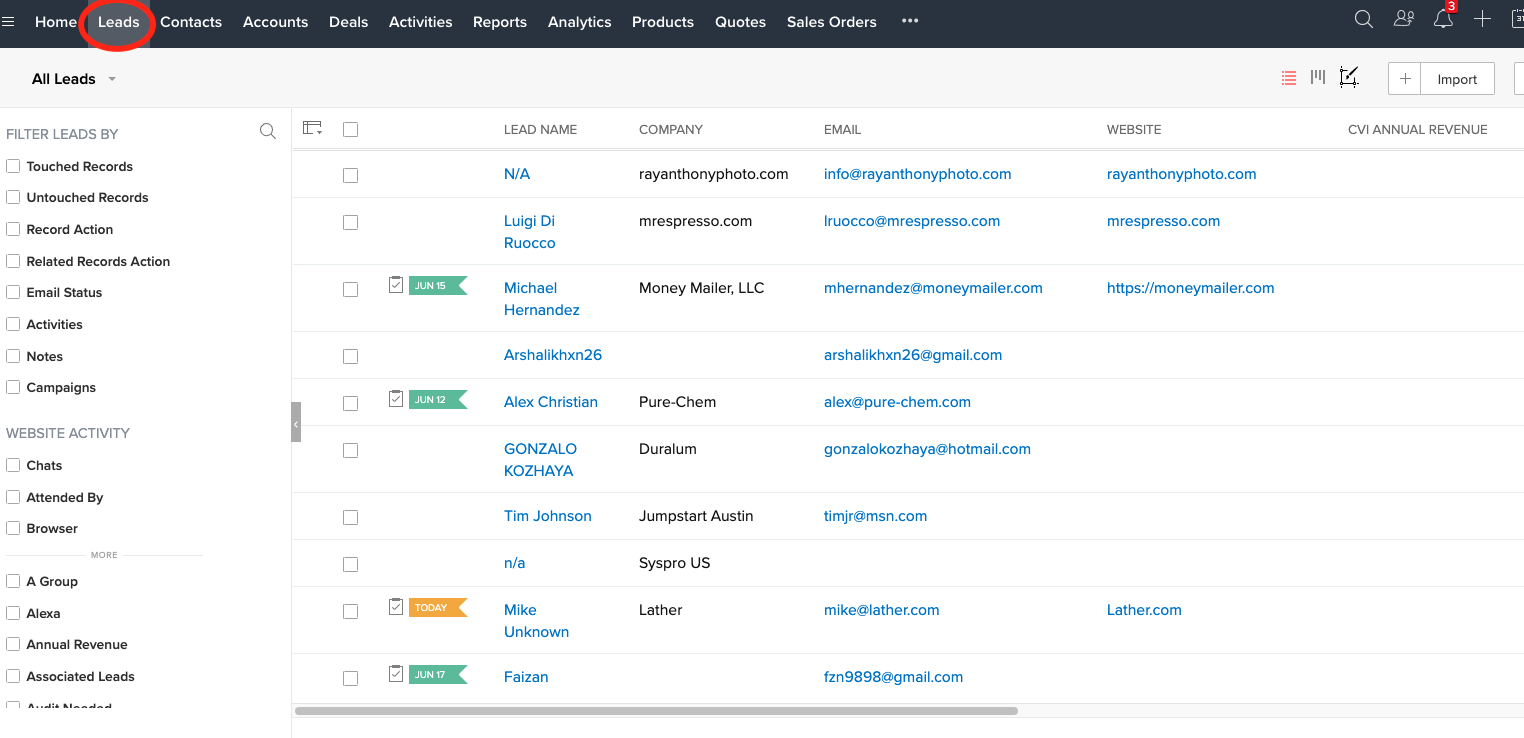
As seen in the image above, to view all leads, select the "Leads" tab in Zoho
¶ Figure 2: Filtering the Type of Lead
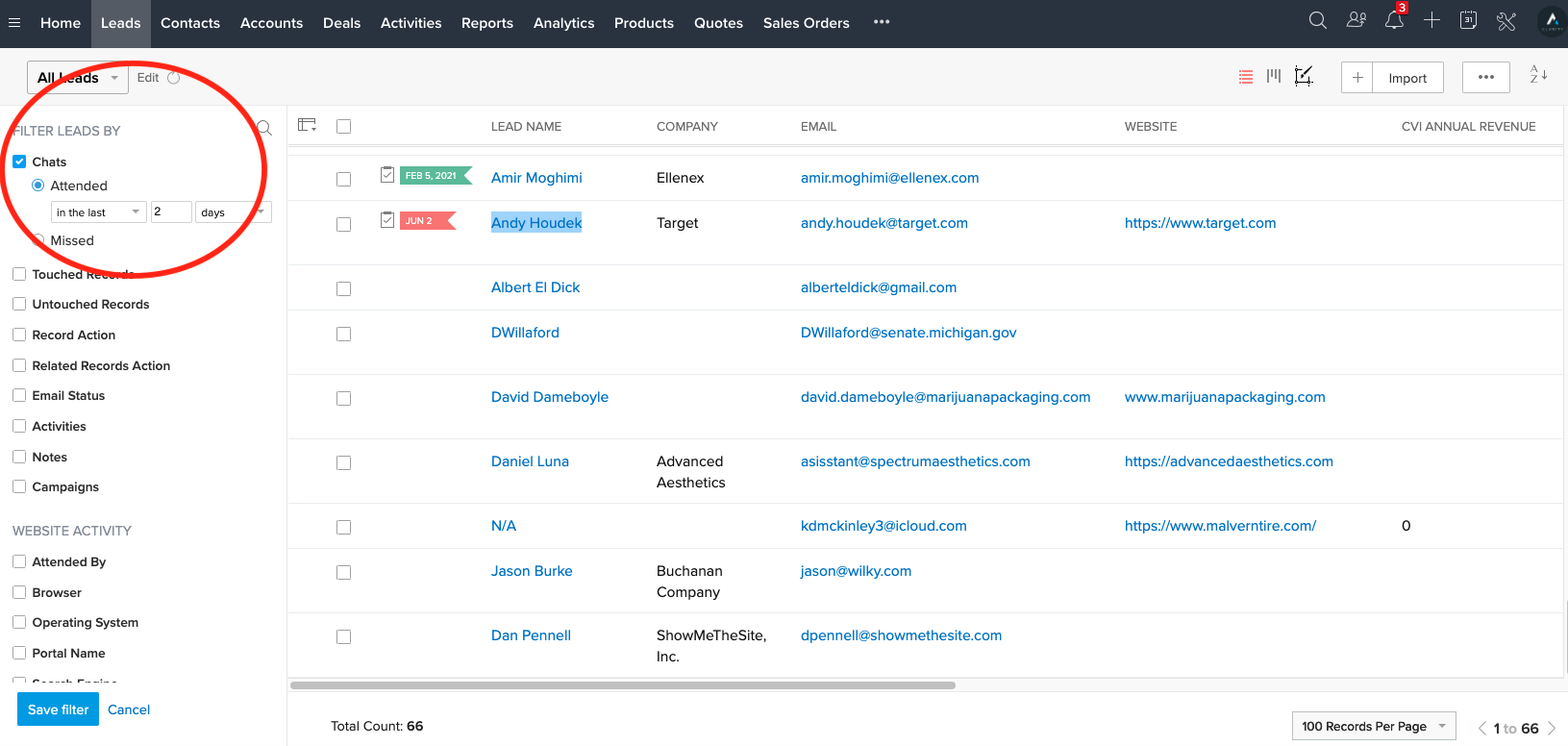
To filter by type of lead, use the menu on the left-hand side of your screen. In this instance, I wanted to filter by leads who have used the chat function on our website.
¶ Figure 3: Lead Status

Consistently setting the lead status is important so that anyone who views this lead's profile can get a high-level idea of the state it is in. This also allows for any hand-offs between team members and the second team member is able to see the next steps.
¶ Figure 4: Lead Information
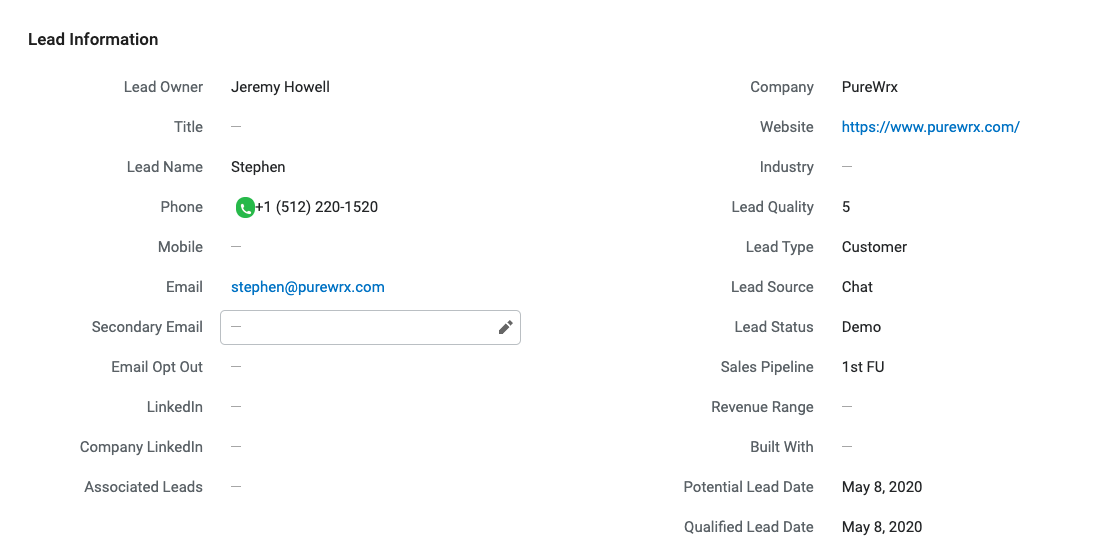
Further down the page is more information regarding the lead and their contact information. In this section, you can view aspects such as the lead quality (1-5, 5 being highest), the lead source, and when the lead was qualified.
¶ Figure 5a: Lead Analytics
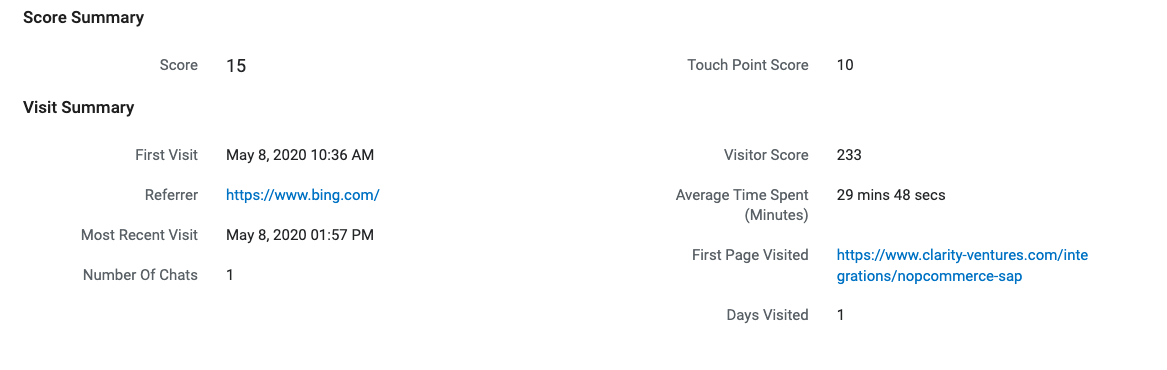
In this figure, you can see how the lead found our website and how much time they spent within it. This figure also shows the session in which the lead used our chat function to contact CV.
¶ Figure 5b: Lead Analytics

For more analytics regarding the lead, Zoho SalesIQ tracks the various pages visited in different sessions.
¶ Figure 6: Notes Taken by Team

This section is where the team member should upload their documents with any notes regarding this lead.