A test scenario is a single path through a Use Case that describes the user inputs and expected results associated with each step of the workflow. Additional test scenario information can include test descriptions, testing setups, testing configurations, and status of the test. Below is a list of each Test Scenario Field and a description of what the field is used for.
| Item Name | Item Field | |
|---|---|---|
| Test Scenario | Name | A name that indicates the purpose of this scenario. |
| Test Scenario | Priority | Indicates how important the test case is to include in your testing suite. Priory takes the relative risk of failure, frequency that this path will be covered, and the relative cost and effort of testing into consideration. |
| Test Scenario | Description | Describes the purpose of the test scenario. Identifies any test setup procedures that are required to execute the test. |
| Test Scenario | Procedure/Inputs | Indicates the user inputs/procedure associated with exercising each test step. |
| Test Scenario | Expected Results | Indicates the results that the tester should observe at each step. |
| Test Scenario | Test Type | Indicates the kind of test for the scenario. (Acceptance, Usability, Performance, Load, Security, Bounds, and White Box) |
| Test Scenario | Complexity | Indicates how complex the test is to execute. (Low, Medium, and High) |
| Test Scenario | Status | Indicates how completely the test scenario has been defined. (New, Pass, or Fail) |
| Test Scenario | Testing Setup | A description of the preparation that a tester should perform before testing the Use Case. This may be one or more actions that achieve a desired start-state, for example logging in and navigating to a particular screen. |
| Test Scenario | Related Documents | All Test Scenarios can reference related documents or URL's. The User can drag/drop from the Windows Explorer or right-click to manually add a document. Note that the document is only referenced here - it is not stored in the Use Case model. If other people need to access the document, make sure it is on a shared server or specify a relative path and put it in a version control system along with your Test Scenario Files. |
| Test Scenario | Issue Descriptions | Indicates Test Scenario Issues that you don't have an immediate answer for. |
| Test Scenario | Issue Assigned To | Indicates who the Issue is assigned to. |
| Test Scenario | Issue Resolved By | Indicates who the Issue what resolved by. |
| Test Scenario | Issue Status | Indicates the status of the Issue. |
| Test Scenario | Notes | Test Scenarios can have notes attached to them. The date of the note is automatically filled in with the date the note was added. |
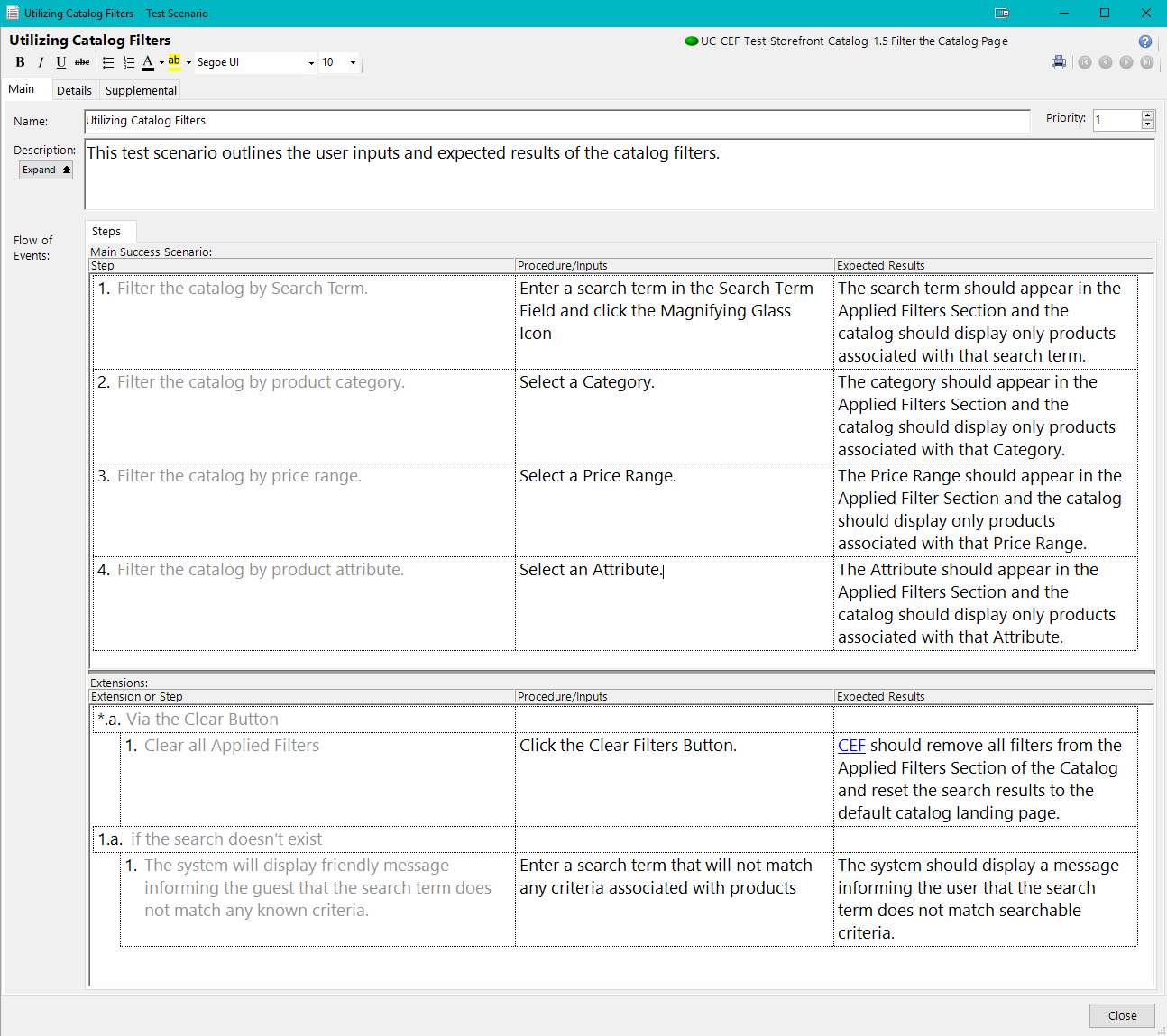
Test Scenario: Main Tab
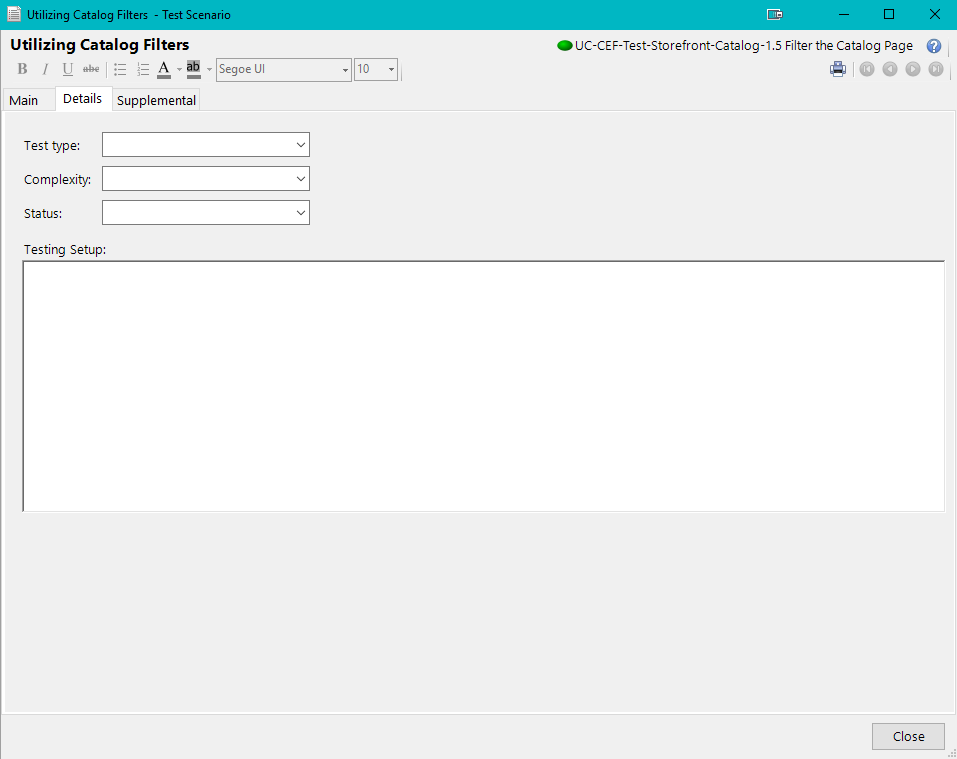
Test Scenario: Details Tab
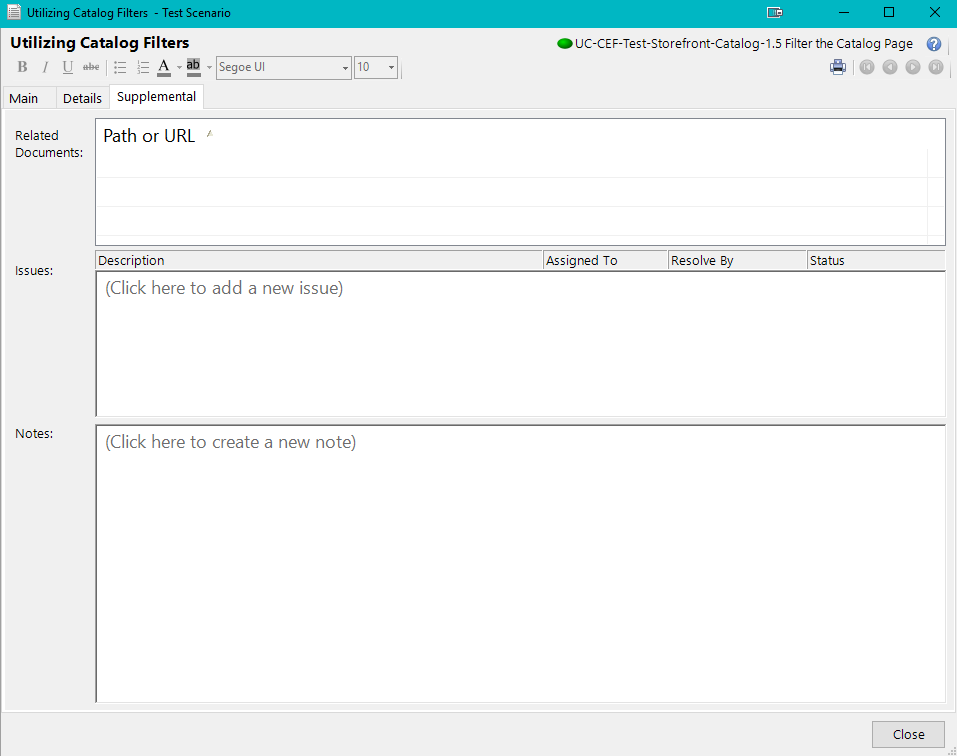
Test Scenario: Supplemental Tab