¶ Key Terminology
- Key Fields: Glossary
- Terminology: SYSPRO Terminology
- Database Architecture: https://help.syspro.com/syspro-8-2021-r1/resources/pdfs/syspro-8-database-architecture-technical-guide.pdf
¶ Known Integrations
Syspro → WooCommerce / WooCommerce → Syspro Default Field Mappings
Syspro → WooCommerce / WooCommerce → Syspro High-Level Table Mappings
Syspro → Shopify / Shopify → Syspro Default Field Mappings
¶ Authentication
- Syspro uses SOAP services as our OOB Connector
- There is a rest endpoint, but it is not as fully featured
- These are the options necessary for them to work
"SysproOptions": {
    "BaseUrl": "net.tcp://{{IPorURL}}:20000/SYSPROWCFService",
    "Operator": "{{Operator}}",
    "OperatorPassword": "{{OperatorPassword}}",
    "CompanyId": "{{CompanyID}}",
    "CompanyPassword": "{{CompanyPassword}}",
    "LanguageCode": "AUTO",
    "LogLevel": "Debug",
    "EncoreInstance": "0",
    "XmlIn": ""
}
- Syspro uses Business objects and they need to be XML serialized when sent across the SOAP Connector
- Syspro has an app available for testing the web service called “Syspro e.net diagnostics” application
- The specific instance can be provided by the client

¶ CRUD Operations
¶ Write Requests
- Some Objects use TransactionPost and some use SetupAdd. Need to look at the business object to know which to use.
- Creating a customer uses SetupAdd while posting a Sales Order would use the TransactionPost
- This can be found inside of Syspro by searching for the Business Object inside of Syspro Diagnostics
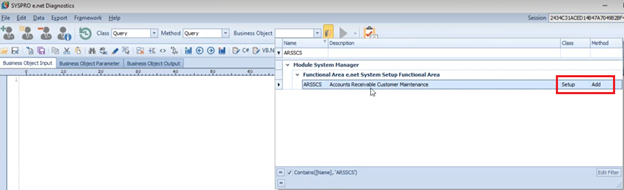
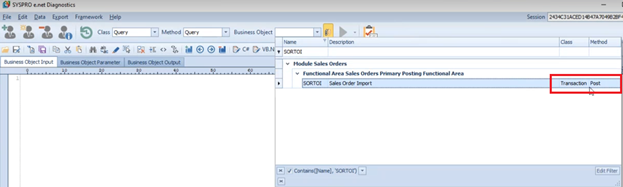
- SetupAdd takes in the Business Object, the UserID, the Parameters, and an XML in. We’ll use these 3 XML Schemas.
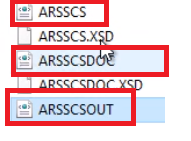
- We will be using the base BussinessObject (ARRSCS), the {BusinessObject}DOC (ARSSCSDOC), and {BusinessObjectOut} (ARSSCSOUT).
- The DOC schema contains the XML for the actual object that will be sent across.
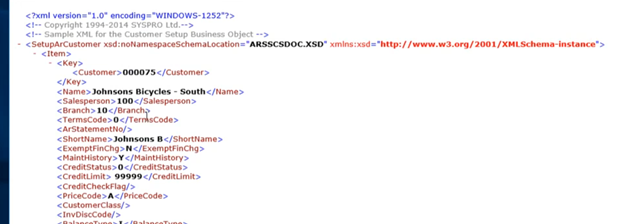
- The {BusinessObject} schema contains parameters

- {BusinessObject}OUT details what you will be receiving back
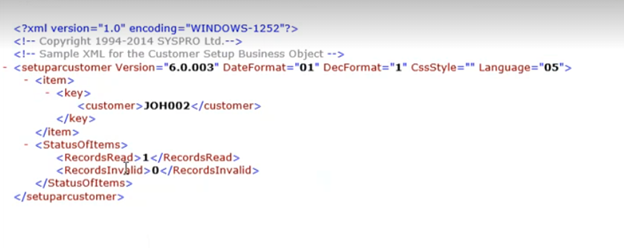
¶ Creating an Entity
- Highlight the XML from a DOC schema
- Go to xmltocsharp.azurewebsites.net
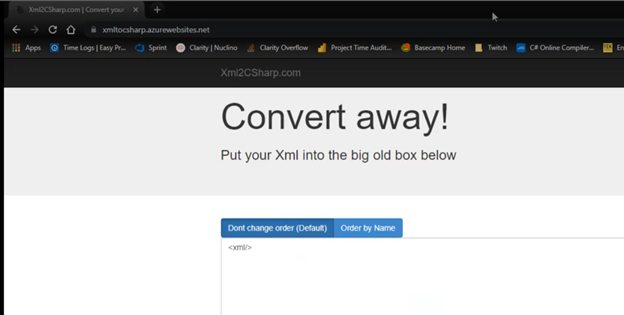
- May need to paste into Notepad++ first and use Pretty Print option
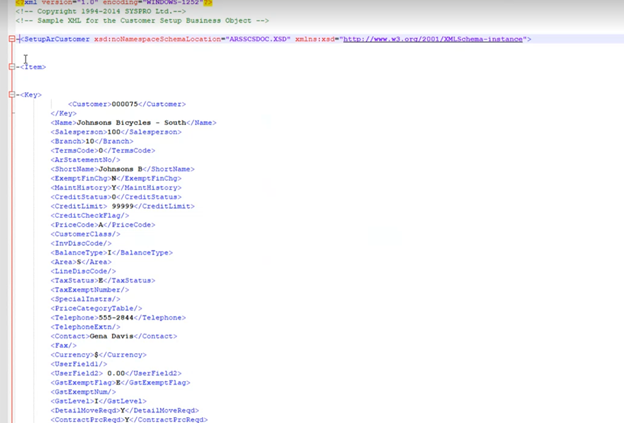
- Paste that XML into the website and click Convert.
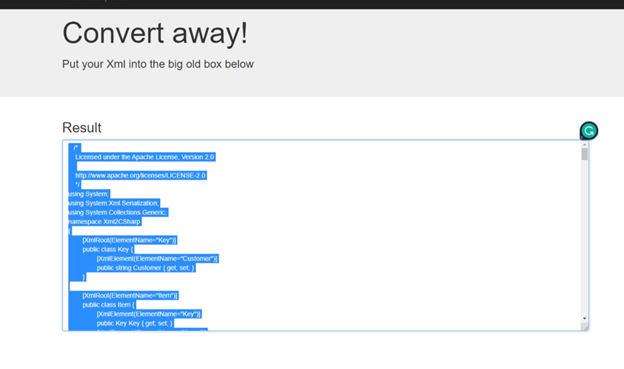
- Create a new Entity in Visual Studio
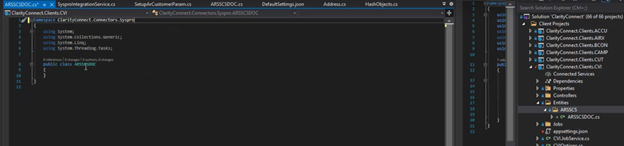
- Paste in the generated code
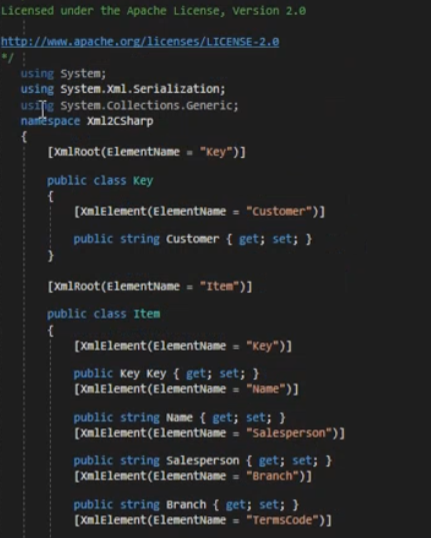
- There may be small formatting errors to fix.
- The Root Element is created at the bottom.
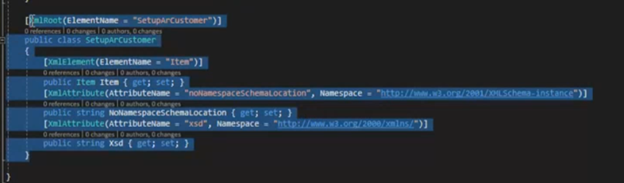
- This one is named SetupArCustomer because this is it’s name in the XML.
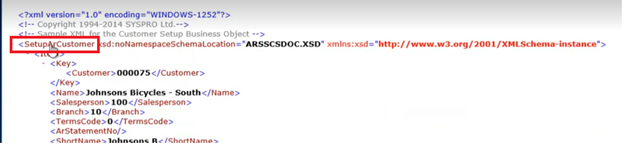
- Should be renamed to {BusinessObject}DOC
- Should add the {BusinessObject}DOC name to the other generated classes such as Key and Item.
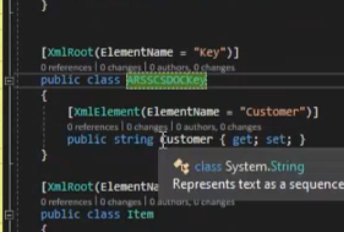
- You should set the DOC to inherit from QueryNameSpace. This will allow you to delete the “noNamespaceSchemaLocation and AttributeName.

- You will need to create a constructor that passes in the name of the Doc.
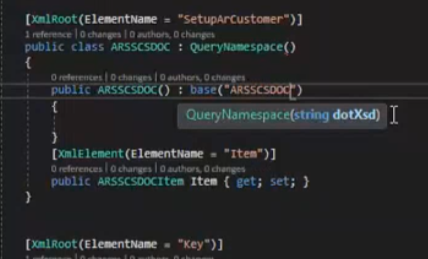
- This will help generate the Header for sending in the objects

¶ Setting up a Service
- You’ll need to create a {BusinessObject}Parameters Class.
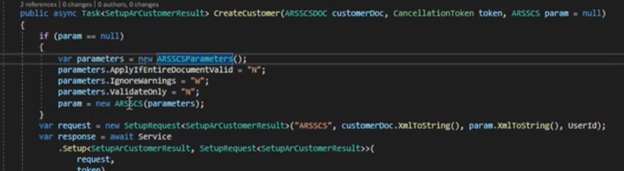
- For a Create, you will pass in the DOC and possibly Parameters and return the {BusinessObject}OUT

¶ Connect Specifics
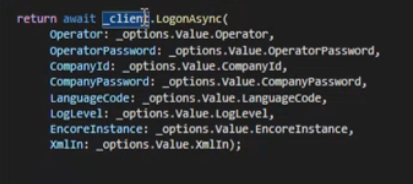
- Soap Client calls Logon to retrieve Session ID
¶ Get/List Requests
- QueryQuery takes in an XML in and queries for a business object
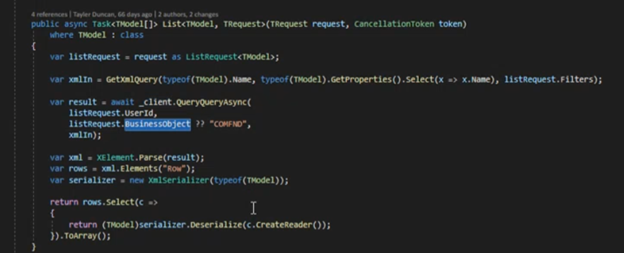
- With Rest we typically would “Get” by ID. Soap requests all function like “Posts”.
- These Query requests are found in the {BUSOBJECT}QRY.XSD files.
- Open SORQRY as an example
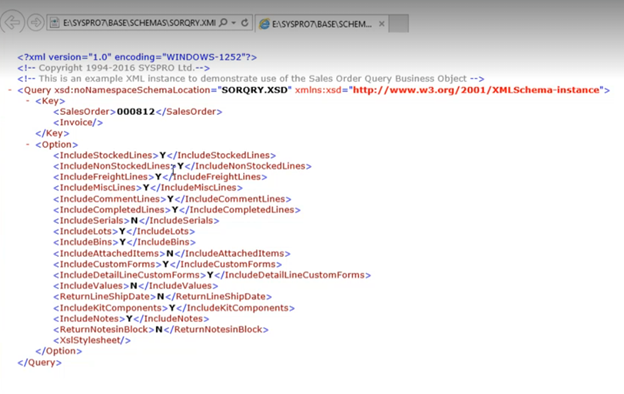
- This shows an example schema of how to query for a specific SalesOrder
- There are additional Options that can be changed, but most of the time the defaults will be used.
¶ Known Customizations
Default and High-Level mappings have been documented, but there are no active client projects utilizing SysPro syncs via Connect at this time. This section is a Work in Progress.
¶ Outlying Issues
There may be small formatting errors to fix when pasting in API Generated XML Code to MS Visual Studio.
¶ Things to Document for system specific client onboarding
- Invoices sync
- Need operator permission to ARSTIN
- Need operator permission to Ar Invoices
- Accounts from Syspro
- Need to turn on
Customer Amendment Journals Required - Need operator permission to ARSQAJ
- Need to turn on
- Products/Inventory
- Need
- SalesOrders
- If ShippingInstructions are required for integration, need to supply (and implement in connector) the mappings from shipping code from other system to the correct shipInstrsCode in Syspro
¶ Common Model Mappings
¶ Common Model Workflows
Phase 2