- 4pm: Take an initial snapshot, showing the developers where they're at, remind them that the snapshot is being taken at 7pm.
- 7pm: Snapshot of total completed work and Story Point completion in the sprint
- Story Point Completion: The total of Blue level product backlog items with Story Points that are in a closed state. (Deployed to QA, Deployed to UAT, Deployed to PRD, In QA, Resolved, Closed)
- Total Completed Work: The total of Completed Work per developer
- Ensure that all work is under the proper Area Path, that is the source of truth for hours logged against a project
- Moving tasks and user stories to the next sprint
- If Completed work = 0, move it right on over, no need to duplicated
- If Completed work >0:
- Check if there is a PR associated to the User Story or Task
- This has no PR associated
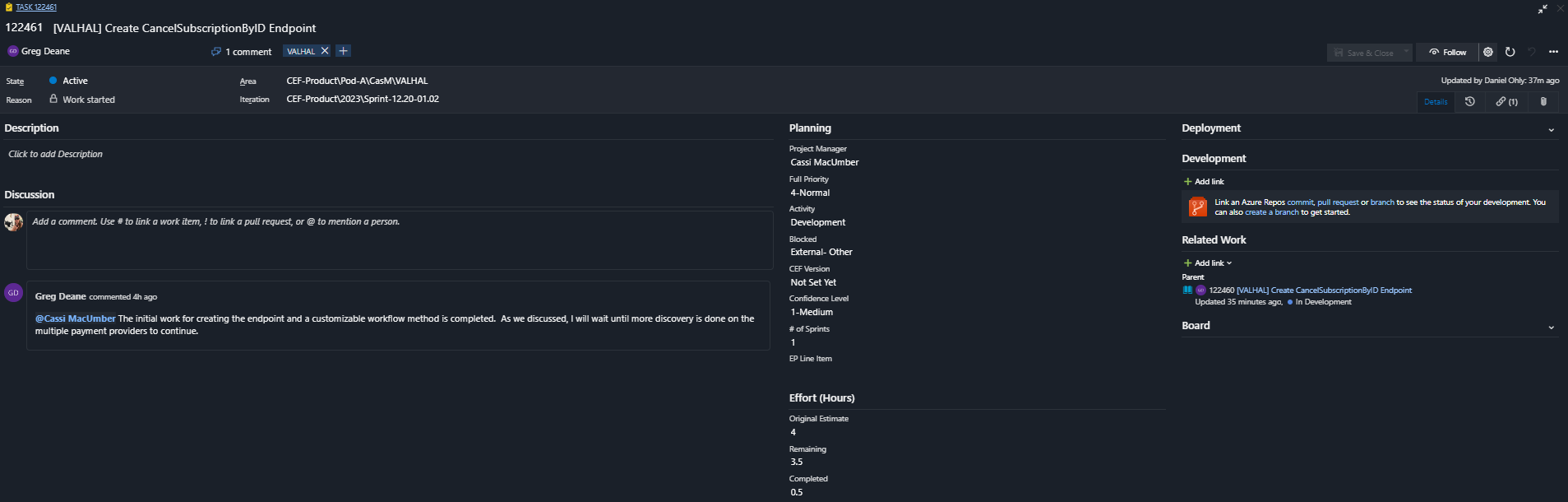
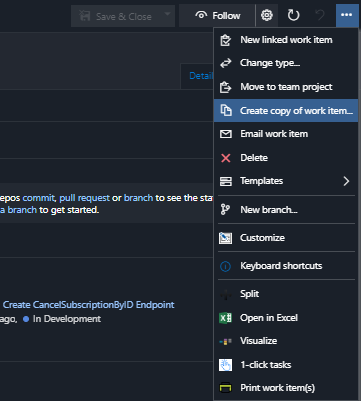
- Duplicate the ticket:
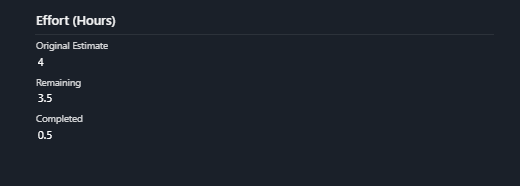
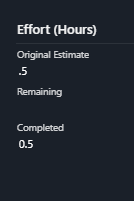
- Change the hours to reflect the work that was complete by reducing the original estimate by the completed. And move it to the next sprint.
- On the original task, reduce the Original Estimate by the Remaining Work, delete the Remaining Work, and close the task.
- Move the User Story over into the next sprint.
- Edge Case: If the Task has no Remaining Work, and there is no PR, move it forward with no Remaining Time.
- This has no PR associated
- This has a PR associated
- If there is a PR associated, ensure that the PR is complete, and change the state of the Blue level to the proper deployed state.
- Check if there is a PR associated to the User Story or Task
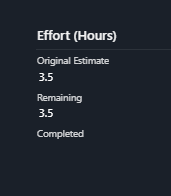
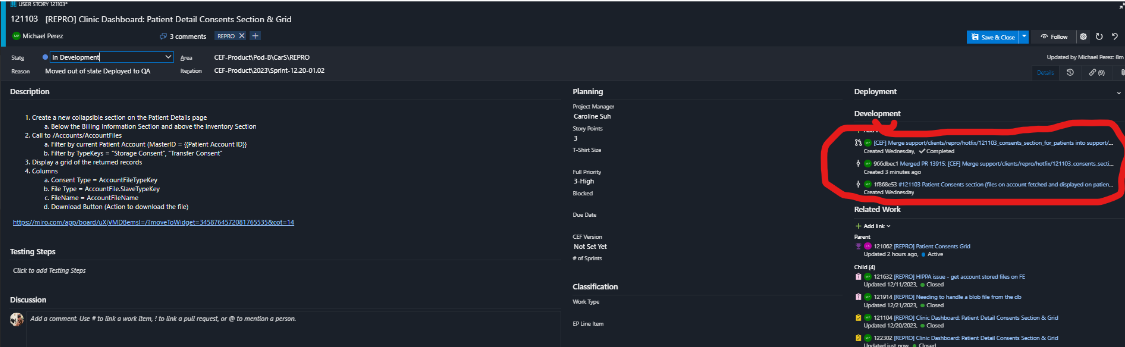
Close the task, and leave the work in the current sprint.
¶ When this is complete update the Sprint Report
- Refresh all tables, updating any tags/etc. as you would on a normal sprint update.
- Take a look at the result on the tables, see if there's any aberrations
- EG: Someone had more completed work or story points completed earlier in the day, and they have less now.
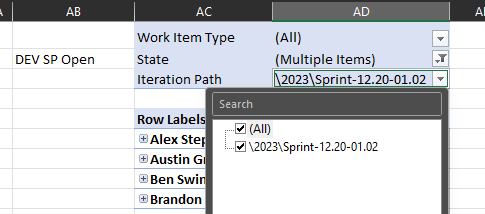
- Edge Case: Frequently, due to the cleaning of the information in the "Current Sprint", work that has been pushed to the "Next Sprint", the information may be incorrect on the tables. Check the Story Point Open and Closed tables, and ensure that it's only showing work in the "Current" sprint.
- Post the tables for the Developers, make sure to "@everyone", give them a little bit to check in on it, up to you if you allow them to make last minute updates etc.
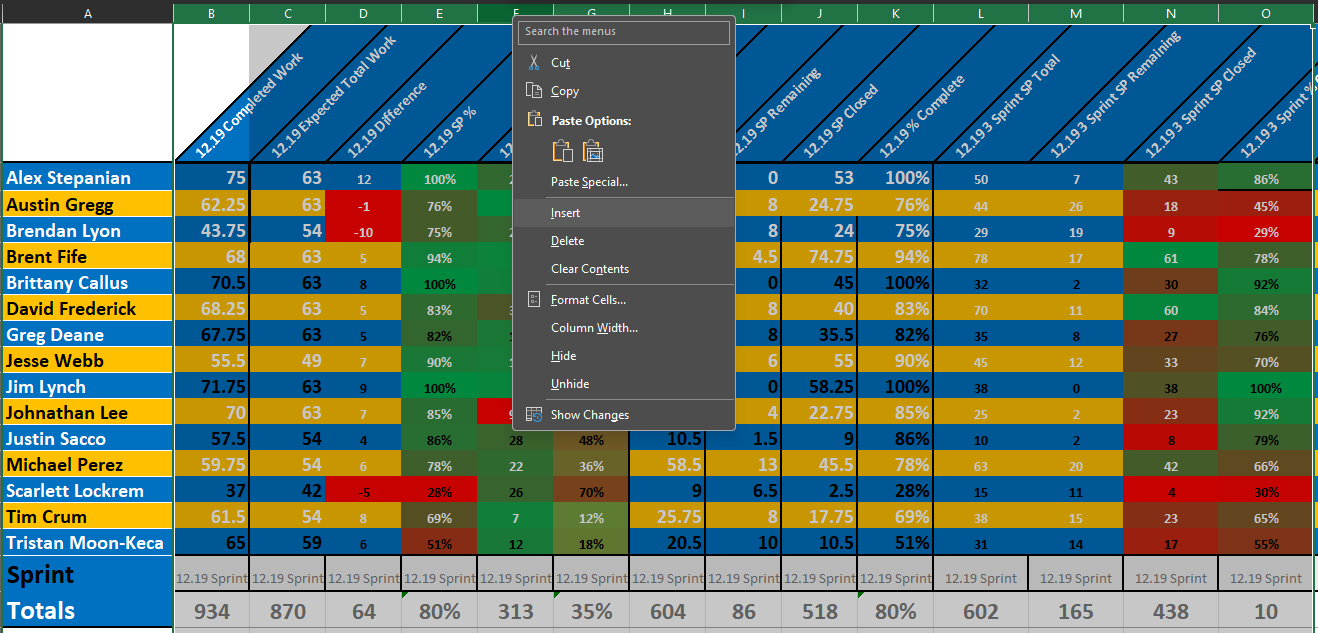
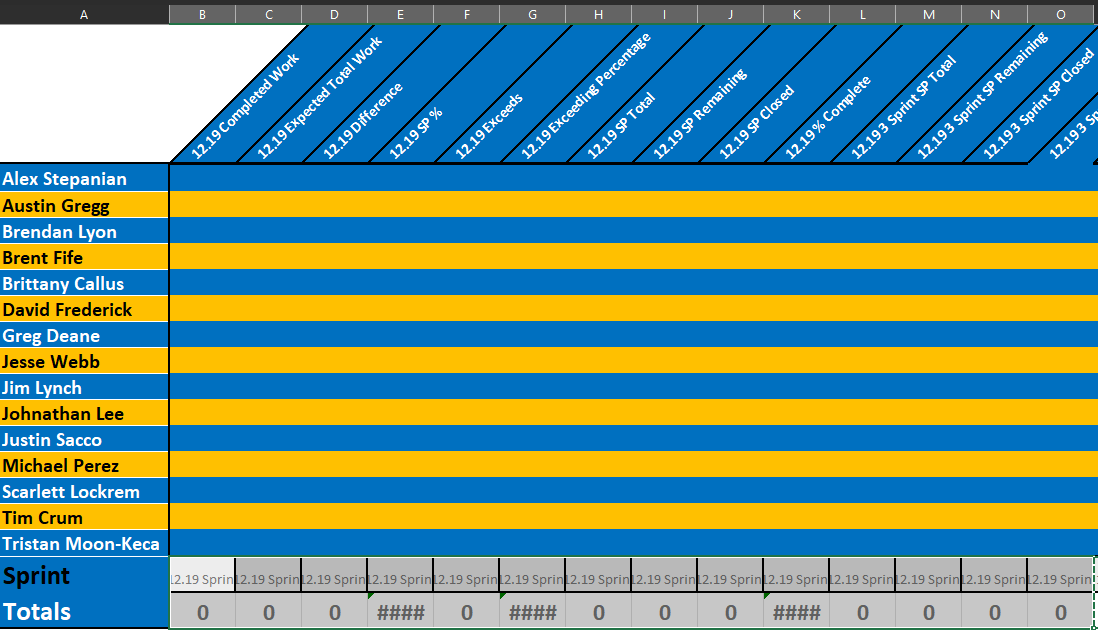
- Navigate to the "ReportingNew" tab, and insert 14 columns to the right of column B
- Copy Row 1, 17, and 18, from the previous 14 columns and paste them over
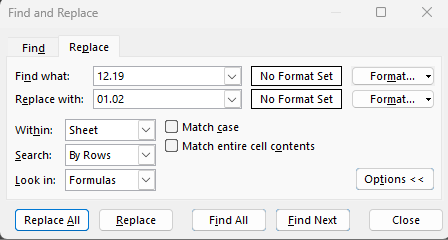
- Do a Find and Replace while those cells are selected, changing the date to the upcoming date.
- Take the values from the main worksheet, and add them to the corresponding page on the "ReportingNew" tab.
- For the 3 sprint columns, paste the formulas from the previous 3 sprint columns
- Spot check your math and ensure that everything is matched up
¶ Cleaning the Sprint
- Ensure that the entirety of the work is out of the current sprint
- At times there are closed tasks with remaining work on them, clean these up in the excel sheet by using filters.
- Check in Azure to ensure that the sprint is a full 0 across all columns/users
- Change all queries to the next sprint:
- All Tickets (All Tickets sheet)
- FullSprint (FullSprint sheet)
- HasWorkandLink (HasLinks)
- Sprint- Blue Level (StackRank)
- Sprint- Overages (Exceeds)
- TotalWork (Total Work)
¶ Setting up the next Sprint
- All Tickets:
- Ensure everything has the necessary Tags, Project Manager, Area Path
- Starting with the highest number from the "# of Sprints" column, increment by 1
- If any task has been in more than 2 sprints (1 month) increase in priority
- Make a note to see if these tasks are still active, check in with the developer or PM to see if it needs to be kicked.
- Check to make sure no closed tasks/impediment made their way into the sprint, send them to the backlog if there are any.
- Update the "Entered Sprint" to the current time.
- Double check for any closed items, move them to the backlog.
- Stack Rank:
- Update the stack rank standing for all Blue levels.
- Ensure that all Blue and Yellow levels have the same Priority
- Run the query "LostDads", updated to the current sprint, for any User Story that has tasks in the next sprint so that the tasks and sprints are within the same sprint.
-
It's im
-
¶ Proper Columns for Sheet
Columns for : Added Tickets
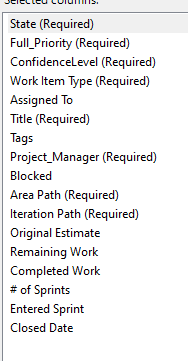
Columns for: TotalWork
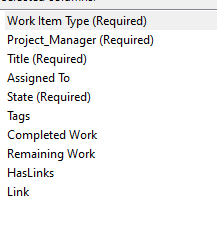
Columns for: Sprint-Overages
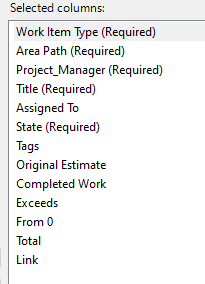
Formulas for: Sprint- Overages
Exceeds:
=IF([@[Original Estimate]]>0,[@[Completed Work]]-[@[Original Estimate]],0)
From 0:
=IF([@[Original Estimate]]=0,[@[Completed Work]],0)
Total:
=SUM([@Exceeds],[[From 0]])
Link:
=HYPERLINK(CONCAT("https://clarity-ventures.visualstudio.com/CEF-Product/_workitems/edit/",[@ID]),[@ID])