¶ Utilize Visual Studio template
Download Connect V3 (Connext) VSIX Installer
In the "Development Team" teams channel, go to files
In the Connext Documentation folder download the ConnextTemplate.vsix
Go to downloads and right-click → open the file
Allow the installation to finish following any necessary prompts.
¶ Create a new project in Visual Studio
Open Visual Studio and Create a new project
In the templates: search for "Connext"
Select it and click next
I will use "OracleEBS" as an example of the RemoteSystem I am integrating with
Enter the name of your remote system into the project name/solution name
(i.e. Netsuite/Sage300/OracleEBS)
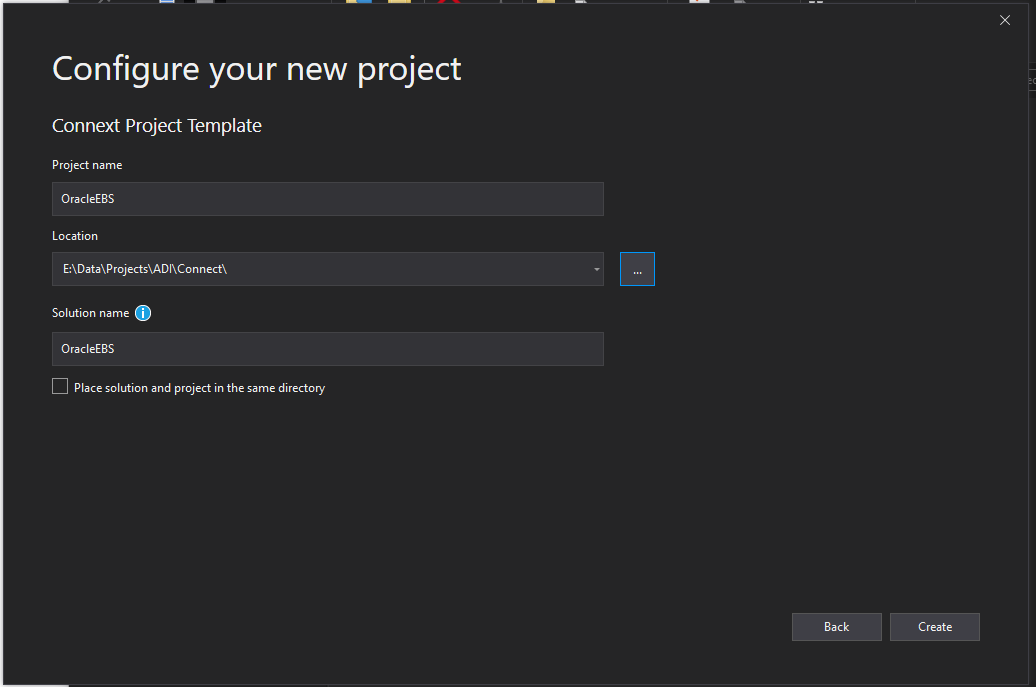
This will have created 2 new folders
- OracleEBS
- Clarity.OracleEBS