¶ Key Terminology
- Shopify treats Accounts as Customers
- Shopify treats Contacts as Addresses
- Can only have one billing address
-
¶ Known Integrations
¶ ANT (Connect v3)
- Developers: Anonymous User, Anonymous User
- Integrations: Customers (From), Products (To), Inventory (To), Pricing (From), Sales Orders (From), Payments/Transactions (From).
- Current Branches:
?
¶ ENNIS (Connect v3)
- Developers: Austin Gregg
- Integrations: Customers (To), Addresses (To), Products (To), Inventory (To), Pricing (To), Sales Orders (To).
- Current Branches:
?
¶ VESTIS (Connect v3)
- Developers: Austin Gregg
- Integrations: Customers (From), Sales Orders (From), Payments (To/From), Products (To), Inventory (To), Pricing (To), Returns (To).
- Current Branches:
?
¶ Authentication
- Our current Shopify Connector uses ShopifySharp
- https://github.com/nozzlegear/ShopifySharp
- https://shopify.dev/api/admin-rest#top
¶ Shopify Options
- Copy the Shopify Options from DefaultSettings.json into your project’s appsettings.json and fill in the correct settings for your instance of Shopify
 "ShopifyOptions": {
       "ApiKey": "{ApiKey}",
       "ApiPassword": "{ApiPassword}",
       "StoreName": "{StoreName}",
       "ApiVersion": "{ApiVersion}",
       “ApiAccessKey” (If provided): “{ApiAccessKey}”
"Url":https://{ApiKey}:{ApiPassword}@{StoreName}.myshopify.com/admin/api//{ApiVersion}
- Inject your Shopify Service into your project’s JobService Class
public IShopifyService ShopifyService { get; set; }

        public RSR(
            IRecurringJobManager recurringJobManager,
            IBackgroundJobClient backgroundJobClient,
            IShopifyService shopifyService,
            : base(
                recurringJobManager,
                backgroundJobClient)
            {
            ShopifyService = shopifyService;
            DynamicsAXService = dynamicsAXService;
         }

¶ CRUD Operations
¶ Setting Up a Shopify Job
Setting a List Filter
Every List Method has a corresponding list filter
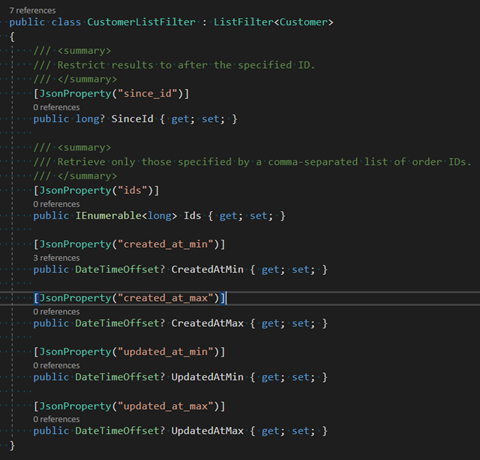
b)	var filter = new CustomerListFilter()
    {
        CreatedAtMin = compareDate,
    };
c)	Filters will be primarily used to pull recently updated entities
Customers
- Here is a screenshot showing how to pull recent customers

Here are some fields for creating the address
var customerAddress = new() {
  FirstName = person != null ? person.PersonName[0].FirstName : organization.OrganizationName[0].Name,
  LastName = person != null ? person.PersonName[0].LastName : null,
  Address1 = axCustomer.DirParty[0].DirPartyPostalAddressView[0].Street,
  Address2 = null,
  City = axCustomer.DirParty[0].DirPartyPostalAddressView[0].City,
  Province = axCustomer.DirParty[0].DirPartyPostalAddressView[0].State,
  Country = axCustomer.DirParty[0].DirPartyPostalAddressView[0].CountryRegionId == "CAN" ? "Canada" : "United States",
  Zip = axCustomer.DirParty[0].DirPartyPostalAddressView[0].ZipCode,
  Phone = axCustomer.DirParty[0].PrimaryContactPhone.ToString(),
  ProvinceCode = axCustomer.DirParty[0].DirPartyPostalAddressView[0].State,
  CountryCode = axCustomer.DirParty[0].DirPartyPostalAddressView[0].CountryRegionId,
  CountryName = axCustomer.DirParty[0].DirPartyPostalAddressView[0].CountryRegionId == "CAN" ? "Canada" : "United States",
  Default = true,
};
addresses.Add(customerAddress);
Here are the fields for the customer
var ShopifyCustomer = new Customer
{
  FirstName = person != null ? $"{person.PersonName[0].FirstName}" : $"{organization.OrganizationName[0].Name}",
  LastName = person != null ? person.PersonName[0].LastName : null,
  CreatedAt = DateTime.Now,
  Email = email != null ? email.LocationName : null,
  Phone = phone != null ? phone.LocationName : null,
  Addresses = addresses,
  Currency = axCustomer.Currency,
  Note = axCustomer.AccountNum,
};
Products
- Shopify products are created in 2 stages. There is a base product and at least 1 variant
a) The variants are where price, weight, quantity, and SKU properties are - Shopify has the choice of setting product options
a) Here is an example of creating product options
var variant = new ProductVariant
{
  Title = $"{product.COLDESCDESC} / {product.SIZE}",
  Price = decimal.TryParse(product.CURRPRICE, out result) ? result : 1,
  SKU = product.ITEMNO != null ? product.ITEMNO : null,
  Position = int.TryParse(product.SIZEPOS, out intResult) ? intResult : 1,
  InventoryPolicy = "deny",
  CompareAtPrice = decimal.TryParse(product.MSRP, out result) ? result : 1,
  FulfillmentService = "manual",
  InventoryManagement = "shopify",
  Option1 = product.COLDESCDESC != null ? product.COLDESCDESC : null,
  Option2 = product.SIZE != null ? product.SIZE : null,
  //Option3 = null,
  Taxable = true,
  Barcode = product.SKU1 != null ? product.SKU1 : null,
  Grams = 200,
  Weight = (decimal?)0.2,
  WeightUnit = "kg",
  InventoryQuantity = 0,
  Metafields = GetMetaFields(product),
};
Here are the options
List<ProductOption> options = new List<ProductOption>()
{
  new ProductOption
  {
    Name = "Colour",
    Position = 1
  },
  new ProductOption
  {
    Name = "Size",
    Position = 2,
  }
};
Here is an example of a base product
var ShopifyProduct = new Product
{
  Title = product.DESC,
  ProductType = product.VENDOR,
  Handle = $"{product.SAGESTN.ToLower()}-{product.VENDOR.ToLower()}",
  Status = product.INACTIVE == false ? "active" : "draft",
  Tags = $"{product.BRAND}, {product.SEASON}, {product.EXIT}, {product.STYLENAME}, {product.SAGESTN}, {product.DEPARTMENTDE}",
  Options = options,
  Variants = variants,

};
Sales Orders
- There are 2 types of Sales Order syncs
a) Syncing sales orders from Shopify into another ERP
b) Sending fulfillments into Shopify - Sales orders come in three parts
a) Line Items
b) Fulfillments
i) Not every client will require the use of fulfillments
ii) Fulfillments are used to send in tracking numbers and the tracking company
iii) Example of fulfillment
var fulfillment = new Fulfillment
{
  CreatedAt = DateTime.Now,
  TrackingNumbers = trackingNumbers,
  TrackingCompany = shipping[0].ShipCarrierShippingRequest != null ? shipping[0].ShipCarrierShippingRequest[0].ShipCarrierTable[0].CarrierName : null,
  LineItems = lineItems,
  LocationId = 36785782977,
  NotifyCustomer = true,
};
- order
¶ Invoices
- Shopify doesn’t support traditional invoices. A work around for this is using draft orders
- To send an invoice to a client, you must first create a draft order
- Then Shopify has a send invoice that requires the draft order ID
- The easiest way to create a Draft order is to pull the corresponding Shopify sales order and use that order to map the line items and tax lines.
¶ Configuring new Services from Shopify Sharp
- Shopify Sharp by default does not adhere to our preferred way of configuring services.
- Not every service is completely configured for Connect. Some have an Implementation but either have an incomplete Interface or do not have one at all.
¶ Shopify UI
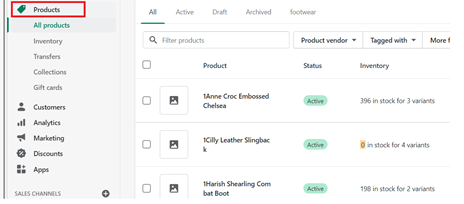
Products
- Click on products in the main menu
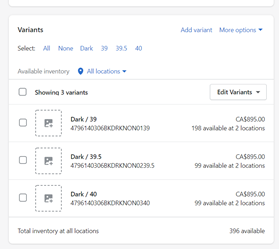
- Scroll down to find variants
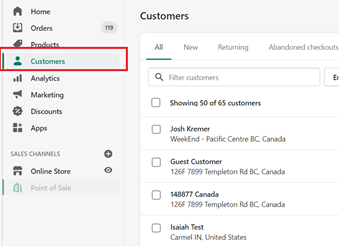
Customers
- Customers can be found by clicking customers in the main menu
Orders
- Both sales orders and draft orders are found under orders
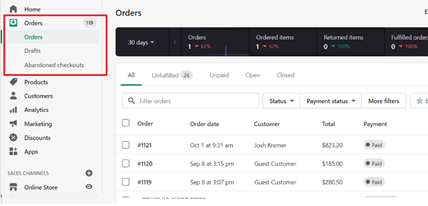

¶ Connect Specifics
¶ Creating a Custom App for Connect
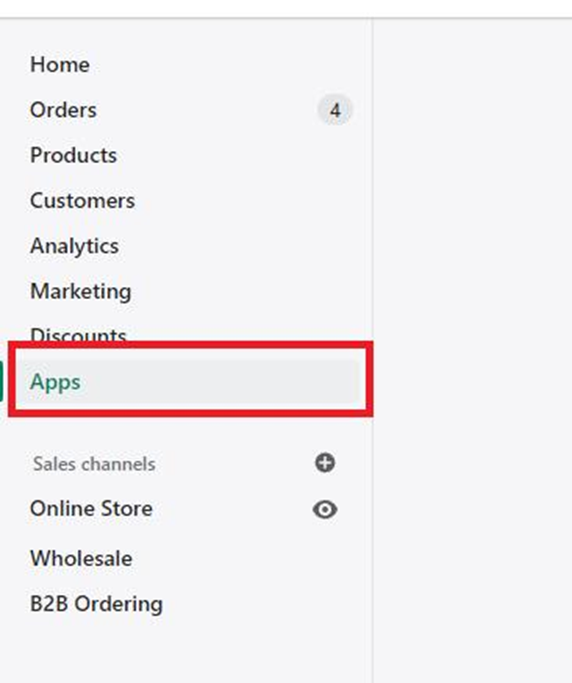
1. You will still be clicking on apps to get started
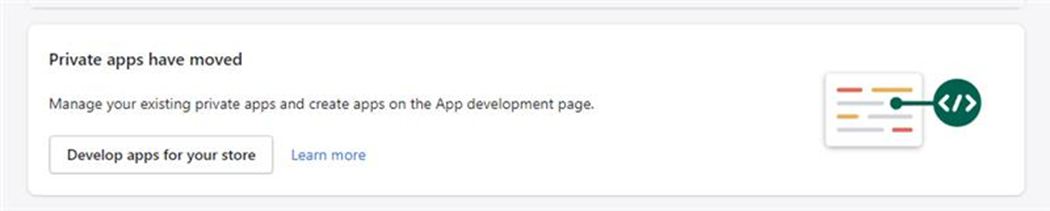
2. Next select develop Apps for your store
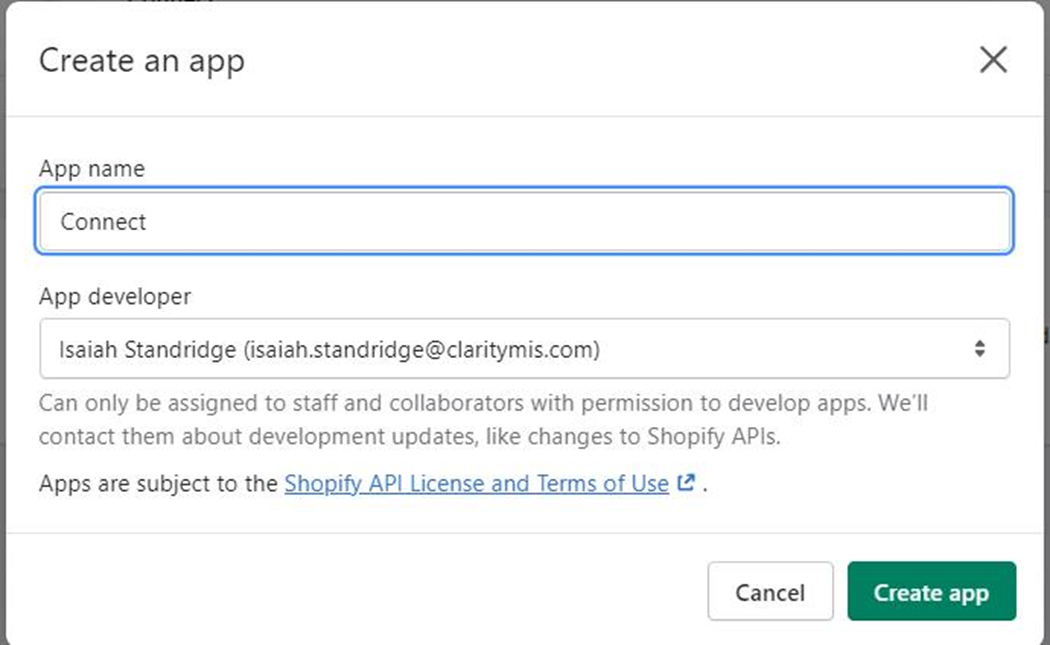
3. Followed by selecting the Create App

4. Name the App Connect and choose create App
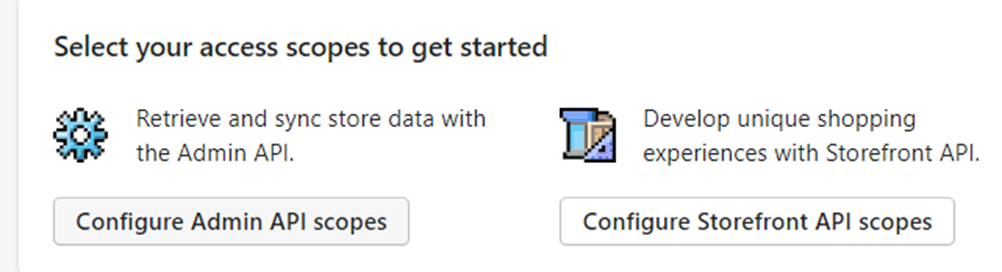
6. Followed by configure Storefront API scope
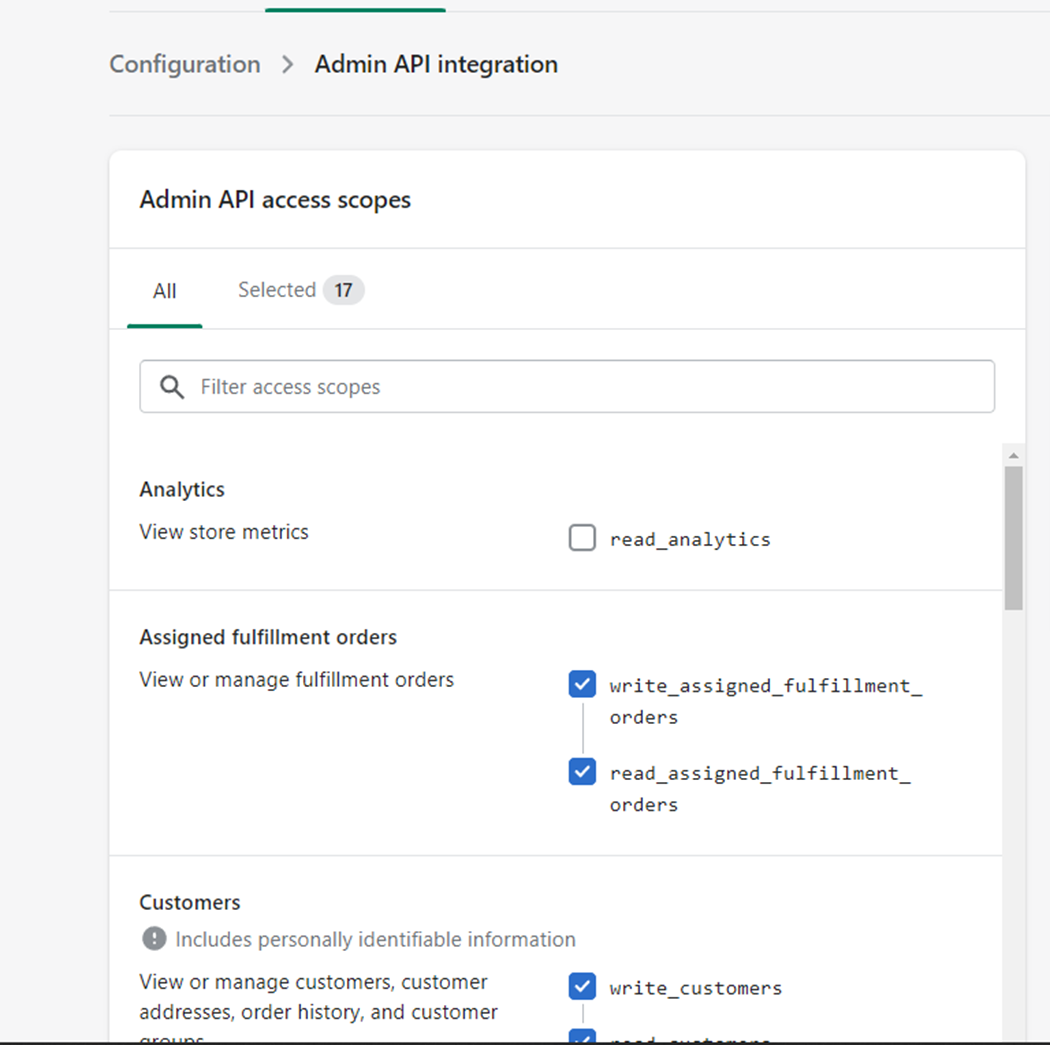
7. Go through and select Read & Write for all the permissions
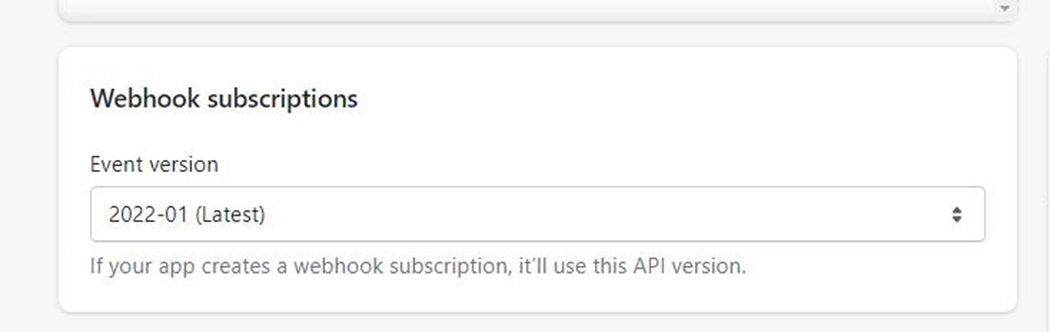
8. For Webhook under Webhook subscriptions choose the latest version of the API
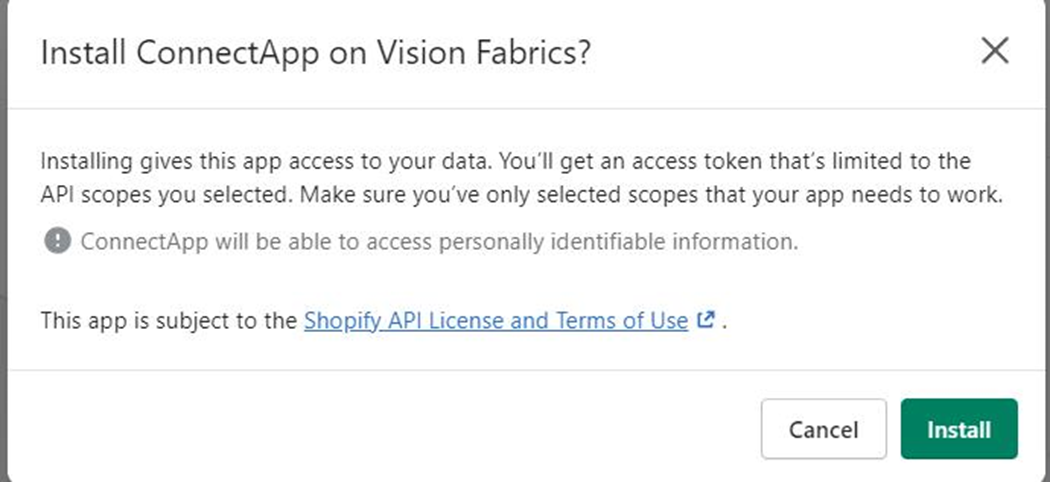
9. Once you have configured your Admin API scope you can install the App
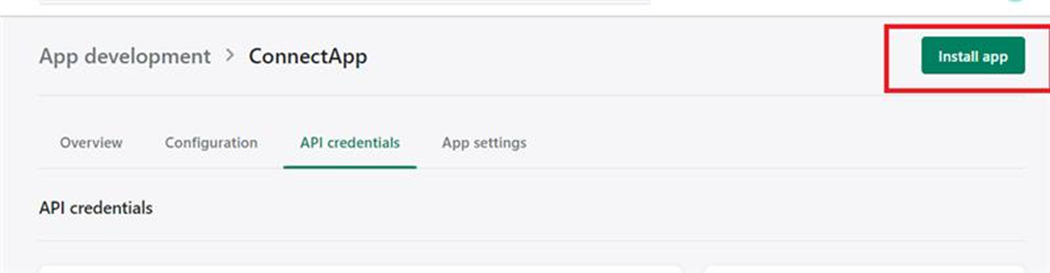
10. You will get a confirmation modal, Agree to install the App
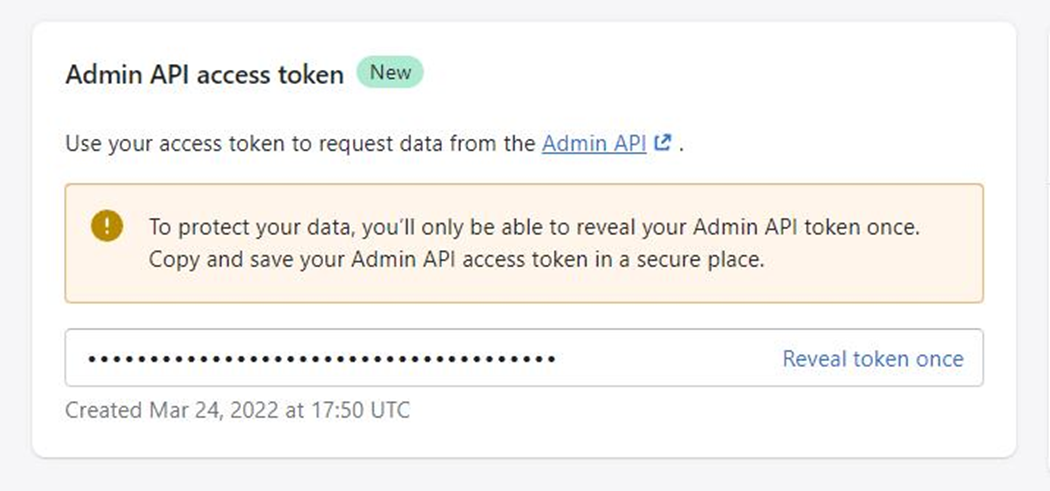
11. Important: You will only get to access this API token once. Save this Access token following best practice
¶ Known Customizations
- Customers
- Custom naming convention
- Products
- Product Images
- Variant Product Logic
- Pricing
- Price Change Report
- Sales Orders
- Sync Restrictions on Order Status and Fulfillment Status
- Payments/Transactions
- Merge with Sales Order sync
- Customers
- Multi-Store Customers
- Products
- Populate Multi-Line Text for Variants
- Inventory
- Multi-Store Inventory
- Variant Inventory
- Pricing
- Sparklayer Plugin
- Sales Order
- Makro Field Inclusion
- Phone-In Order Inclusion
- Promo Code
- Tracking Updates
- Sales Order
- Miscellaneous Charges
- Custom Mappings/Logic for Order Line Items
- Miscellaneous Charges
- Payments
- Customer Payments using Gift Cards
- Custom Workflow Logic to extend Payments Sync
- Customer Payments using Gift Cards
- Returns
- Return Transactions
- Custom Sync
- Return Transactions
¶ Outlying Issues
Shopify doesn’t support traditional invoices. A work around for this is using draft orders. To send an invoice to a client, you must first create a draft order. Then Shopify has a send invoice that requires the draft order ID. The easiest way to create a Draft order is to pull the corresponding Shopify sales order and use that order to map the line items and tax lines.
¶ Common Model Mappings
¶ Common Model Workflows
Phase 2