¶ Sharing Streams Videos
- Below the video, select the ellipses
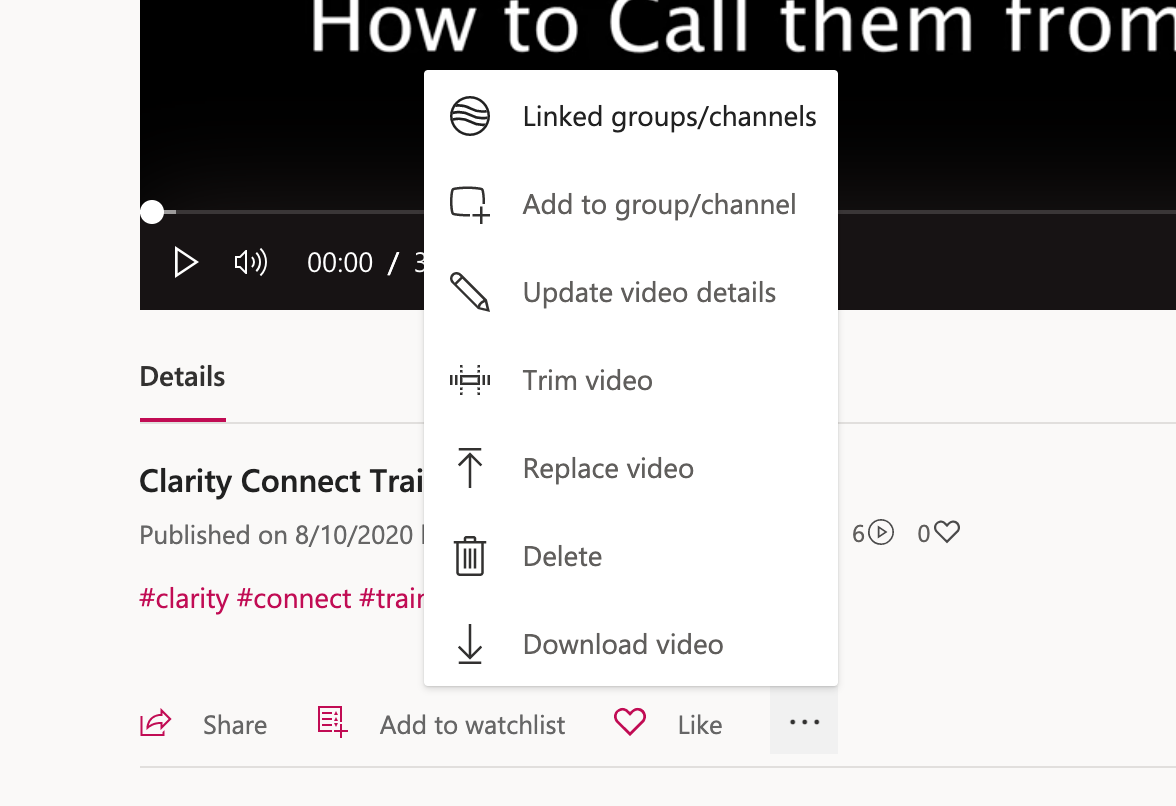
- Then, select "Update Video Details" in the pop-up menu
- In the middle panel, share with Brooke, or the entire org
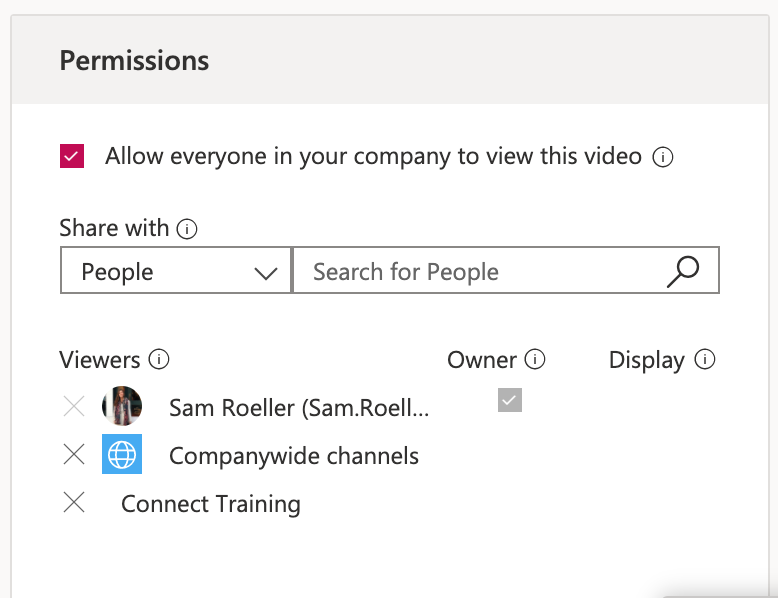
- Click "Apply" to save your changes
¶ Sharing via Sharepoint
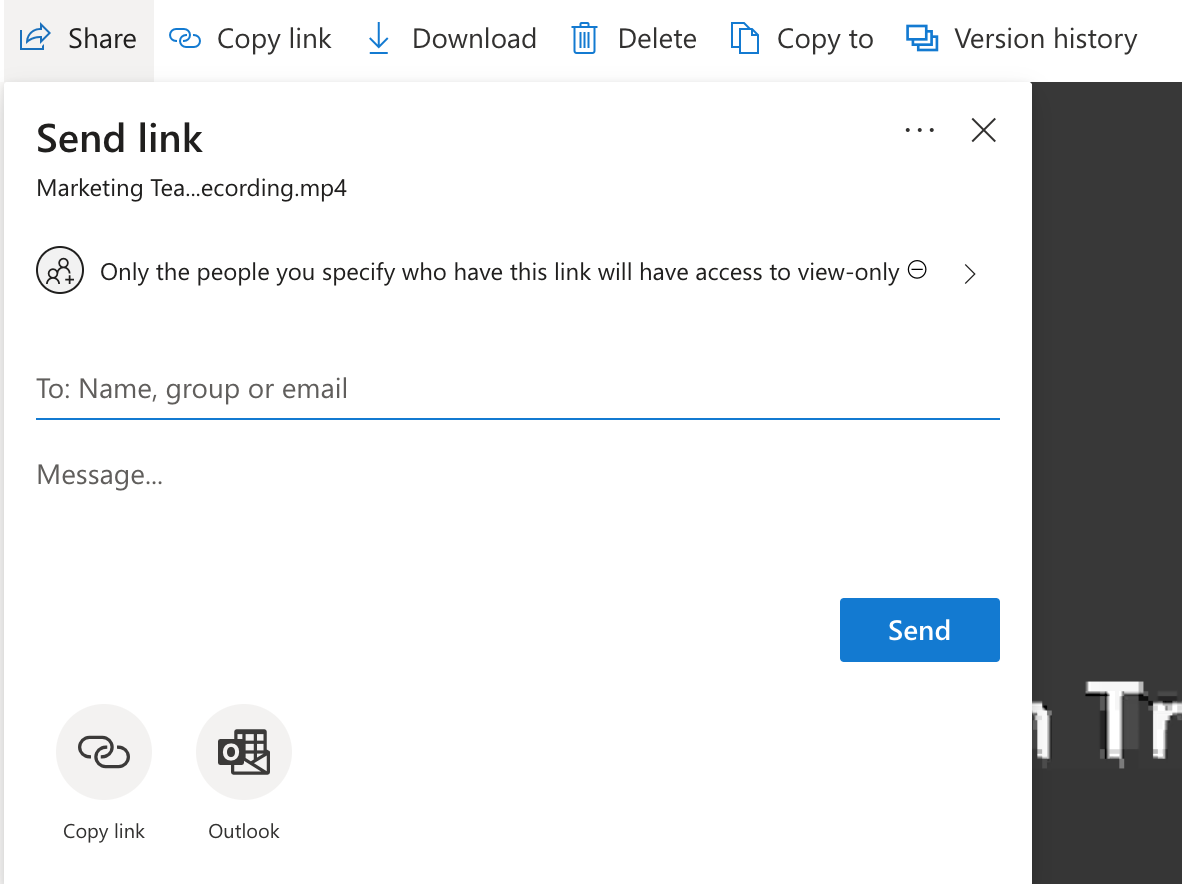
- In the top left corner of the video, select "Share"

- Below where it says "Send Link" select the option that determines who can do what with the link
- Change the setting to People within Clarity Ventures and select "Allow Editing"
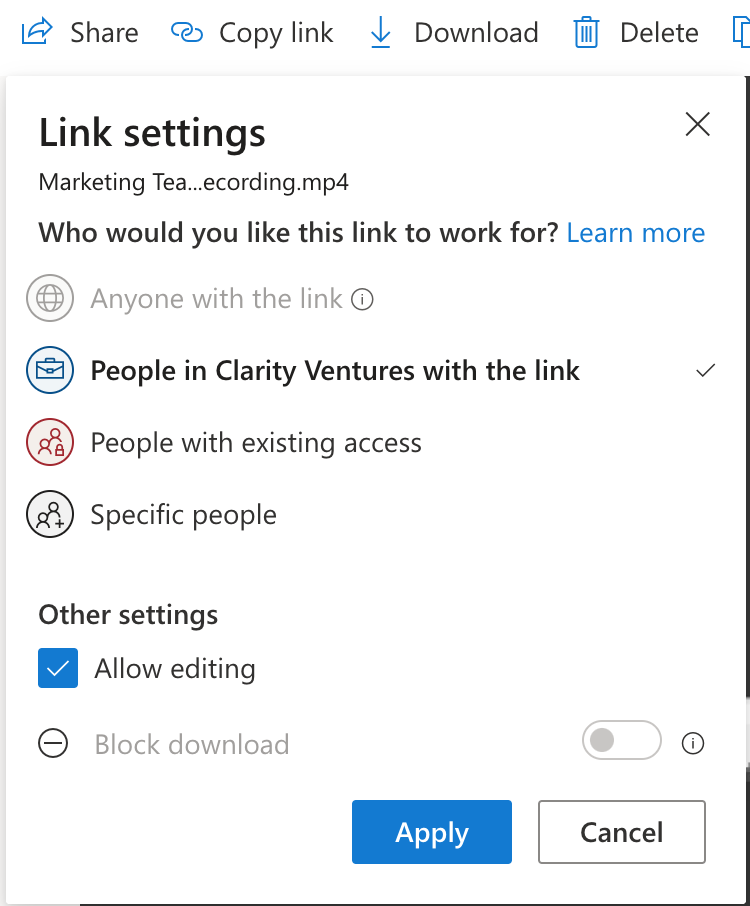
- Click Apply to save your changes.