There has been an uptick in DNN attacks, it now seems not a question of if, but when a improperly secured DNN site will be compromised.
The most typical attack I'm seeing is the injection of 5-10 files and the modification of core and theme files designed to inject ads into a site as it loads.
This kind of attack can be spotted by the appearance of an unwanted ad, by active virus protection spotting a suspect link to a js resource inside a page, by server side anti virus applications flagging suspicious files, or by the appearance of google ad text within the page source.
¶ Cleaning an attack
I recommend if possible comparing your file base to a clean install of the same, or a similar version of DNN. Root files other than the web.config should usually be identical to a similar install.
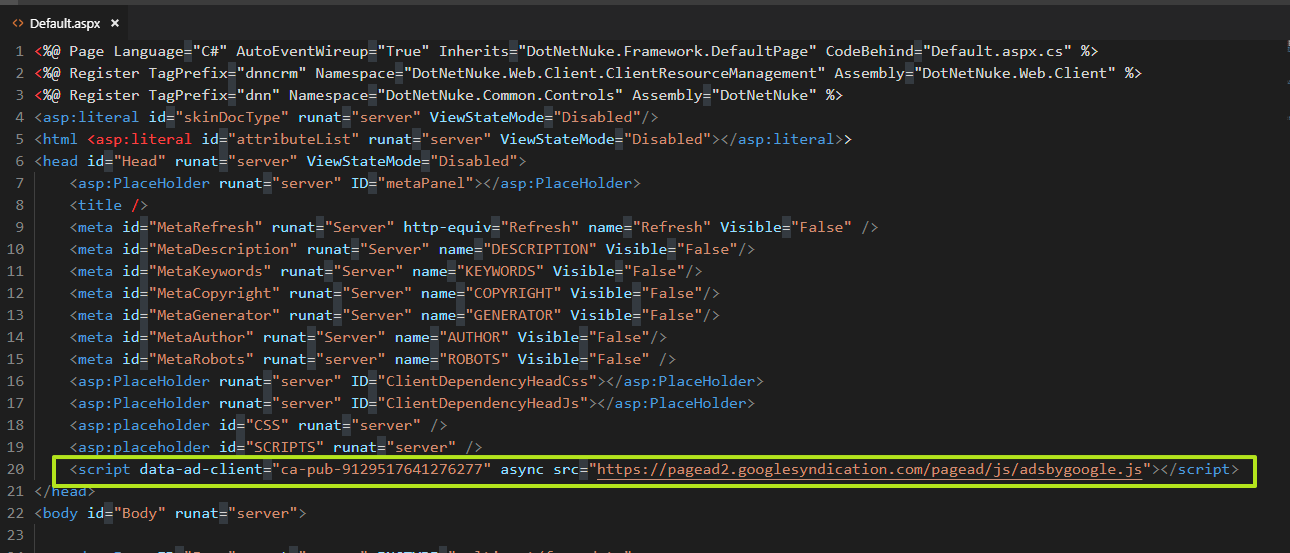
Look for changes to the default.aspx file in the root and inspect the web.config file for suspicious entries.
¶ Examples of modified (hacked) files:
Default.aspx mods:
load.js file (note the ContentRotator path as well):

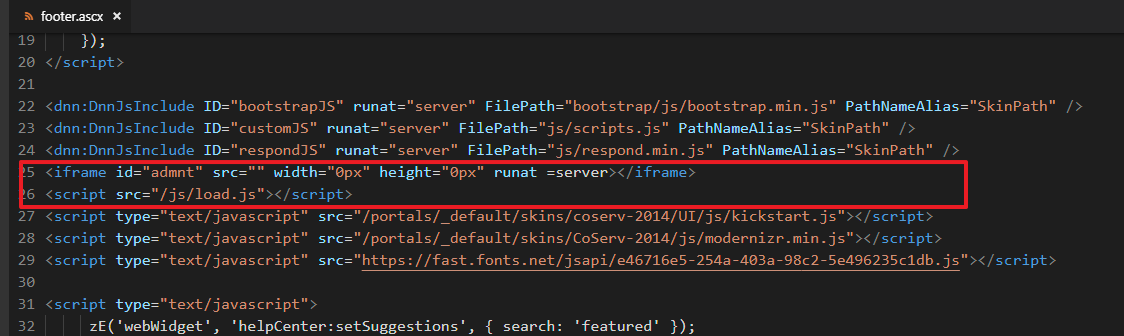
Footer.asx file:
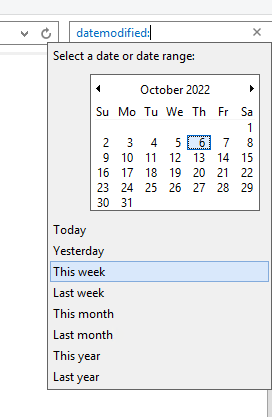
Traverse through sub folders looking closely at the date modified column looking for any anomalies. (Be sure to tick the show hidden files option in explorer!).

NOTE: In some circumstances LastModified dates may be modified, this method is not guaranteed to be effective.
You can use the search tool to help with this, see below:
Also use the Recently modified files tab in the Security Analyzer tool to look for changed files
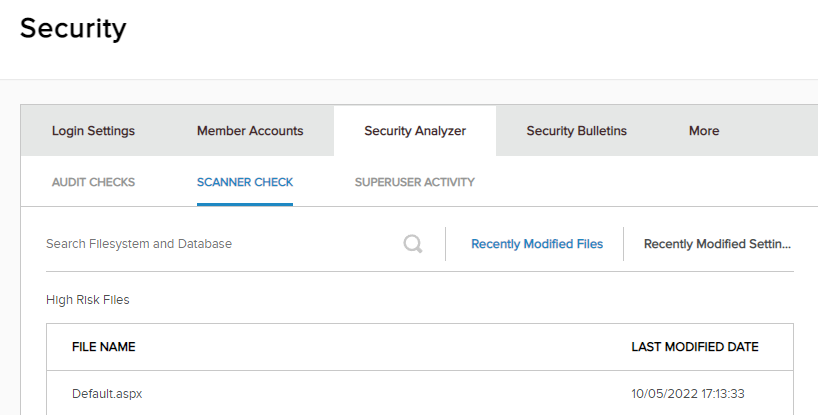
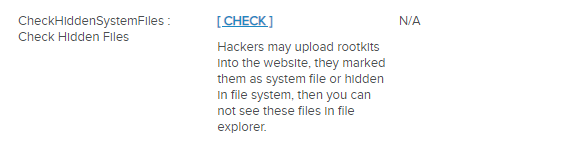
While you are there, also use the CheckHiddenSystemFiles tool:
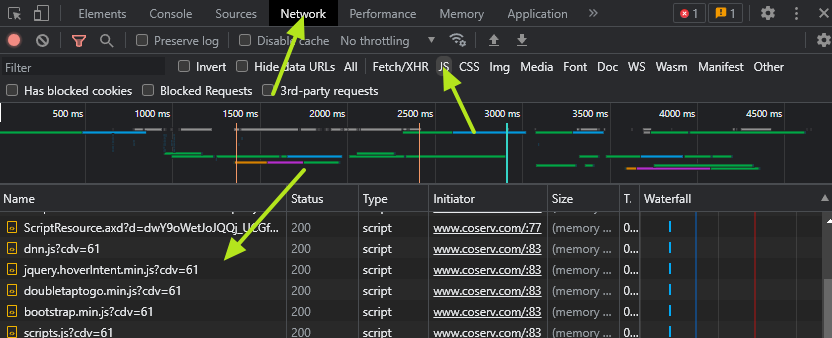
Use the browser inspector tool network tab to check JS files for any suspicious third party sources.
Look in theme files (/portals/_default/themes/...), especially footer files for any script tags that are not a part of the skin package.
Inspect the page source looking for "google", especially any references to google ads.
Check the root and other folders for files that do not belong, for example "ads.txt". Other files may be better disguised like DNN2.js or load.js or manifest.aspx.
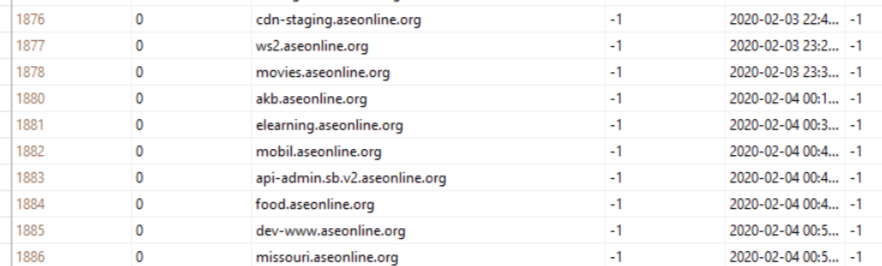
Portal Alias Table
Check the PortalAlias table for suspicious entries and remove them
Use a third party scanning tool like these:
¶ Fortifying DNN
Upload to the latest available release for your version.
If possible update all third party modules and remove any unsupported or abandoned modules.
Completely remove Telerik by following the Telerik removal steps: https://docs.dnncommunity.org/content/getting-started/setup/telerik-removal/index.html
Check the Security Analyzer in the Settings tab for any issues.
Change any files labeled "Footer" to another file name (e.g. page-bottom, trailer, closing) . I suspect bots are specifically looking for files with the name footer in any folder.
Set the theme files, default.aspx and any folders where illicit files were found in the past to deny write privileges to the application pool identity.
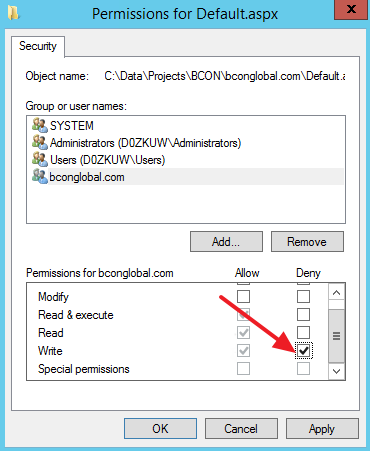
¶ For best results remove all Modify and Write privilege's at the root folder
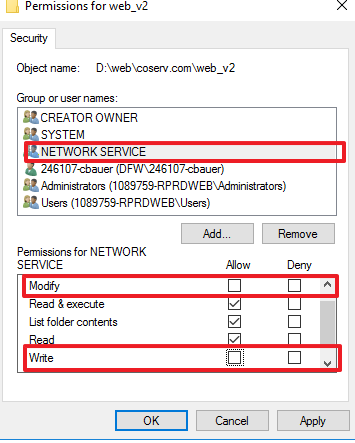
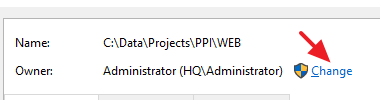
¶ You may first need to adjust ownership to avoid errors when updating permissions.
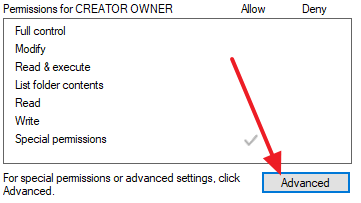
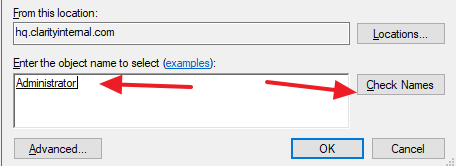
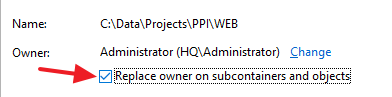
Then add write access to the following (this is a work in progress)
- web.config
- DotNetNuke.config
- /Portals/0
- /install
- /app_data/
- /bin
- /DesktopModules
- /Portals/_default/Cache
- /Portals/_default/Logs
- /Portals/_default/EventQueue
Install source control (git) to track file changes.
Periodically commit all changes and inspect for unusual file additions or changes. If you've been attacked do this daily as they will certainly reattempt any previously successful intrusions!
Sample .gitignore (work in progress)
/App_Data/Search
/Portals/_default/Cache
/Portals/_default/Logs
Review the DNN security bulletins for any new or unaddressed issues:
DNN Open Source Community > Resources > Official DNN Security Center
Secure folders outside of DNN (Analyzer will flag this)
How to resolve the CheckDiskAccess Security Analyzer alert