¶ About this Tool
Nginx Proxy Manager is a user-friendly interface for managing and hosting proxy hosts on the widely-used Nginx web server. It serves as a powerful tool to forward HTTP traffic, allowing administrators to easily set up and control multiple hosts through an intuitive graphical interface. This simplifies the process of routing traffic, handling SSL certificates, and managing access controls. In our development environment, Nginx Proxy Manager is leveraged to make specific sites public as needed, utilizing a wildcard A record that points all subdomains to the proxy server. The implementation provides flexibility, efficiency, and simplifies the management of client site development, aligning with our dynamic and robust development approach.
¶ Live Instances
| Dashboard URL | Public Endpoint | Location/Purpose | Username // Password |
|---|---|---|---|
| https://npm.clarityhosts.com | 207.207.33.190 | Prod Hypervisor/Production Services | devops@claritymis.com // "Please find PW in VaulWarden" |
| https://nginx-proxy-manager.hq.clarityinternal.com | 206.127.30.146 | HQ Hypervisor/Internal | ClarityEmail // // "Please find PW in VaulWarden" |
¶ Forwarding Internal Hosts (non-production workloads)
| NPM Documentation | Nginx Proxy Manager |
|---|---|
| Url | Nginx Proxy Manager |
| Username | devops@claritymis.com |
| Password | // "Please find PW in VaulWarden" |
| Public IP | 206.127.30.146 |
¶ More Details
All subdomains designated for development and demonstration purposes should be directed toward the specified public IP, where the routing will be managed by the proxy manager. This approach not only enhances security but also promotes efficiency in how we publicly route sites. By utilizing Nginx Proxy Manager, we can effectively manage SSL certificates and internally forward any site as needed. This streamlined process reduces our reliance on multiple public IPs and eliminates the necessity for developers to engage with domain management platforms such as GoDaddy. Consequently, our team can focus more on development activities, enjoying a seamless and more centralized control over site accessibility and security.
¶ On the Local Machine
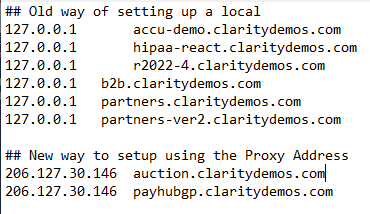
You no longer have to point DNS at localhost on the server hosting the actual website. In the local servers hosts file, you will want to add an entry for your site point it at the public IP of the proxy. This is so the site will load correctly on the IIS webserver.
¶ For example:
¶ How to add a proxy host for CEF or DNN
¶ Step 1
Login to the Proxy Manager
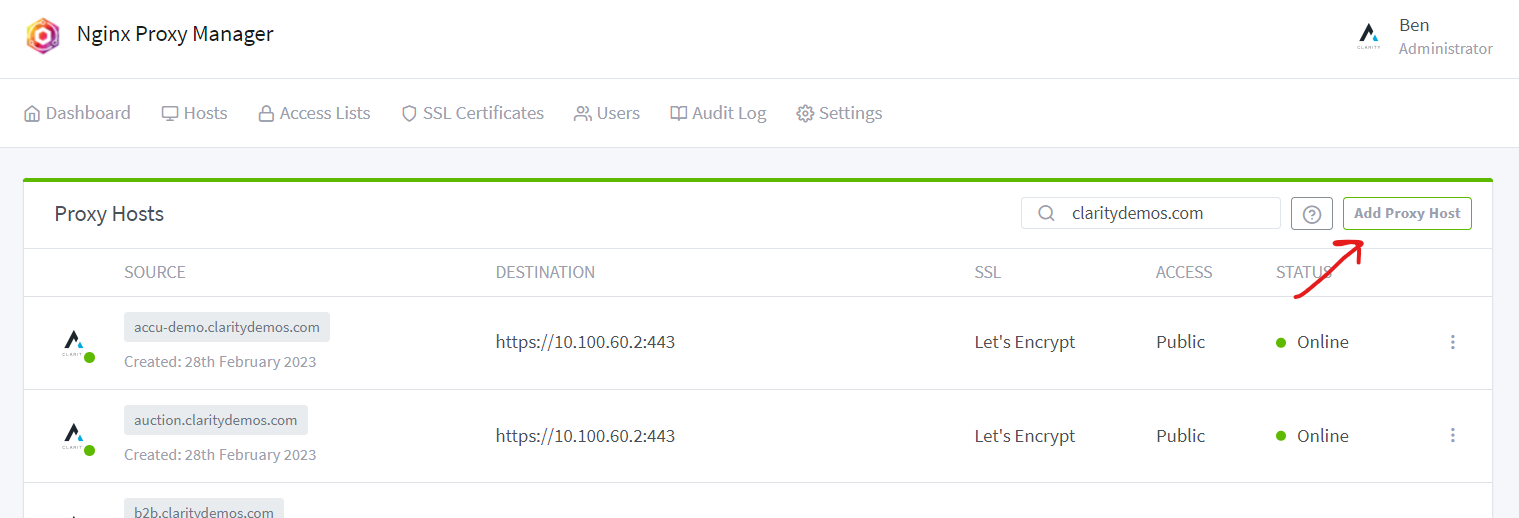
¶ Step 2
Add Proxy Host
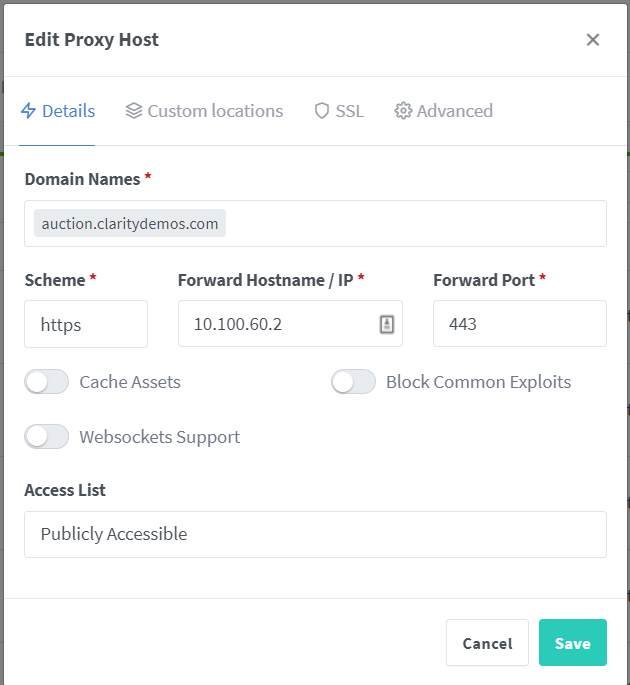
¶ Step 3
Add domain and forwarding host
¶ Step 4
Add SSL Certificate and Save
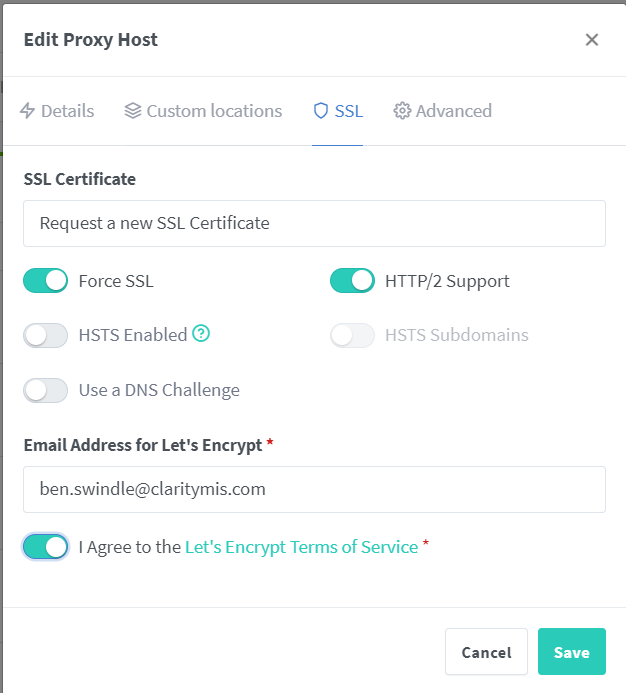
Since DNS is already pointing at this server for all possible subdomains, this will just work.
¶ Step 5
If this is CEF you will need to add the necessary TLS directives to the Advanced Tab
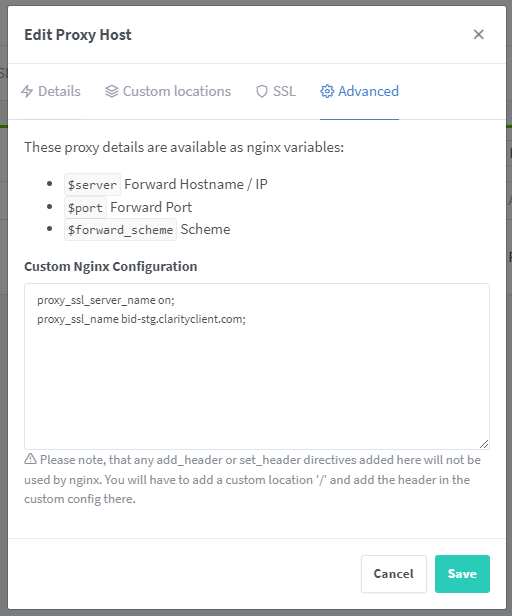
proxy_ssl_server_name on;
proxy_ssl_name <subdomain>.clarityclient.com;
IMPORTANT: Please be sure to replace <subdomain> with the correct subdomain or this will not work properly.
¶ Additional Resources
502 Bad Gateway with Nginx Proxy Manager