¶ Overview
When bug tickets are created during site testing, an Unparented Bug Ticket will be added to the backlog (unless a general bug feature is specified by the PM for the Project). The PM will be responsible for running a query in Azure to find all unparented bugs. All unparented bugs need to be associated with its respective feature within the CEF Storefront or CEF Admin Portal Clients/Epics.
¶ Frequency
At a minimum, the PM should run these queries on a weekly basis for ALL of their Client Projects to identify new bugs that have been logged.
¶ Query to find Bugs by Client Acronym (Within the Title)
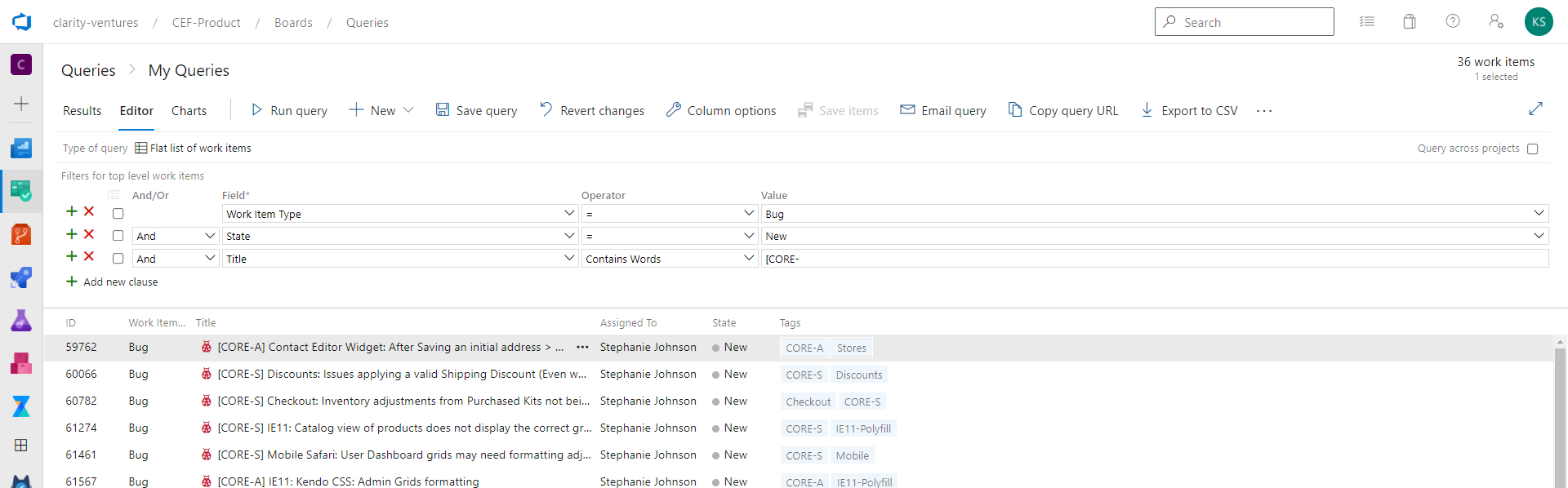
The PM can find all New Bug Tickets using the above query. Usersnap should be configured to append the client's acronym to the bug ticket when created and added to the Azure Backlog.
¶ Query to find Bugs by Tag
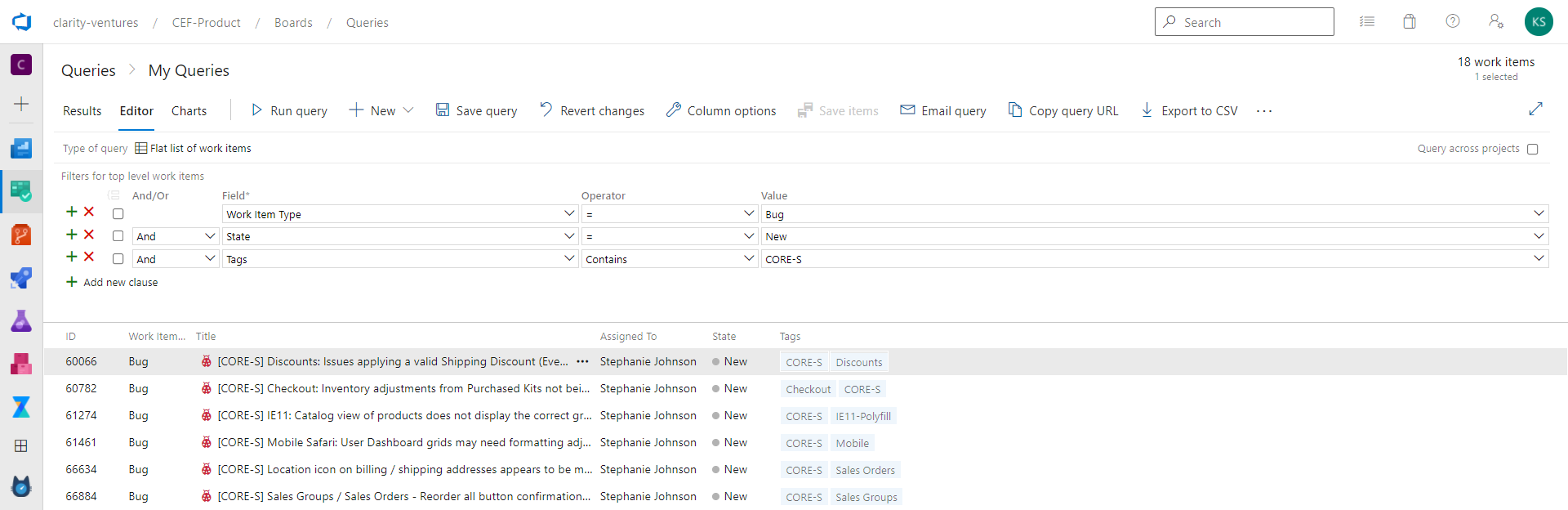
If the PM can't find the Bug by Acronym in the Title, QA will also add a Tag to the Bug Ticket when logged that can be used to find the ticket.
¶ Identifying Unparented Bugs
The first step in finding Unparented bugs will be to add the "Parent" column to the Query.

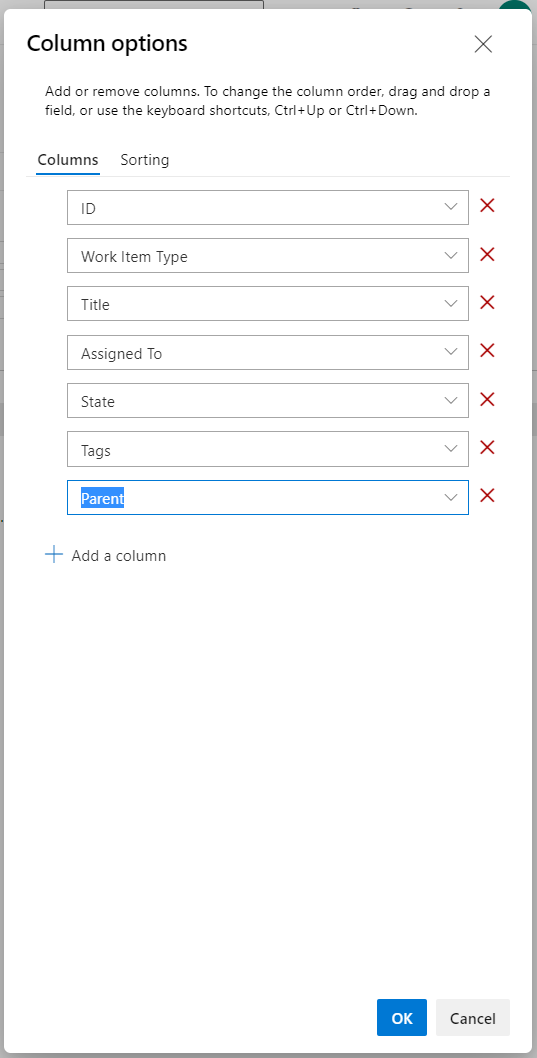
Once saved, the Query will refresh and show all Bug Tickets that do NOT have a parented Feature.
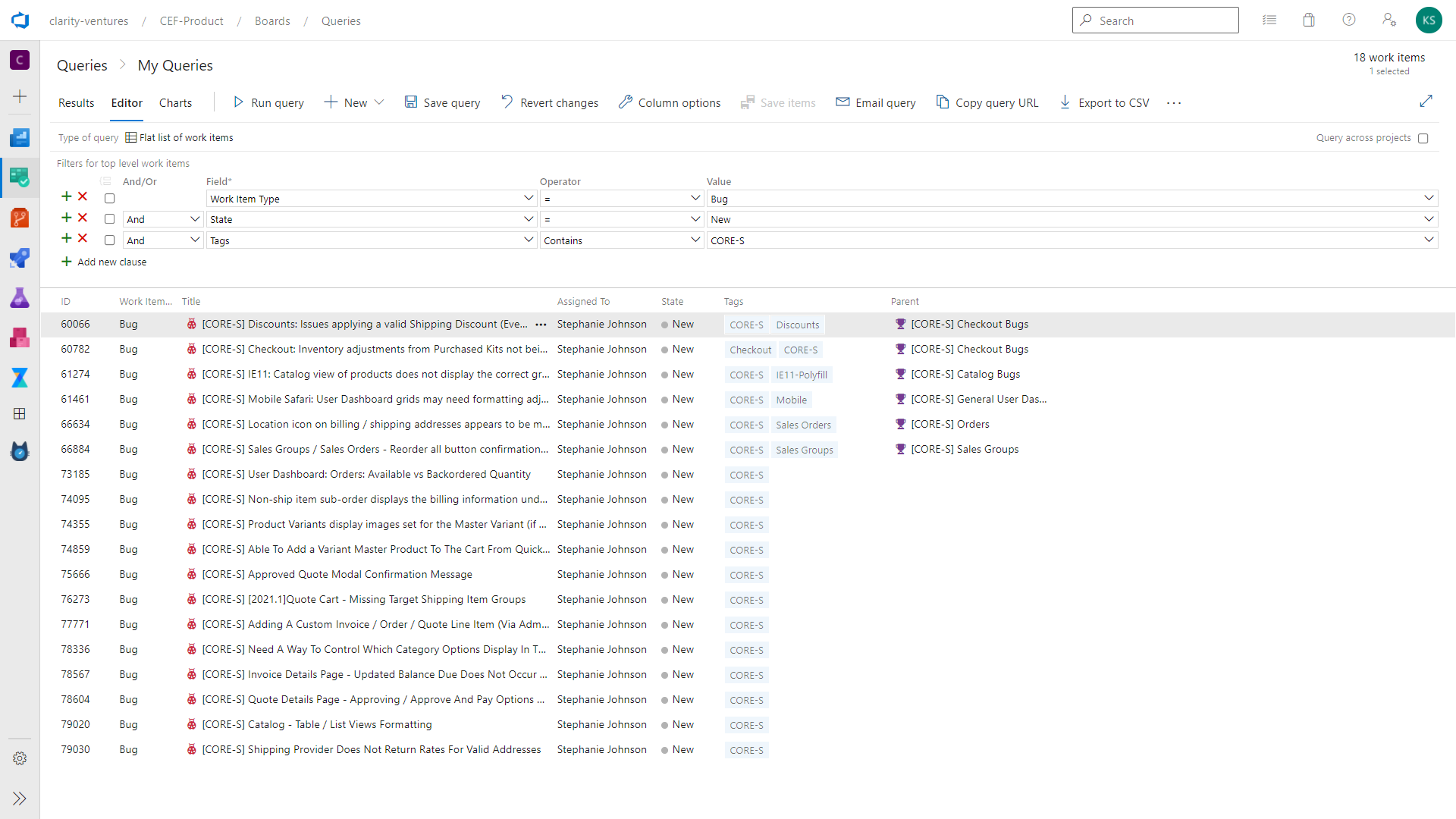
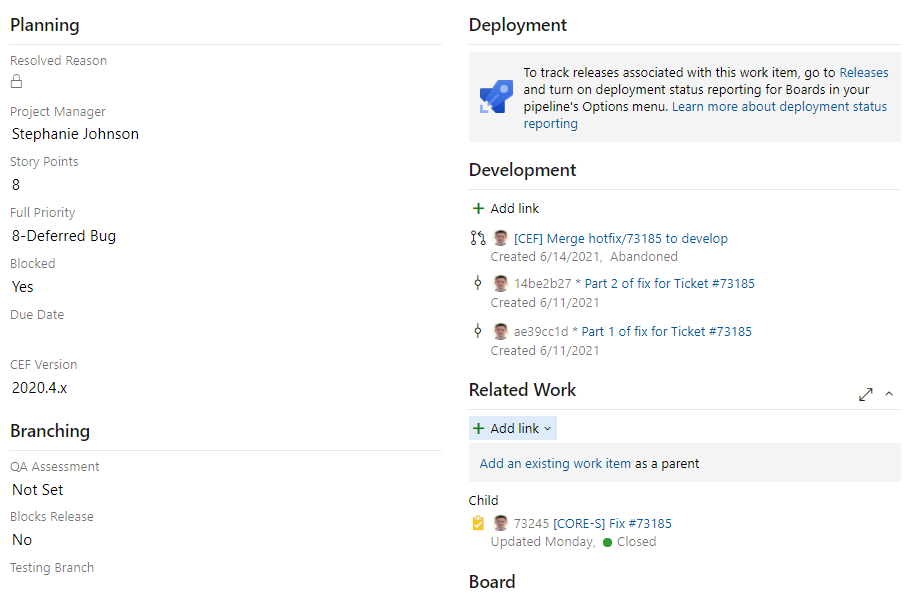
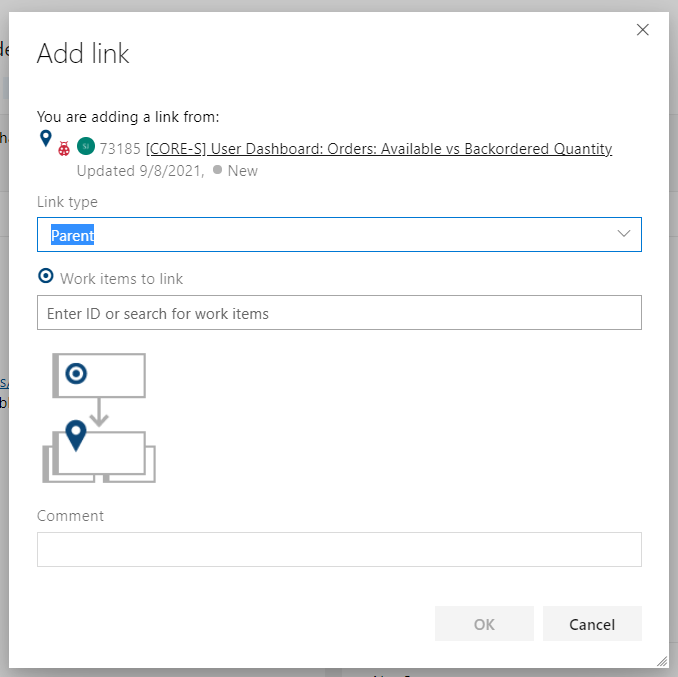
The PM can use the Related Work Section of the Bug Ticket to find/associated the respective Parent Feature.
¶ Deployments
The Development Section of the Tickets should auto-populate branch information based on the merge/when the deployment is completed (PR). Need to standardize this process where EVERY ticket is associated with a PR.
*NEEDS CONFIRMATION*
¶ Related Resources
Understanding Azure Dev Ops Ticket/User Story Statuses
Initial Setup of QA and Staging Sites - Ben