¶ Key Terminology
-
Glossary of Terms: NetSuite Applications Suite
¶ Known Integrations
¶ CAB (Connect v?)
- Developers:
- Integrations: Accounts (From), Users (From), Addresses (From), Invoices (To/From), Payments (To)
- Current Branches:
?
¶ Authentication
¶ Ensure that your NetSuite environment has the settings enabled for API access
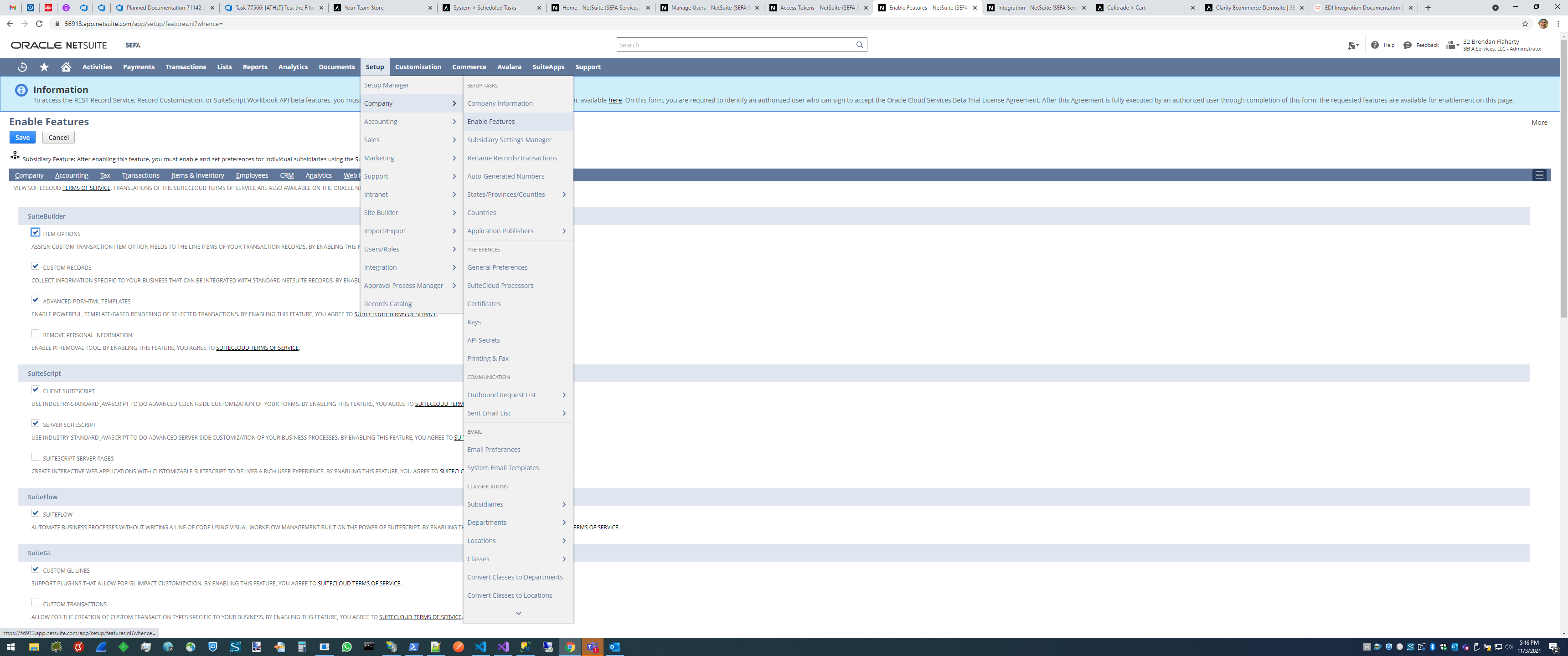
Setup → Company → Enable Features → SuiteCloud
Ensure that the following items are checked
- SuiteTalk (Web Services)
- SOAP WEB Services
- REST WEB Services
- REST RECORD SERVICE (BETA)
- Manage Authentication
- TOKEN-BASED AUTHENTICATION
- OAUTH 2.0
¶ Create the Integration
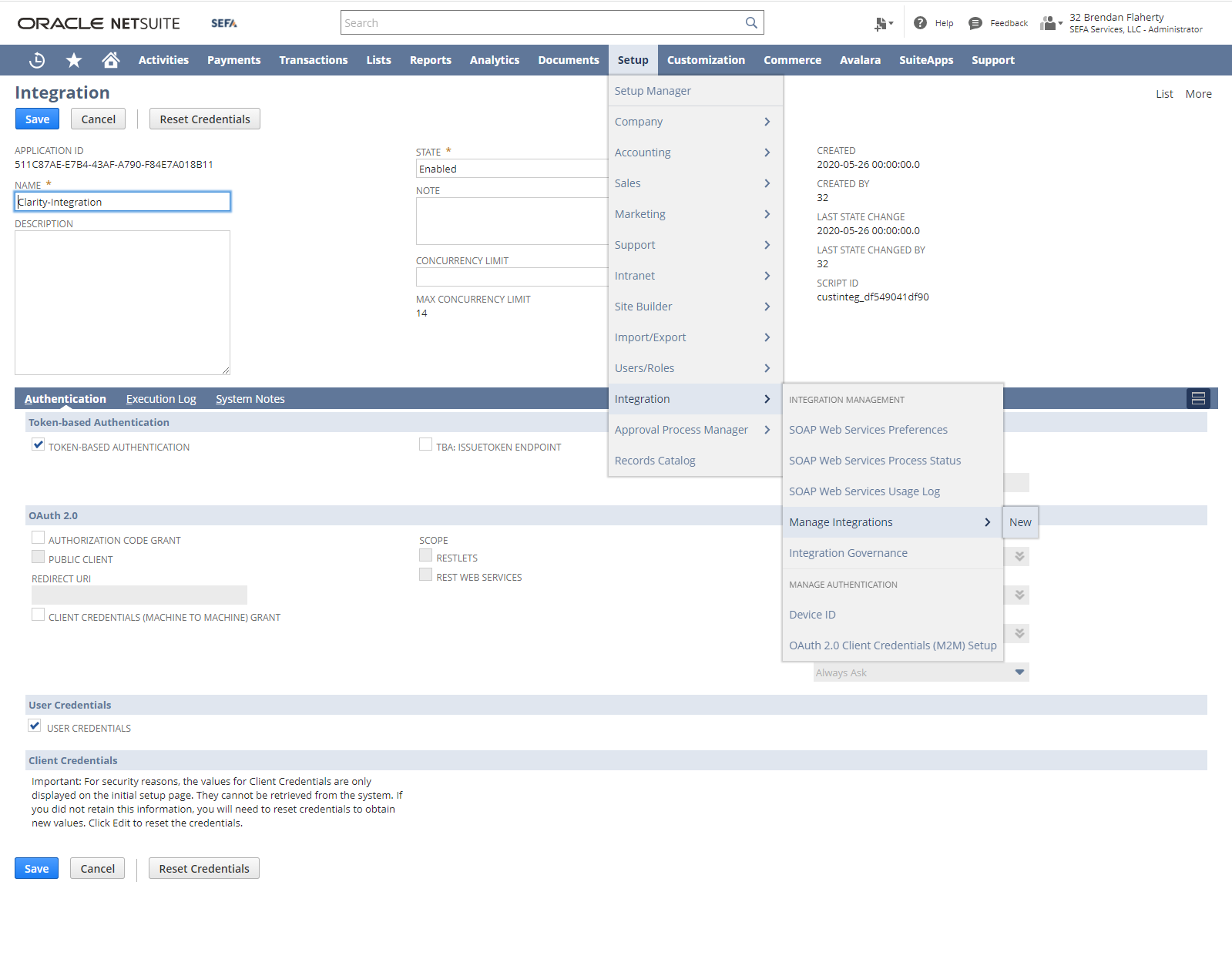
Setup → Integration → Manage Integrations → New
- Enter a name for the Interation in the NAME field
- Check the "TOKEN-BASED AUTHENTICATION" checkbox
- Check the "USER CREDENTIALS" checkbox
- Uncheck all other checkboxes
- Click "Save"
- Record the "CONSUMER KEY / CLIENT ID" and "CONSUMER SECRET / CLIENT SECRET" values (These are only shown directly after creating an integration)
¶ Create a Role to access the Integration
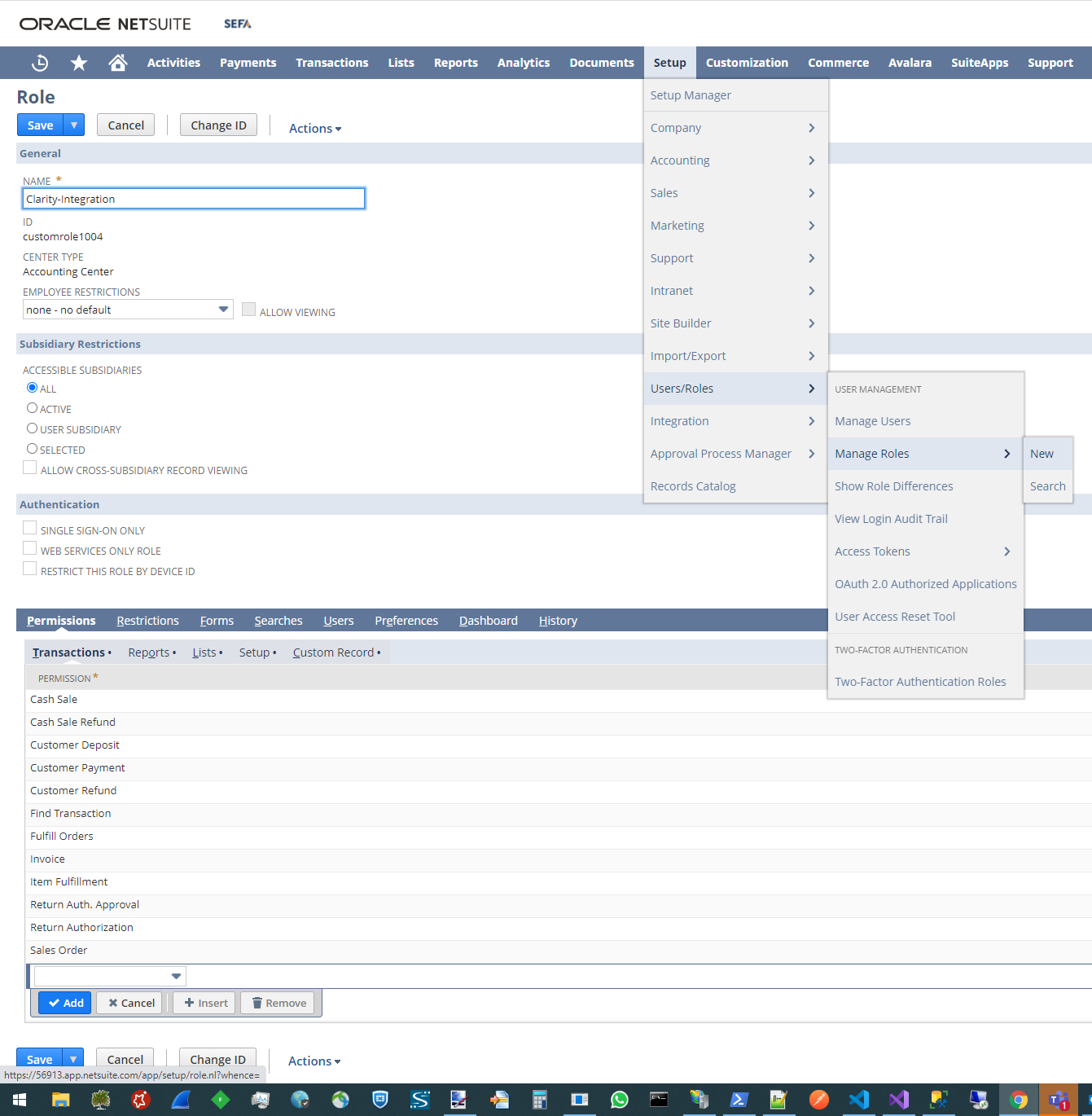
Setup => Users/Roles => Manage Roles => New
-Enter a name for the Role in the NAME field (Name this something relating to the integration since there are many other Roles to get confused with)
-Under the Permissions tab, add permissions you will be using (This will enable hitting and seeing valid responses from the applicable NetSuite endpoints)
Transactions tab (Ensure the access level is set to "Full"):
- Cash Sale
- Cash Sale Refund
- Customer Deposit
- Customer Payment
- Customer Refund
- Find Transaction
- Fulfill Orders
- Invoice
- Item Fulfillment
- Return Auth. Approval
- Return Authorization
- Sales Order
Lists tab (Ensure the access level is set to "Full"):
- Accounts
- Contact Roles
- Contacts
- Custom Record Entries
- Customers
- Documents and Files
- Integration Applications
- Item Collection
- Items
- Key access
- Locations
- Promotion
- Subsidiaries
- Tax Records
- Tax Schedules
- Units
- Vendors
--Setup tab (Ensure the access level is set to "Full"):
- Accounting Lists
- CRM Lists
- Control SuiteScript and Workflow Triggers per CSV Import
- Custom Body Fields
- Custom Entity Fields
- Custom Event Fields
- Custom Fields
- Custom Item Fields
- Custom Lists
- Custom Record Types
- Custom Transaction Fields
- Customer Status
- Deleted Records
- Integration Application
- Log in using Access Tokens
- Other Custom Fields
- Other Lists
- REST Web Services
- SOAP Web Services
- Setup Campaigns
- Support Case Origin
- Support Case Priority
- Support Case Status
- Support Case Type
- User Access Tokens
- Custom Record tab (Ensure they access level is set to "Full"):
- These are custom record types created in NetSuite by developers - An example previously used is "Item Category"
Ensure that the User that the integration will be using is added to your new role
¶ Create an Access Token to allow for external API access
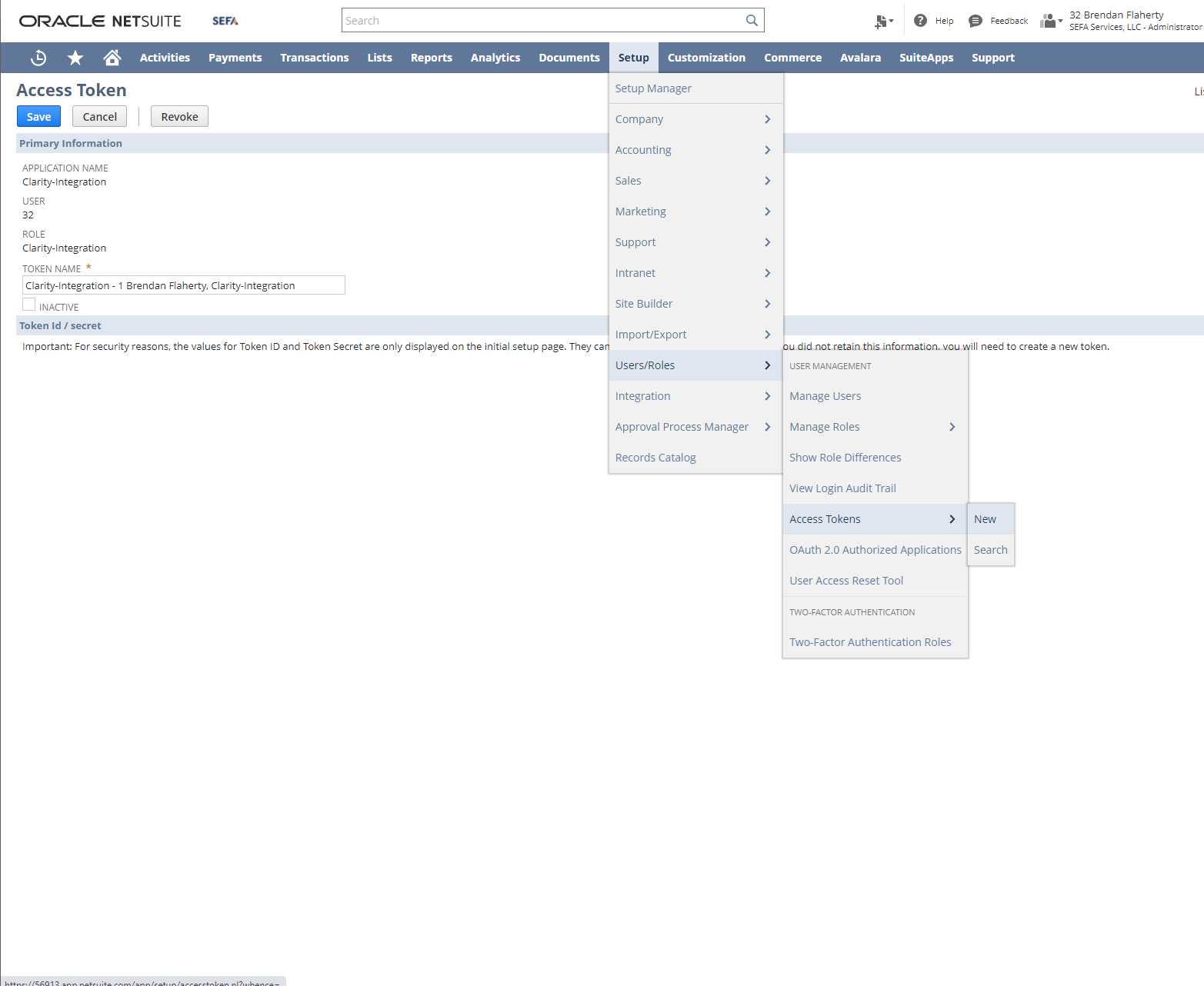
Setup => Users/Roles => Access Tokens => New
- Select your Integration from the "APPLICATION NAME" dropdown
- Select the User your Integration will be accessed from
- Select the Role your Integration will use for access (These listing will be pulled from the roles your user is placed under)
- Record the "TOKEN ID" and "TOKEN SECRET" values (These are only shown directly after creating an Access Token)
Use the CONSUMER KEY, CONSUMER SECRET, TOKEN ID, and TOKEN SECRET values you recorded to have access to your integration
¶ CRUD Operations
- Primarily uses rest, some services use SOAP as they don’t have rest functionality yet
- All transformation services require SOAP (TBD)
- There will be a URL that begins with the client ID of the Netsuite account you are working with, after that there is a generic URL
- https://{ClientID}.suitetalk.api.netsuite.com/services/rest
- /record/v1/salesOrder/8949?expandSubResources=true
- /record/v1/salesOrder/3818/!transform/itemFulfillment
You can Query SQL directly if you know the table name
- /query/v1/suiteql
SELECT name, id, custrecord_sefa_dealer_location FROM location
¶ Connect Specifics
- Digest request
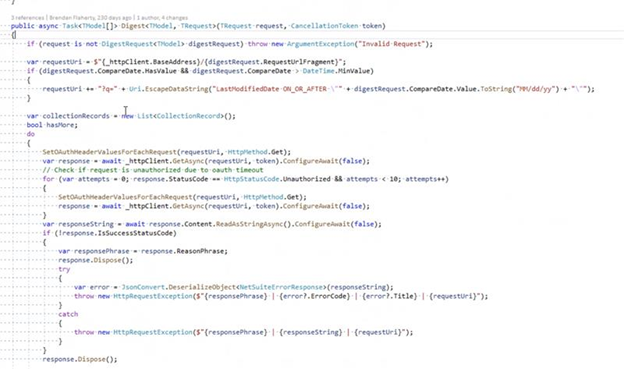
- You can use digest request to get all IDs
¶ List request
- Uses a SQL query based on the last modified date
- Can use a regular list request functionality with a last modified date
- Includes a boolean if you want to include sub resources
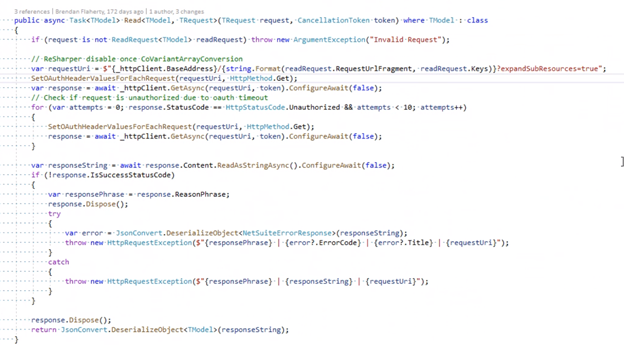
- Read automatically sets sub resources to True
¶ Upsert
- Checks to see if ID exists, if not it will create a new entity
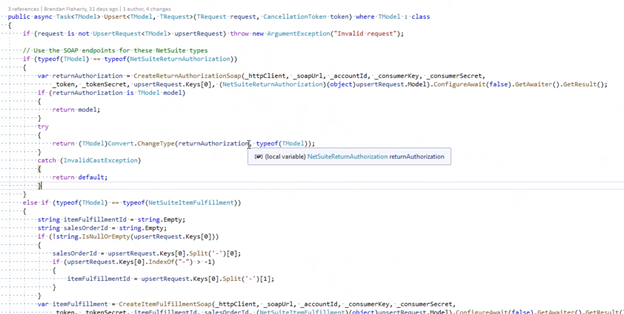
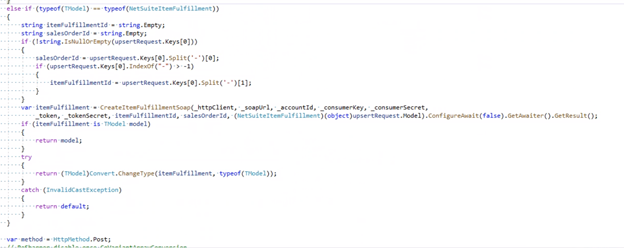
- Netsuite item transformations require soap, upcert will check for that and use SOAP instead of REST
¶ Read Request
- If you request a sales order, do you want the sales line included, if there is a sub-object that has records
¶ Known Customizations
- Invoices
WORK IN PROGRESS - PROJECT IN DISCOVERY
¶ Outlying Issues
- Custom fields are found under the content fields tab on the inventory item listing product page in the NetSuite UI
- Minimal internal integration experience
¶ Common Model Mappings
¶ Common Model Workflows
Phase 2