Effective 2/24/2022, to help combat the ongoing problem of phishing, our organization has decided to enroll all of our employees in comprehensive security awareness training. We need to defend our organization against cybercrime and security is everyone’s job. You are the last line of defense for keeping our organization safe.
All new team members will receive an e-mail from KnowBe4 informing them that they have been assigned a required training.
Yes, this is a legit e-mail and yes, the training is required.
One of the great features included with KnowBe4, is the addition of the "Phish Alert Report" button in Outlook.

To use this button, simply open an e-mail and click Phish Alert Report.
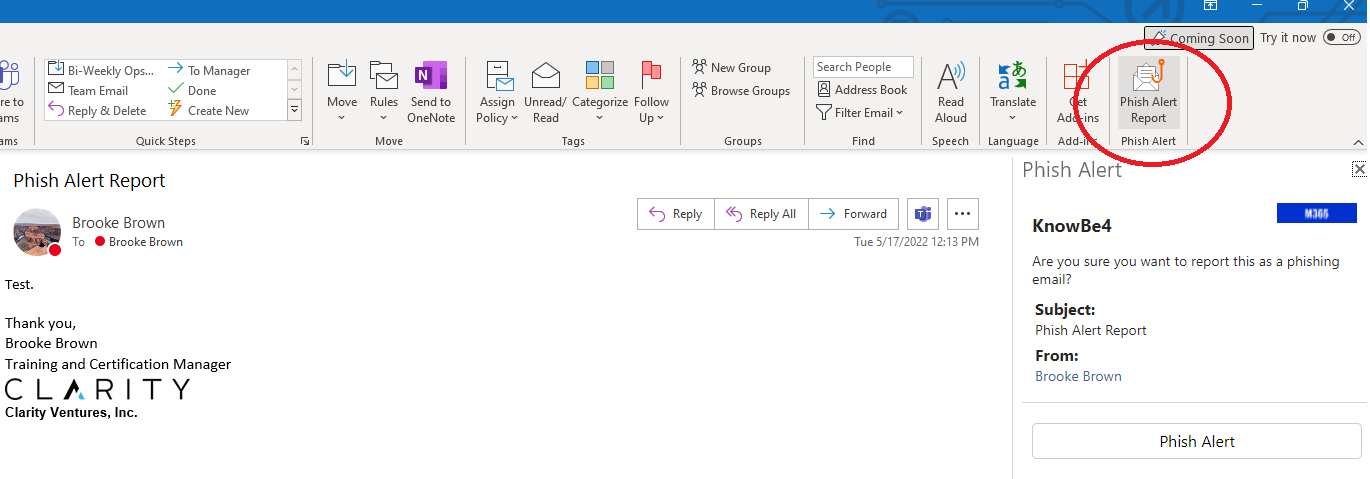
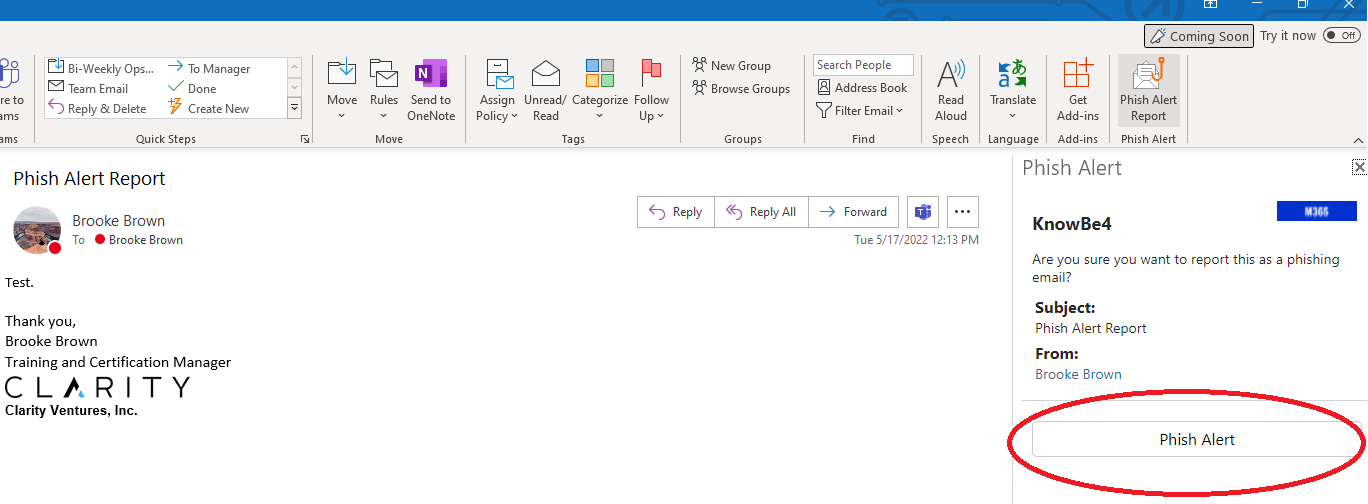
Once the sidebar pops up, click Phish Alert.
A pop up will appear either letting you know it was a test and you passed, or it will thank you for reporting the e-mail.
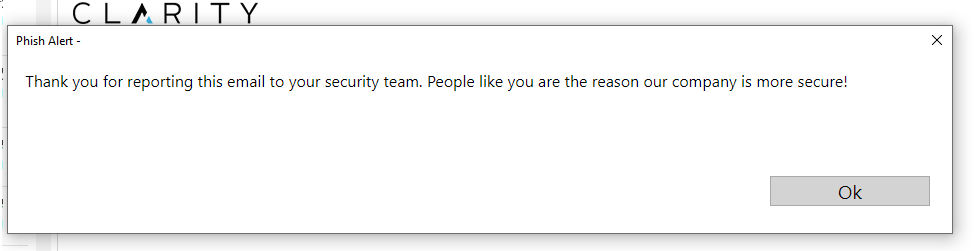
It is imperative that we are using this button to report any and all suspicious e-mails. When using this button to report a suspicious e-mail, it will alert you if the e-mail was a test (Yes, we are sending out phishing attempts that are indeed a test) or it will tell you the e-mail has been reported and will send a copy to our IT department. This button removes the need to alert all team members about the phishing attempt. Please use this button instead of marking the e-mail as junk. We want Clarity to be as protected as possible and using the Phish Alert Report button helps us achieve this.
Please reach out to Brooke Brown if you have any questions regarding KnowBe4.