Welcome to Clarity Connect! Connect is a data-loading and transformation tool that relies upon Connectors to bring data to/from different 3rd party ERPs and CRMs together.
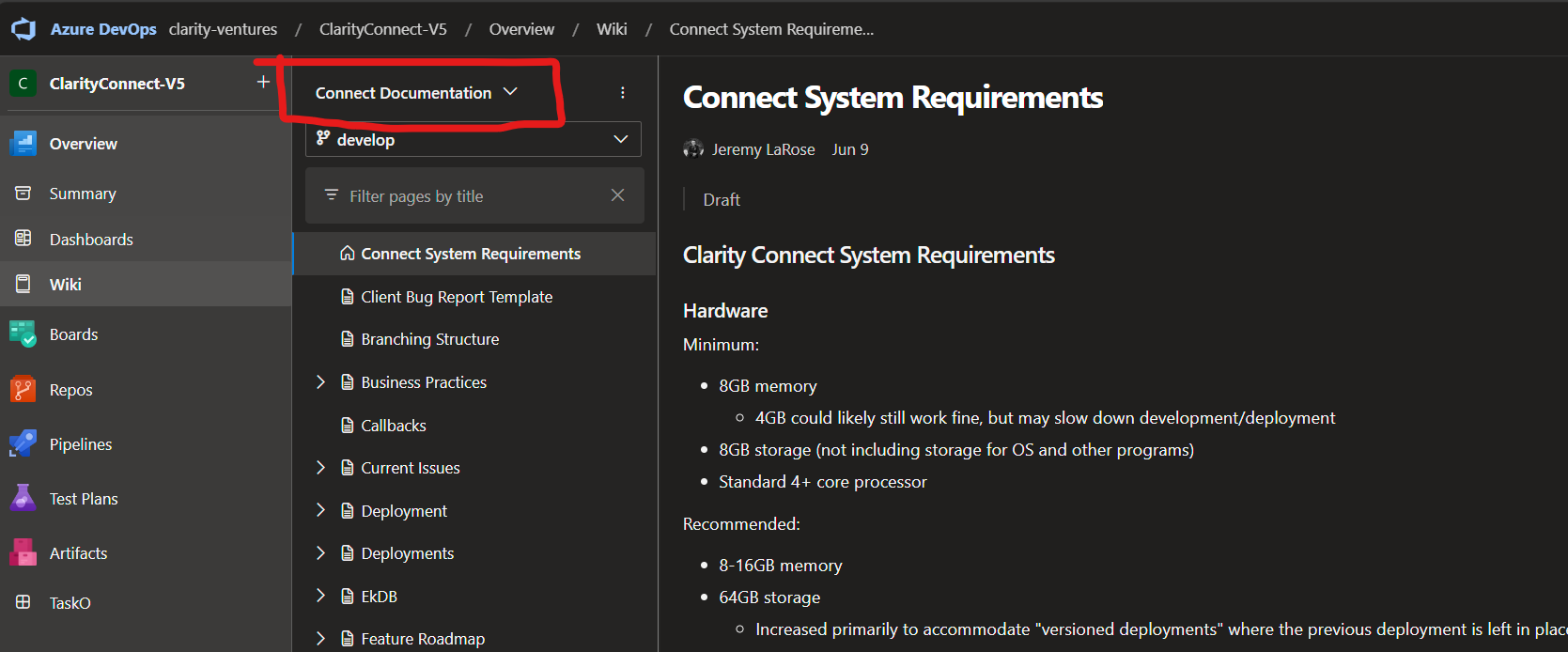
The main Connect Wiki exists in Azure: https://dev.azure.com/clarity-ventures/ClarityConnect-V5/_wiki/wikis/Connect Documentation/629/Connect-System-Requirements.
From that wiki, you can click the dropdown selectable to find the different Connectors and their specific documentation:
decd37a9-9803-45e8-9158-8980c7e40378.png
Connect documentation site we built:
Connect Documentation - Connect Documentation (clarityclient.com)
The Connector Documentation is organized into a standard format for ease-of-use; you should always be able to find the following documents:\
SUMMARY: Should provide links to the other pieces of documentation for a given Connector.
Connector Access: This document should outline the requirements for gaining access and providing access to the Connect platform. This should be a client-facing document that can be printed to PDF and provided to the customer when setting up the new system.
Sales Info: This document should contain any of the required questions and general callouts for the Sales/Discovery/Architecture team to make sure that any risk areas get called out ahead of time. It is organized in a way that would make it easy to tell, on a per-entity basis, what customizations and questions should be asked whenever a client mentions a section of the system.
System Documentation: Should contain developer-level documentation regarding how the Connector works and how it should be extended.
\