¶ Key Terminology
- Infor API uses Integrated Data Objects (IDOs)
¶ Known Integrations
¶ TEKS (Connect v?)
- Developers: Anonymous User, Anonymous User, Greg Deane
- Integrations: Accounts (To/From), Addresses (To/From), Products (From), Pricing (From), Sales Orders (To/From).
- Current Branches:
?
¶ DOWN (Connect v4.7)
- Developers: Anonymous User, Anonymous User
- Integrations: Contacts (To), Inventory (From), Sales Orders (To),
- Current Branches:
4.7/develop
¶ Authentication
- Uses A WCF Service for all End Points
- Need to Create a SessionToken
- Uses UserID, Password, and Configuration
- These are provided the client
¶ CRUD Operations
¶ IDO Web Service
- CSI uses a WCF Service
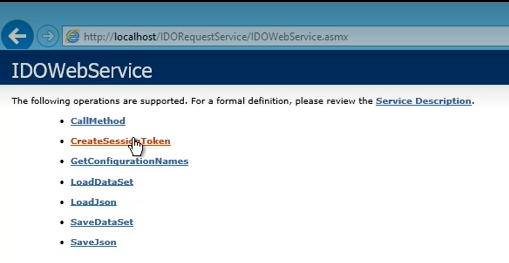
- GetConfigurationNames returns different Configurations such as Prod or Stage
- Load DataSet returns XML
- Load JSON returns Json
¶ IDOs
- Integrated Data Object
- Flat Object that is basically the result of a SQL Join Query
- Can be Custom or Base IDOs
- SLCustomers is a base object
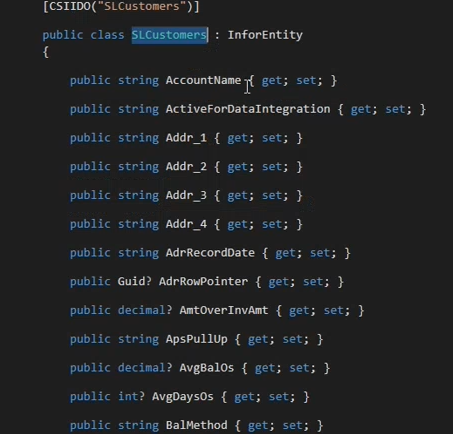
- What you use to Query does not join.
- CustSeq is the relational field that maps Customers and Addresses together
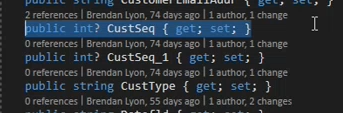
- CustSeq 0 is always the billing address. The rest are shipping.
- If CustSeq is included as a property to return but is not used as a filter, then CSI will return a separate Customer Record for every address
¶ Generating IDO entities
- Entities must be generated first.
- Can use a tool created by Eric
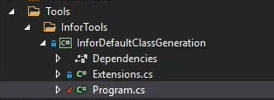
- All Base IDOs live in the base connector while Custom IDOs will live in the client project
- Create a Client Specific Service that inherits from the Base Service

In the program file, inject the client service

In the Entity Tool, set your ClientAcronym and BasePath
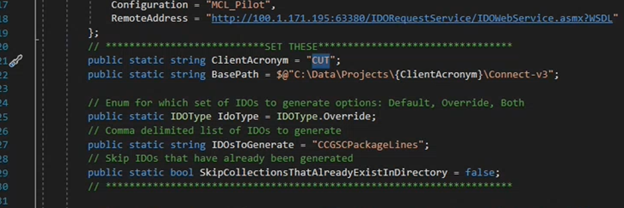
All Base IDOs should already be generated, so only Override (custom) IDOs should need to be generated
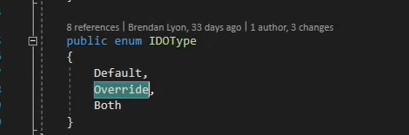
A specific IDO can be generated. Otherwise just leave this as an empty string

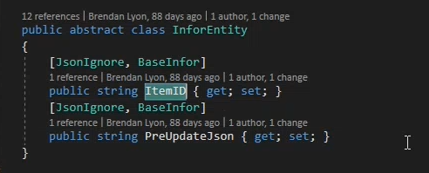
Every IDO Entity inherits from InforEntity which includes the ItemID and PreUpdateJson Fields
¶ Querying an IDO
- Once entities are generated then Queries can be made
- Properties you want returned should be specified. Otherwise all properties will be returned.
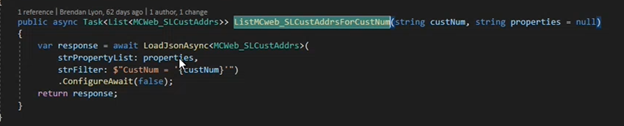
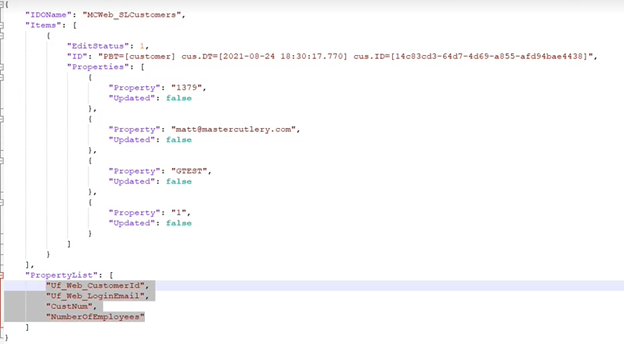
The method, GetPropList, will generate the properties from the Entity
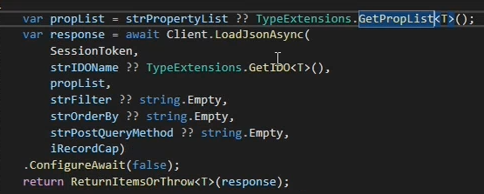
Like in SQL, the value must have single quotes
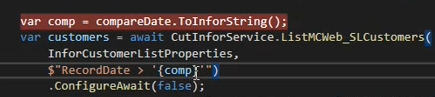
Also just like SQL an “AND” may be used

¶ Updating an IDO
Just pass in the IDO entity

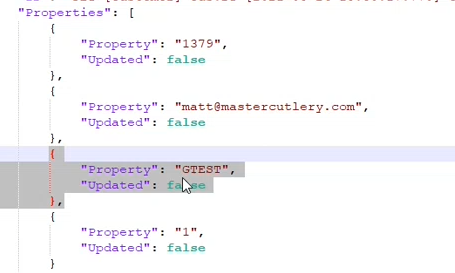
When setting fields for updating, not every field can be updated. For instance, if a key value like CustNum is set to true then you will get an error back saying that CustNum is not an editable field.
¶ Connect Specifics
¶ General
Every Record has a Record Date that can be used to filter recent items.
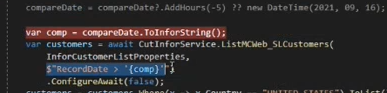
¶ Customers
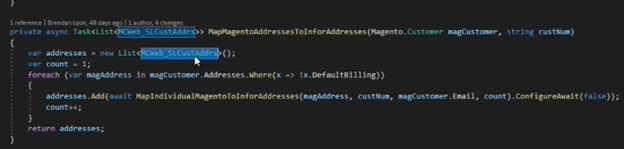
Customer Addresses are an extension of Customers
Its best to create a List of Customer Addresses and update the Address IDO directly
¶ Sales Orders
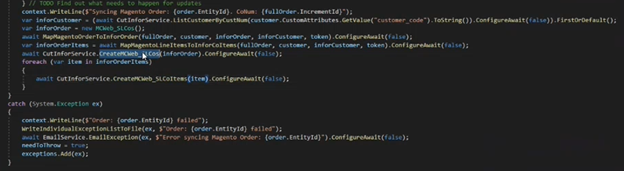
Similarly to Customer Addresses, it’s best to create Line Items separately from the Order.
Create the Customer Order first and then create the Line Items
¶ Known Customizations
- Products
- Multi-Store/Multi-Site
- Pricing
- Custom Pricing Plugin
- Sales Orders
- Account Creation Sales Order Process
- Tax Exemption Certificate
- Tax Changes (Order Updates/To)
- Contacts (From)
- Custom Database Tables
- Sales Orders (To/From)
- Multi-Database/Table
¶ Outlying Issues
¶ Error Handling
CSI returns errors back as a string.
The LoadJson Method itself throwns an exception
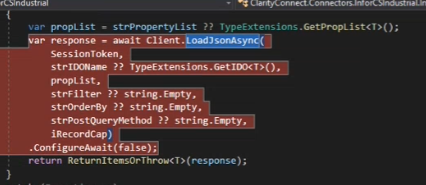

Errors are fairly descriptive.
¶ Common Model Mappings
¶ Common Model Workflows
Phase 2