¶ Documentation: HubSpot APIs | Getting started
¶ Key Terminology
- HubSpot is unique in that they do not use Sales Orders or Invoices as traditional terminology, instead they use Deals.
- The Stage of the Deal is generally used to describe whether the deal is in Sales Order or Invoice Status. Sales Order = Pending, Invoice = Closed Won/Lost. Quotes cannot be generated before the Deal is in existence, so they have to come first.
¶ Known Integrations
¶ SOREN (Connect V4.7)
- Developers (P): Anonymous User
- Integrations: Accounts (To/From), Addresses (To), Deals (To/From)
- Current Branches: TBD
¶ ENER (Connect V4.7)
- Developers (P): Anonymous User, Jim Lynch
- Integrations: Contacts (To/From), Companies (To/From), Deals (To/From)
- Current Branches:
C4.Modules.ESM.Hubspot/4.7/jimNjeremy/ENER
¶ CMMC (Connect v3)
- Developers (P) Anonymous User
- Integrations: Contacts (To, From), Companies (To, From), Deals (To, From), Notes (To), Associations v4 (To)
- Current Branches:
support/clients/cmmc/connect/prod
¶ BENLEE (Connect v3)
- Developers (P): Austin Gregg, (A): Isaiah Standridge
- Integrations: Accounts (To/From), Contacts (To/From), Sales Orders (From), Invoices (To), Products (To)
- Current Branches: TBD
¶ CARE (Connect v3)
- Developers (P): Anonymous User
- Integrations: Contacts (To/From), Companies (To/From), Deals (To/From)
- Current Branches:
?

¶ Authentication
All authentication done through Private Apps as of November, 2022:
¶ Creating A Private App
- Gear Icon for Settings, navigate to Integrations > Private Apps > Create A Private App
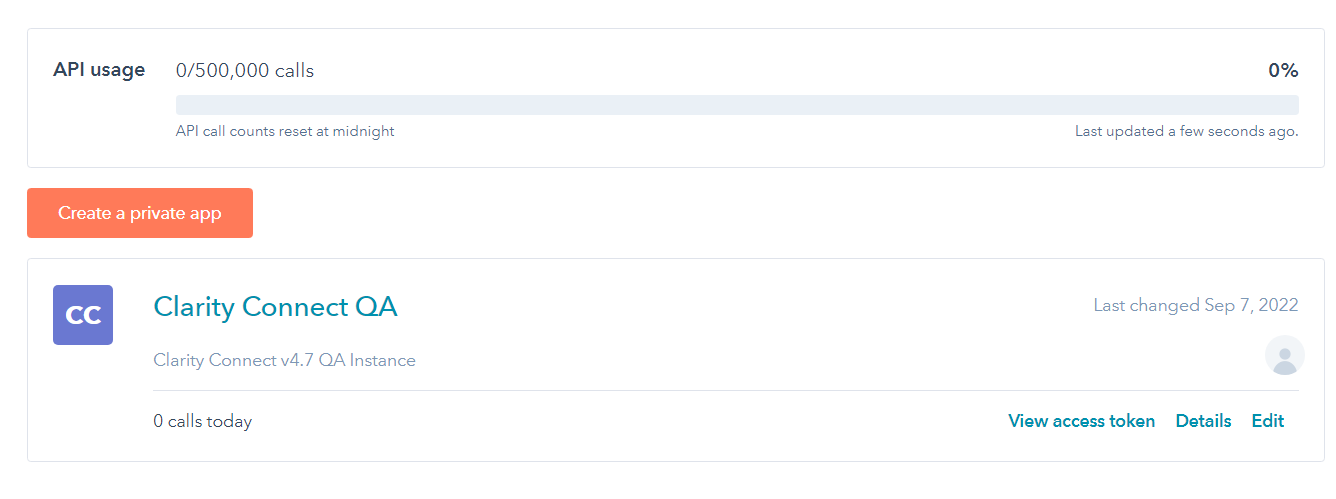
- After creating the Application, you'll need to assign it Scopes, this limits the ability of the app to access certain parts of Hubspot:
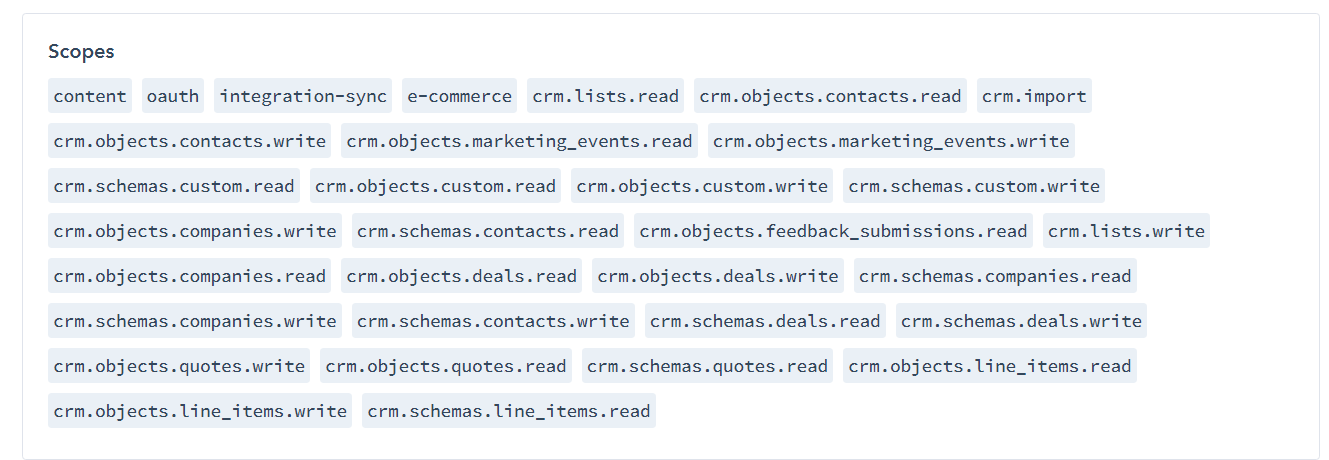
- From there, Bearer Tokens are generated.

¶ CRUD Operations
¶ List Requests
- Standard
REST APIqueries.
¶ Read Requests
- Standard
REST APIqueries. Currently, the implementation returns the full model to be read instead of the base lite mapping. By default, a request withoutpropertiesas a query parameter returns a lite map of the object.
¶ Create Requests
- Standard
REST APIqueries.
¶ Update Requests
- Standard
REST APIqueries.
¶ Delete Requests
- Not Implemented
¶ Connect Specifics
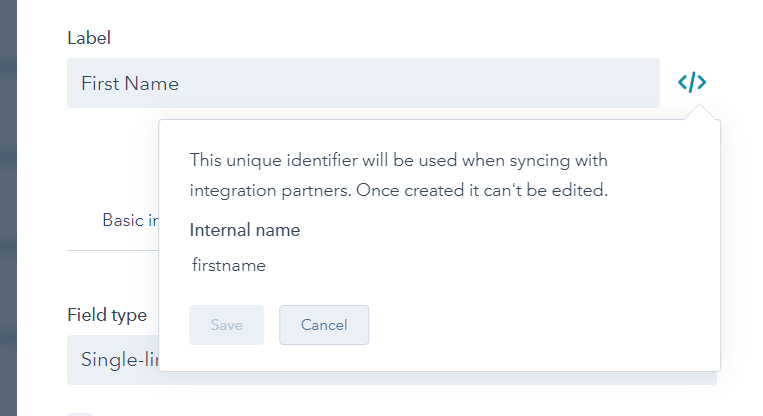
- HubSpot models by themselves are typically very bare-bones. HubSpot allows the user to create their own properties on each model, so all will have to be added separately with the appropriate
JsonPropertyNameattribute based on theInternal Nameof the property within HubSpot.- From Hubspot UI: Settings → Properties → Select an Object → Create Property
eb1de64a-d9c1-4f3d-bd36-cfcd73a4015d.png - NOTE: The v4.7 models have a CustomFields property that can be used to read/write custom properties instead of adding client-specific properties to the models.\
- From Hubspot UI: Settings → Properties → Select an Object → Create Property
¶ Known Customizations
- Deals
- Field Service Hours
- Dated Events/Status Changes
- Sales Orders
- HubSpot Automation
- Invoices
- Invoice Attachments
- Sales Orders (Deals)
- Sales Order Account Creation
- Invoices (Deals)
- Sync Restriction: On Fulfilment
- Memos Sync
¶ Outlying Issues
- Batching is not currently implemented and at some point probably should be.
- As of now, a READ request currently returns all the available properties on an object instead of a Lite mapping which is the standard response from the API.
¶ Common Model Mappings
¶ Common Model Workflows
Phase 2