Setting Up a New Client Team in Microsoft Teams
- Technology: Teams
- Sphere: Communication and Reporting
- SDLC: Sales and Project Introduction
- Cadence: Once at the start of a project.
Client Team Channel
IMPORTANT:
- Make sure Sales and Management are added as owners!!
- Make sure the team is public so the dev team can search and find it when needed!!
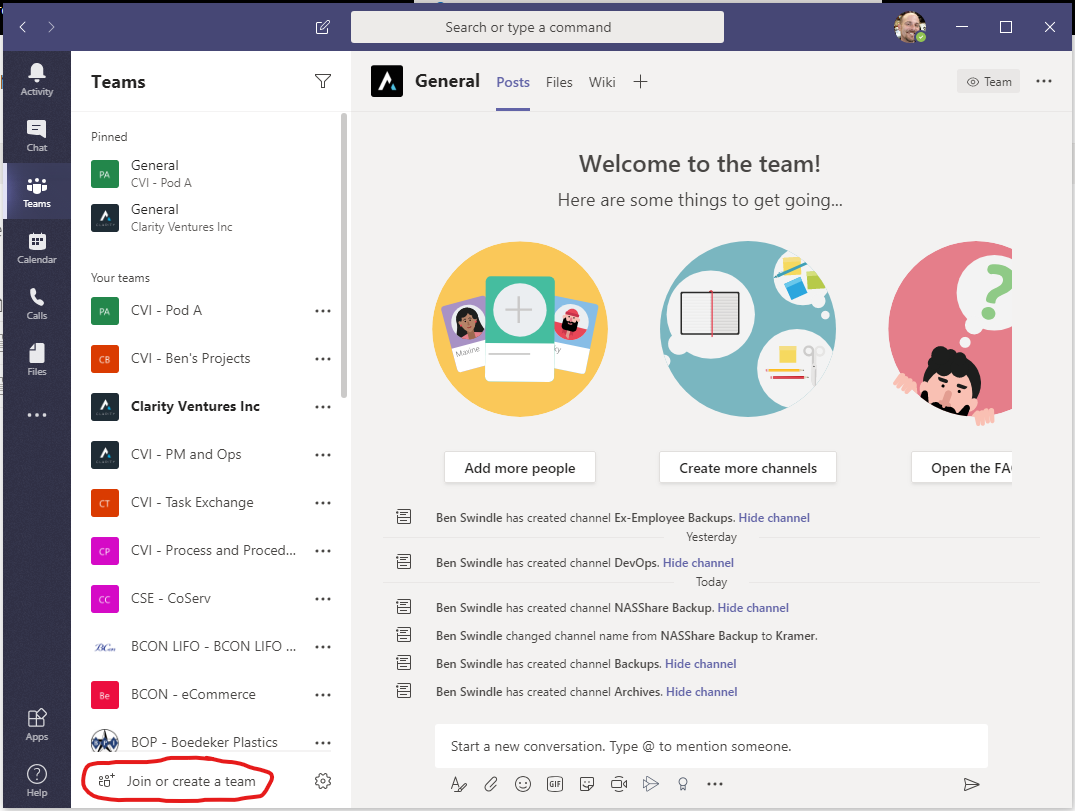
Step 1 - Click Join or create a team
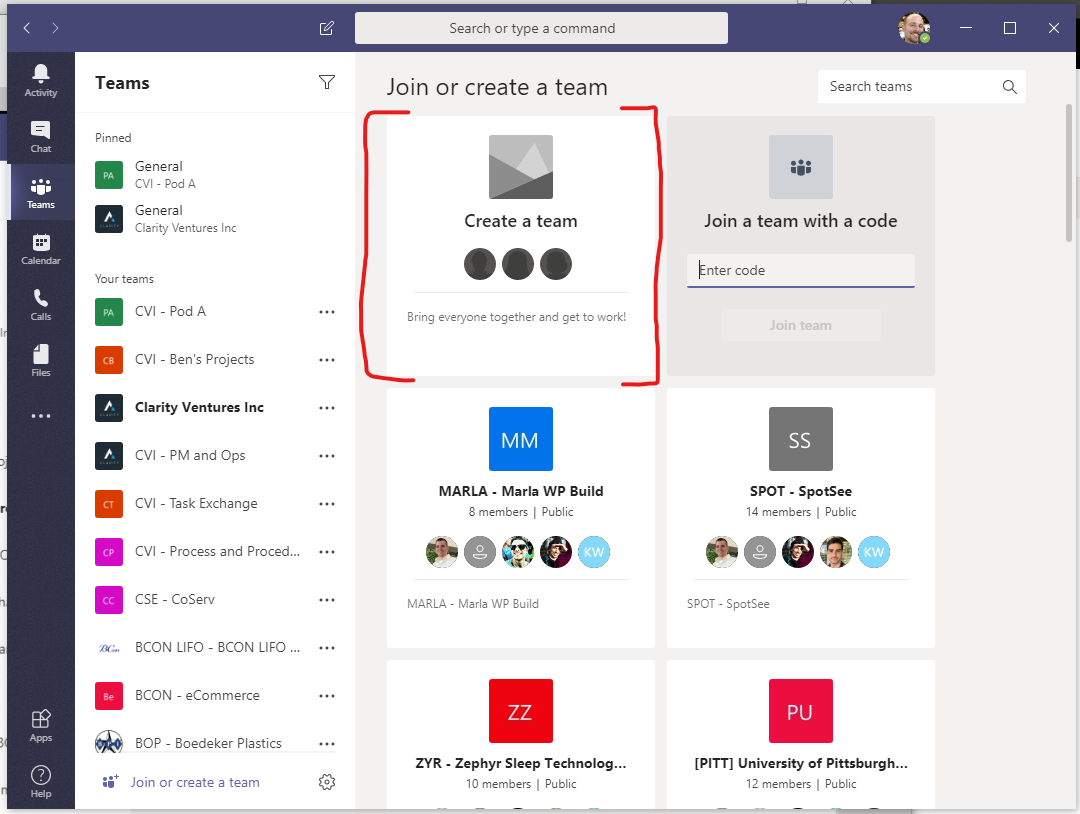
Step 2 - Create team
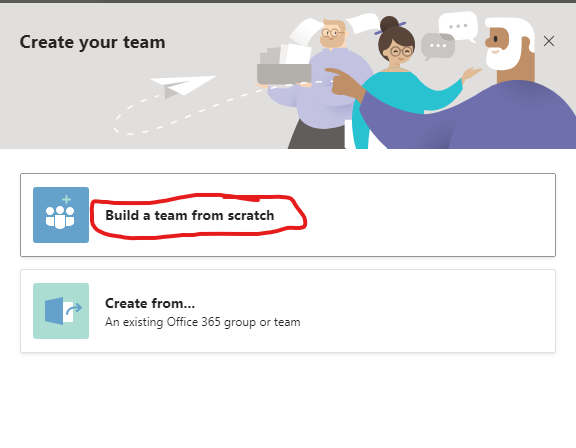
Step 3 - Build a team from scratch
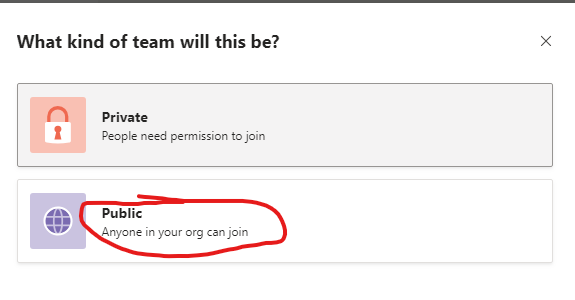
Step 4 - Choose Public
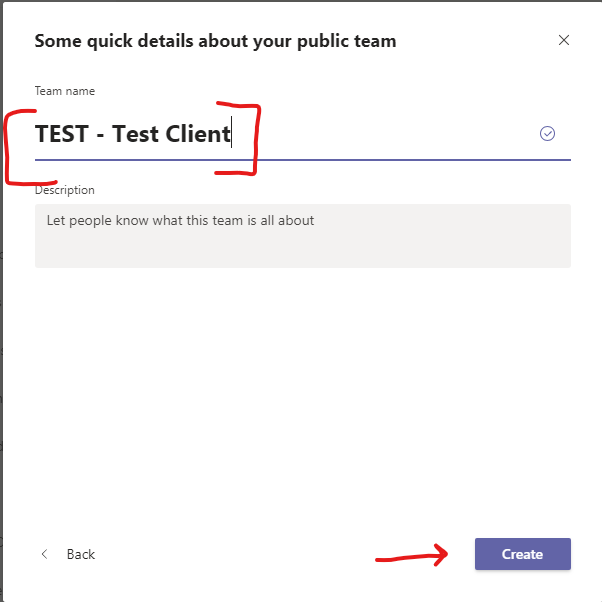
Step 5 - Input Team Name using the Team Acronym first followed by a space-dash-space then team name as shown below, then click Create
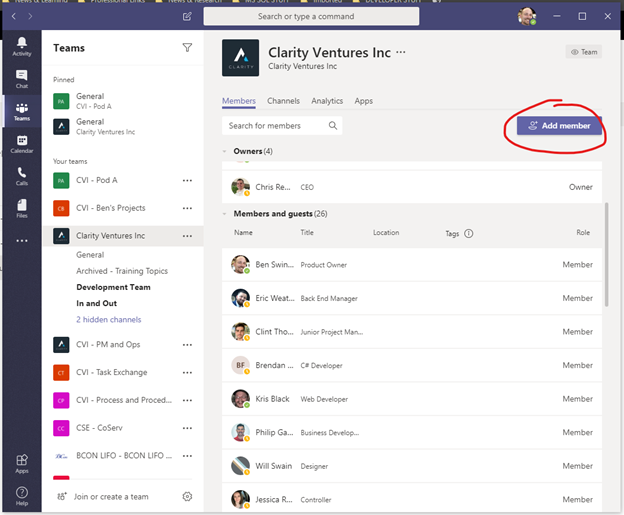
Step 6 - Add Sales and Management as Owners
- Key People To Add:
- Eric Weathers
- Kyle Sanford
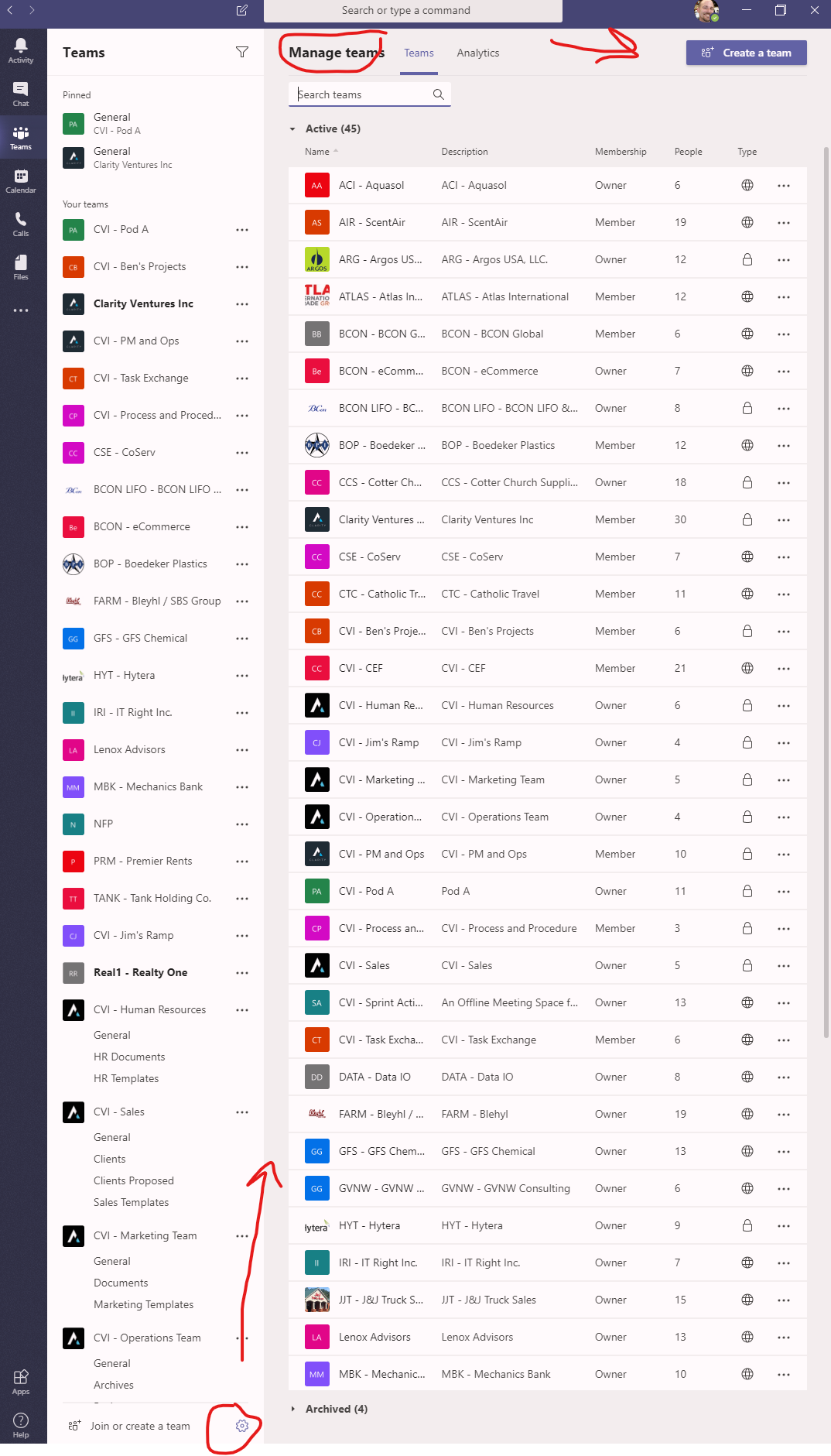
¶ Alternative Way to Create a New Team
Click the gear icon at the bottom, then you can search for teams or create a team.