You want your catalog page on a site to be `/Products`. This is
because that's the default in the cef config and it needs to match so
that seo urls will work correctly. If you can't use /Products you have
to change the the `catalogRootUrl` in
CEF/Clarity.Ecommerce.UI/framework/configurations/dnn/cef.js, and then
remember to change it every time you pull changes in because you won't
be able to commit the change.
For those of you that start working with the version of CEF that has
Reports in it (4.4 after the merge goes in today) you may have
difficulty compiling that project. You can unload it for now as it won't
impact other projects or you can install this package to your system
(will have to close VS to install it) and say Registered install with
receipts@clarity-ventures.com qpzm9731
https://files.slack.com/files-pri/T046W20K5-F11UU3S00/download/devexpresscomponents-15.2.9.exe
This error results from not having VS2015 U2 or greater installed
Compiling transformation: Unexpected character '$'
When working with t4 templates you have to have the T4 compiler updates
that came with VS2015 Update 2 for it to all work properly. Note: Update
3 has been released as well with further fixes
All the CEF source code files are saved with Windows 1252 encoding,
which only supports western character sets. After using some Russian
text in a workflow as a test, had to save the file as Unicode UTF-8,
which should be the encoding for modern applications and especially
anything web related. Visual Studio inexplicably has no way of
specifying this as a default, which would require us to File > Save
Advanced for every single file to convert them or use a conversion
utility. It's more of a footnote at this point, just something to keep
in mind if use non-western currency symbols or other characters in
source code or especially in html/javascript files.
A few architectural changes we could use for GAF and would be nice on
CEF in general:
that would override anything in CEF
probably not the most trivial thing but very necessary for many Clients
with mappings and very common request - therefore should be part of the
architectural planningz
The latest version of CEF 4.6 has added a requirement for a
EnabledProviders. The SystemValues.Providers.EnabledProviders value is a
comma delimited list of providers from the Plugins folder to enable. See
example below. This is in addition to the individual provider settings
for each provider type. So, for example, you still need to set
SystemValues.Providers.PriceProvider = FlatPriceProvider or whichever
PriceProivider should be used.
Also, be aware that there is currently a mix between using
SystemValues.Providers.PriceProvider and SystemValues.Pricing.Provider.
SystemValues.Providers.PriceProvider is correct and will be corrected in
my next push.
Also, note the use of the new {CEF_RootPath} token in the PluginPaths
value. It will resolve to the correct path so you won't need to change
this value for each instance going forward.
<add key="SystemValues.Providers.PluginPaths" value="{CEF_RootPath}Plugins" />
<add key="SystemValues.Providers.EnabledProviders" value="FlatPriceProvider,MockAddressProvider" />
<add key="SystemValues.Providers.PriceProvider" value="FlatPriceProvider" />
<add key="SystemValues.Providers.AddressProvider" value=" MockAddressProvider" />
Hope to get this information better documented in the future.
For us to incorporate into the upcoming sprints that related to tracking
and such:
1
As part of the process changes discussed in the last Monthly Meeting,
demo sites for multiple versions are now up and running as well as
Release Candidate versions. In the next sprint (with RCs updating
Masters) we will have those sites as well Dev-Masters: Cursory
checks to make sure your latest work merged well, updates nightly and on
command
Release Candidates: Strong QA done here, updates nightly and on
command, can pull to client sites if urgently needed
Masters: Demo ready for Sales, can also start pulling in changes to
client sites
Be aware that separate CEF databases are set up for each of the demo
sites (the dev masters, release candidates and masters for each major
version) on SQLA\SQL2014, in the naming convention like this: 4.3
4.4
4.5
4.6
There are also separate DNN databases for the versions (but only 1 for
each major version):
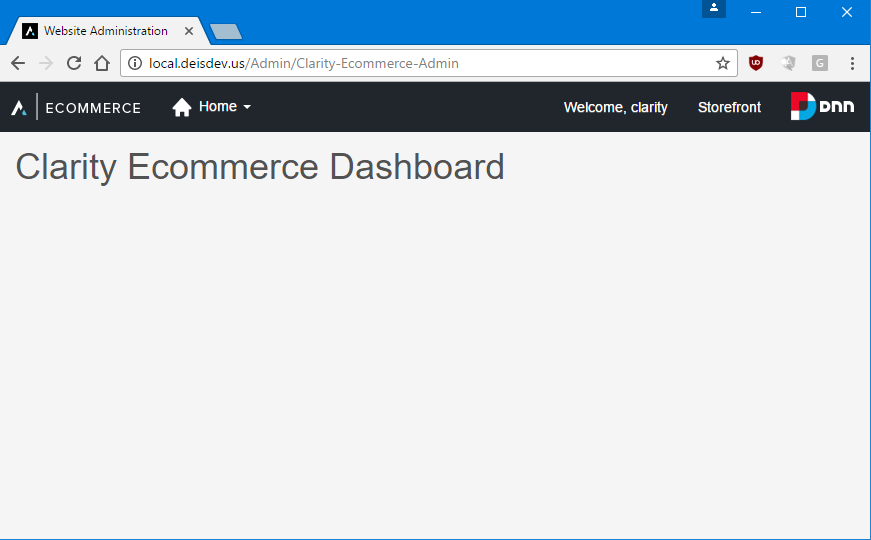
If you are seeing this while going to the CEF Admin after pulling latest
4.6.0/Dev-Master:
https://i.gyazo.com/ee920ab33050c52809636b3bb617073e.png and the CEF
API is NOT erroring out, then you probably need to run the
SeedDefaultData Unit Test in Visual Studio (don't forget to comment out
the Skip part of the Fact line so it doesn't skip the test). This will
seed the database with all the required Permissions records and the
assignments to the CEF Administrator role (which the 'clarity' account
has). (Note a PR just completed within the last few minutes that fixes
the seed method too).
If you are having issues getting Admin to come up at all (blank page)
and there are no CEF API errors in your network log, you may have an out
of date Admin Skin. Copy the Admin Skin file from this link to always
ensure the latest for 4.6:
https://clarity-ventures.visualstudio.com/CEF-Product/_git/Demo-DNN?path=%2FPortals%2F_default%2FSkins%2FClarity-Admin%2FClarity-Admin.ascx&version=GB4.6.0%2FDev-Master&_a=contents
If you're getting the "cannot set property 'metadata' of null and the
Search API is giving you an error, check your web.appSettings.config
file - make sure the SystemValues.Providers.PluginPaths is pointed to
the right spot and the plugins are in the CEF\Plugins folder. Also make
sure you have the SystemValues.Providers.EnabledProviders key. For
reference, check against the CEF-Configs repo. Be sure to rebuild.
https://i.gyazo.com/d13fcb9b599c55a83b0f2134ef7809f3.png If you get an
error like this, the download at the below link will fix it (download
and install .NET 4.6.2 Dev Kit).
https://www.microsoft.com/en-us/download/details.aspx?id=53321
App_Data/ClientDependency
App_Data/Search
Portals/*/Cache
Portals/*/DMX/Log
Portals/*/Images
Portals/*/Logs
Portals/*/SearchBoost