CEF Version 2019.2
Clarity Product Image Bulk Sync Documentation
-
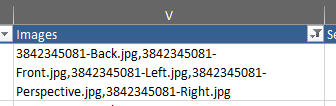
Prepare the images and bulk product import excel sheet.
(the images should be named according to the files comma delimited in the images sections of the bulk product import sheet)
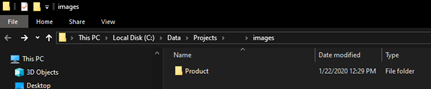
File Explorer View:

Bulk Product Import Excel image column
-
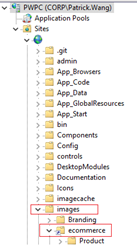
Make sure in the IIS there is a virtual directory (named: ecommerce)within the Sites that points to the folder where the images are located. IE: the IIS > Sites > images > VD: ecommerce is pointing to C:/Data/Projects/<PROJECT ACRONIM>/images\
-
Once the IIS Virtual Directory and Bulk Product Import has been created/completed, the product images should be dynamically pulled at the product details page.
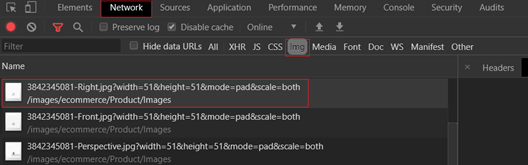
(If there are no product images on the product details page, check the browser inspector to ensure the images is being loaded via the API call)
9c32f607-dbe1-40c5-9302-4754b83711ea.png\
Common Troubleshooting Steps
- If the images are being loaded, but not being display in the product details page:
- Hard-refresh the browsers, this included clearing all application data and cookies
- Restart the application pool in the IIS and / or Sites in IIS
- If the images are NOT being loaded via the inspector view, then please go back and make sure Steps 1 – 2 and completed properly, and proceed with a hard-refresh
- If the above steps do not resolve the issues, this maybe due to a bulk product import script issues or an image file naming convention mismatch. Please seek a developer to check the database and image files uniformity.