¶ Overview
This documentation will cover the Amazon Selling partner API. This can be applied to both Amazon Vendor Central and Amazon Seller Central API. You will need both the Developer and AWS credentials to set this up.
¶ Chapters
¶ Notes
- Developer Application Credentials need to be set up in either the AVC/ASC platform/website
- This is how you set up Developer Credentials Registering as a developer
- Developer applications require AWS credentials to be setup
- This is how you set up the AWS Credentials Creating and configuring IAM policies and entities
- Currently, we are using Chris Reddicks AWS Account (As of 8/1/2022)
- AWS credentials can be reused for multiple projects (As of 8/1/2022)
- May change as we might not want to use the same credentials for clients
- AWS credentials can be reused for multiple projects (As of 8/1/2022)
¶ Credential Nuances
Can be setup with an AWS IAM Role or an AWS IAM User
¶ When using IAM Role
You will not be able to use your IAM user to Authenticate the API. To Authenticate with the API, you will need to generate STS credentials. As of (8/01/2022) the connector is using STS credentials.
¶ When using IAM User
You should be able to use your AWS User and AWS credentials when accessing the API login
¶ Setting up a Developer Application
This Guide is based on the one provided by Amazon, Registering as a developer
¶ Applying for your Developer Application
To register a Developer Application, you must have the client fill out the developer profile form
(Note: This should be done early in Discovery)
This form will request the clients' company contact details, data access roles (Available to be used by your developer application), Roles access/restrictions, and Security Standards
¶ Vendor Central Role
The Vendor Central Role (Manage Integrations(EDI/API)) is required on your vendor central account to access the integration API page.
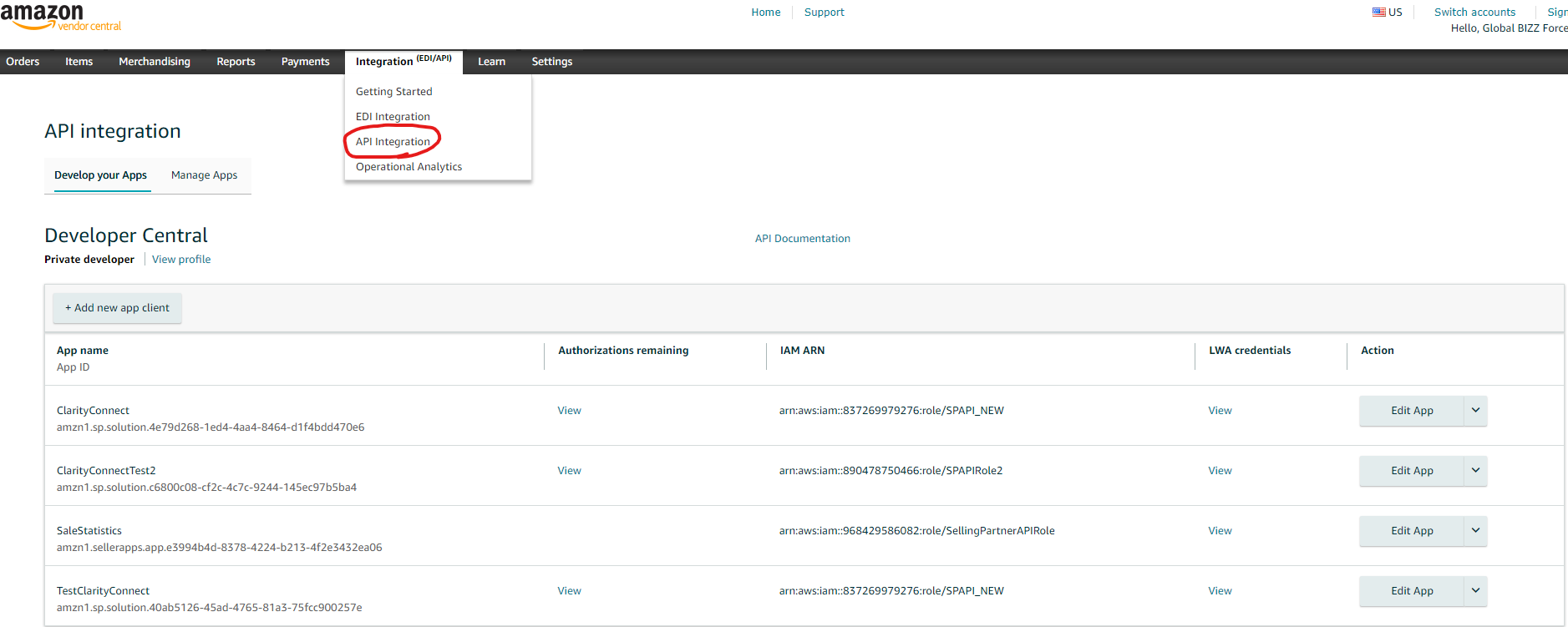
From this page, you can create a new developer application page with the Add new Client App button. From there, you can fill out the form to submit a new developer application. On this form, there will be able to enter the AWS IAM role or AWS IAM User that you want to register this application with.
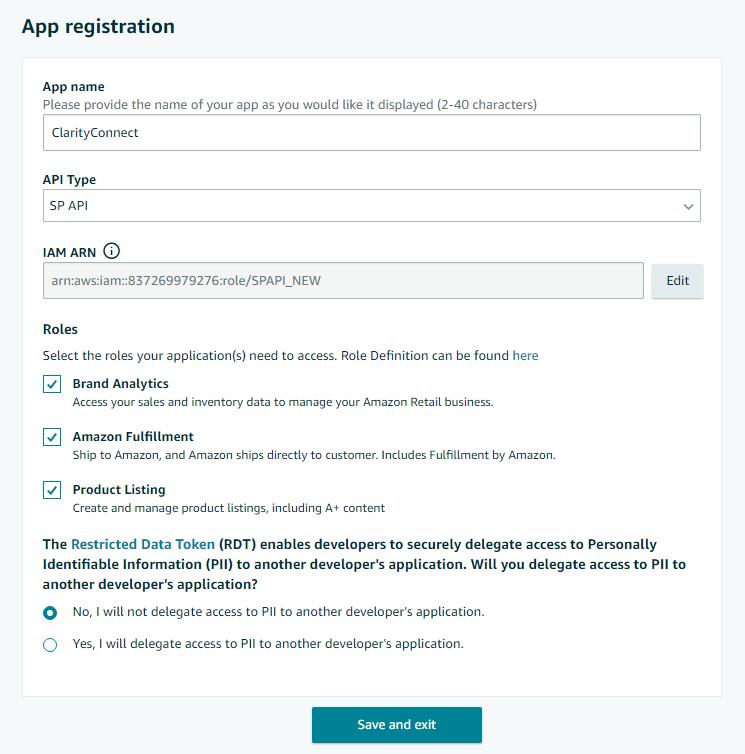
This page will let you assign the ARN for your IAM role or IAM User
It will also let you select the Role that your developing application will have access to
This is a full list of roles (Note: most of these roles will not be available in Vendor Central)